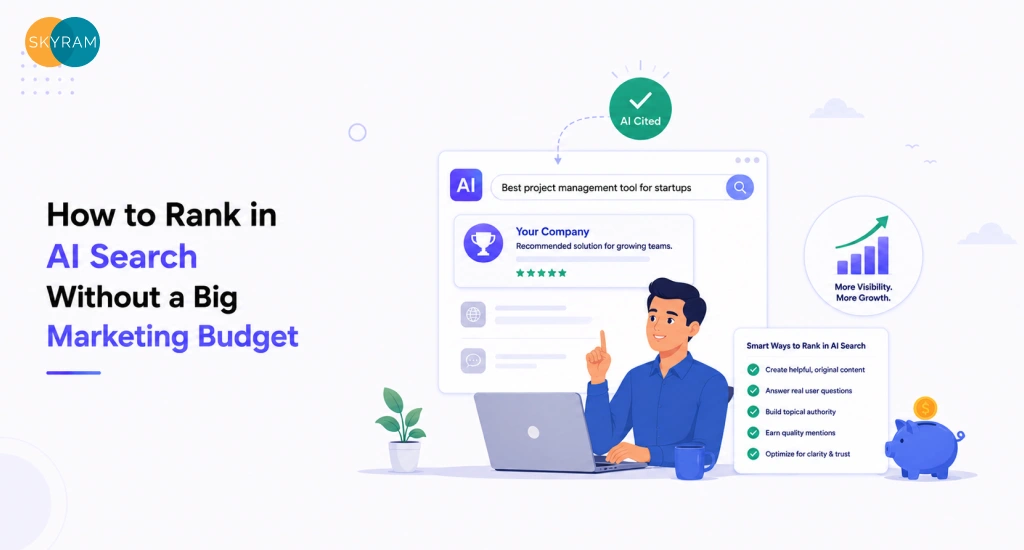
How US Companies Hire an AWS Solutions Architect Without a Full-Time Salary

US engineering team reviewing AWS architecture diagrams with an external cloud partner (1)

Senior AWS Solutions Architects command $140,000 to $180,000 in base salary in the US market. Add benefits, equity, and the three-to-six-month recruiting cycle, and the real cost of a full-time hire often pushes past $250,000 in year one before a single architecture diagram gets drawn. For SMBs and mid-market companies that need serious AWS expertise, but not necessarily a permanent headcount line, that math rarely works.

The good news: full-time employment is not the only path to AWS architecture capability. US companies hire AWS Solutions Architects without full-time salaries by engaging offshore cloud engineering partners, staff augmentation providers, or fractional architecture consultants who deliver the same design, migration, and optimization outcomes, without payroll overhead, benefits, or the 3–6 month recruitment cycle a senior AWS hire typically requires.

This post maps the four engagement models that work in practice, explains what drives the choice between them, and covers what to verify before you commit.

What an AWS Solutions Architect Actually Delivers on Your Team

Before choosing an engagement model, it helps to be precise about what you are actually buying. “AWS architect” covers a wide range of activities, and the model you choose should match the specific outputs you need.

Architecture Reviews and Infrastructure Design

A Solutions Architect reviews your current AWS environment against the AWS Well-Architected Framework across five pillars: operational excellence, security, reliability, performance efficiency, and cost optimization. They produce architecture decision records (ADRs), infrastructure diagrams, and recommendations that feed directly into sprint planning. This work is typically front-loaded at the start of an engagement and periodic thereafter, making it a poor fit for a full-time role that would otherwise sit idle between major review cycles.

Migration Planning and Cloud-Native Refactoring

Moving workloads from on-premises infrastructure or another cloud to AWS requires a migration strategy that accounts for data transfer costs, downtime windows, dependency mapping, and rollback procedures. An architect scopes the migration, sequences the workloads, and selects the right migration pattern, lift-and-shift, replatforming, or cloud-native rebuild, for each application. This is project-bounded work with a defined start and end, which makes it one of the clearest cases against a permanent hire. You need the expertise intensely for three to six months and then the engagement winds down.

If your team manages AWS cloud services across multiple environments and needs consistent architectural oversight without adding headcount, an external engagement model gives you both the expertise and the flexibility.

Cost Optimization and Reserved Instance Strategy

AWS bills drift upward when no one owns the optimization function. An architect audits your instance types, identifies underutilized resources, models reserved instance commitments against your usage patterns, and implements Savings Plans. At scale, this work often recovers more in monthly AWS spend than the cost of the engagement itself. Most companies run a cost optimization cycle once or twice a year, not continuously, which again argues against permanent headcount.

Key Takeaway: AWS architecture work clusters into discrete, project-bounded activities, reviews, migrations, cost cycles, that don’t sustain a full-time role at most SMB and mid-market companies. The engagement model should match the demand pattern.

Why a Full-Time Hire Is the Wrong Default for Most Companies

The instinct to hire is understandable. Architecture work feels critical, and critical work feels like it should have an owner on staff. But most of the logic behind a full-time AWS architect hire breaks down when you examine how the work actually flows.

Project-Based vs. Ongoing Architecture Demand

Honest architecture demand at a 50 to 300 person company rarely sustains a senior architect at full utilization. A typical year might include one major migration, one Well-Architected Review, a quarterly cost optimization cycle, and occasional input on new service architecture. That is roughly 20 to 30 weeks of senior-level work. The rest of the year, a full-time hire either creates work to justify the headcount or gets absorbed into DevOps execution tasks that don’t require their seniority. Both outcomes waste money.

The Bench Problem: What Happens Between Major Initiatives

Every company that has hired a senior cloud architect to execute a major migration faces the same post-project question: what does this person do now? Reassigning a Solutions Architect to infrastructure management or DevOps support work is a common outcome, but it represents a significant compensation mismatch. You’re paying architect rates for work that a more junior cloud engineering generalist handles at a fraction of the cost. The alternative, keeping the architect focused on architecture, requires a steady pipeline of architecture-level work that most mid-market companies simply don’t have.

Recruitment Timeline vs. Your Delivery Timeline

Senior AWS architects with production experience are not abundant in the job market. Average time-to-fill for a certified AWS Solutions Architect in the US consistently runs 90 to 120 days for companies without established employer brand recognition. If your migration is scheduled to begin in six weeks, a full-time hire is structurally incompatible with your timeline regardless of salary. External engagement models, staff augmentation and managed partners, routinely place qualified architects in two to four weeks because they maintain bench capacity that individual companies cannot.

Key Takeaway: Full-time AWS architect hires make sense for large enterprises running continuous, complex multi-account environments. At SMB and mid-market scale, the demand pattern, bench problem, and recruitment timeline all argue for an external engagement model.

Four Models for Accessing AWS Architecture Expertise Without Headcount

Each model delivers different things. The right choice depends on how much internal capacity you have to direct and absorb the work, how quickly you need to start, and how much ongoing ownership you want to retain internally.

Staff Augmentation: Embed a Specialist in Your Eng Team

Staff augmentation places an external architect inside your existing team structure. They join your Slack, attend standups, and work within your sprint cadence. You direct the work; they execute. This model works well when you have a clear architecture roadmap but lack the senior AWS depth to execute it, and when your internal team can absorb and operate what the architect builds after the engagement ends. For teams already running managed DevOps engagements, adding an augmented architect to that model is usually straightforward.

The limitation: staff augmentation requires that you have someone internally who can specify and review the work. If you don’t have the internal context to know what good architecture looks like, you need a different model.

Cloud MSP: Managed Architecture as a Service

A cloud managed service provider takes ongoing operational and architectural ownership of your AWS environment. They monitor, optimize, maintain, and architect. You define business requirements and SLAs; they own the technical execution. This model carries the least internal management overhead and works well for companies that want infrastructure reliability without building an internal cloud operations function.

The tradeoff is control. With a cloud MSP, you are buying outcomes, not capacity. If you need to direct specific architectural decisions or want the work to build internal team knowledge, a managed service model can create dependency rather than capability.

Fractional CTO / Cloud Advisor Model

A fractional cloud advisor provides strategic architectural guidance without execution. They review your architecture, challenge your roadmap assumptions, advise on build-vs-buy decisions, and represent technical depth in leadership conversations. This model is most useful for early-stage companies that need credible architecture thinking but aren’t yet at the scale where execution-level engagement makes sense.

The limitation is the gap between strategy and implementation. Advice without execution creates recommendations that someone still has to build. Unless your team can execute on what the advisor recommends, this model produces documents rather than outcomes.

Offshore Cloud Engineering Partner

An offshore cloud engineering partner provides full-stack AWS architecture capability, design, migration, optimization, and ongoing support, at significantly lower total cost than a US-market full-time hire. The architecture work happens within a structured engagement model: scoped deliverables, defined SLAs, and dedicated engineers who develop institutional knowledge of your environment over time.

This model competes most directly with the full-time hire on capability while offering the flexibility of an external engagement. For US SMBs and mid-market companies that need real architecture depth across the AWS cloud services spectrum without absorbing a $180,000 salary line, it represents the most cost-efficient path to sustained AWS expertise.

Comparison Table: Four Models

Model Scope Speed to Engage Control Level Best-Fit Scenario
Staff Augmentation Project-based or defined sprints 2–4 weeks High, you direct the work Clear roadmap, internal technical context to review outputs
Cloud MSP Ongoing managed operations and architecture 2–6 weeks Moderate, outcomes-focused Need infrastructure reliability without internal ops headcount
Fractional CTO / Advisor Strategic guidance, no execution 1–2 weeks Low, advisory only Early-stage companies needing architecture credibility
Offshore Cloud Engineering Partner End-to-end architecture, migration, optimization 2–4 weeks High with defined SLAs Full AWS capability at external engagement economics

Key Takeaway: Staff augmentation and offshore engineering partners give you the most control over architectural direction. Cloud MSPs trade control for operational simplicity. Fractional advisors provide thinking without building. Match the model to your team’s ability to absorb and direct the work.

What to Verify Before Engaging an Offshore AWS Architecture Partner

The offshore engagement model delivers the best cost-to-capability ratio for most mid-market companies, but the due diligence requirements are real. These are the areas that separate credible partners from overpromised ones.

AWS Certification Tiers and What They Actually Signal

AWS certifications exist on a spectrum. The AWS Certified Cloud Practitioner is a foundational credential that signals basic familiarity. The AWS Certified Solutions Architect, Associate and Professional tiers are the benchmarks for architecture work. For production migration and multi-account environment design, you want the Professional tier, renewed within the past 24 months, because the AWS service landscape changes significantly enough that older certifications don’t reliably reflect current practice.

Specialty certifications, Advanced Networking, Security, Data Analytics, signal depth in specific domains. Ask which engineers on your engagement team hold which credentials, not just whether the firm employs certified architects. The certification needs to belong to the person doing your work.

Reference Architecture Samples and Past Migration Scope

Ask for anonymized reference architectures from past client engagements at comparable scale. A credible partner produces Architecture Decision Records, VPC design documents, IAM policy frameworks, and migration runbooks as standard deliverables. If they cannot show you examples of these artifacts, their process likely doesn’t produce them.

Ask specifically about migration scope: how many services migrated, what was the peak data volume transferred, what was the downtime window achieved, and how was rollback managed? Vague answers about successful migrations are not specific enough. Real migration experience produces specific answers.

Teams managing Kubernetes workloads within their AWS environment should also ask how the partner handles EKS cluster architecture and container networking, this is a common gap in AWS-focused partners who lack container orchestration depth.

SLA and Escalation Protocol Requirements

Define your response time requirements before the engagement begins. Architecture partners operating across time zones should have defined escalation chains: who covers when the primary architect is unavailable, what the response time is for production incidents versus advisory questions, and how architectural decisions get documented and reviewed. A partner who cannot give you specific answers to these questions is telling you something important about their operational discipline.

Key Takeaway: AWS certification tier, reference architecture artifacts, migration scope specifics, and escalation structure are the four verifiable inputs that separate credible offshore architecture partners from ones with polished marketing and thin delivery capability.

How the Engagement Model Affects Your AWS Bill

The engagement model you choose doesn’t just affect your engineering budget, it directly affects your AWS spend.

A full-time employee often optimizes for technical elegance over cost efficiency. Without explicit accountability for your AWS bill, architects default to over-provisioned infrastructure that handles worst-case scenarios. Reserved instance commitments get deferred because they require analysis time the architect doesn’t prioritize. Cost reviews happen informally, if at all.

Managed service partners and offshore engineering partners with structured engagements typically build cost optimization into the scope because it’s one of the measurable outcomes that justifies the engagement. Reserved instance modeling, Savings Plans analysis, and right-sizing audits show up in quarterly deliverables rather than being aspirational backlog items.

Well-designed CI/CD pipeline automation also produces measurable cost reductions in AWS environments by reducing manual deployment steps that lead to drift, misconfigured resources, and unexpected spend spikes. Partners who architect the deployment pipeline alongside the infrastructure produce more cost-stable AWS environments than those who focus on infrastructure alone.

Key Takeaway: External engagement models tend to produce better AWS cost outcomes than full-time hires because cost optimization is a defined deliverable rather than an afterthought. Build it into the scope from day one.

Making the Case Internally for an External AWS Architecture Partner

The CTO or IT Director who wants to bring in an external AWS architecture partner often faces internal resistance centered on three objections: security, institutional knowledge, and the perception that “real” companies hire in-house.

On security: offshore cloud engineering partners operating with US enterprise clients maintain SOC 2 compliance, implement IP agreements, and operate within defined access control frameworks. The relevant question isn’t whether an external partner can operate securely, they can, but whether your vendor evaluation process includes security requirements as a hard gate. Make security a defined requirement in the RFP, not a post-decision discussion.

On institutional knowledge: a well-run engagement model builds institutional knowledge into the deliverable, not into the individual. Architecture Decision Records, infrastructure-as-code repositories with versioned configurations, and documented runbooks mean the knowledge lives in your systems. A full-time hire who leaves in month eight takes their institutional knowledge with them unless you have the same documentation discipline in place.

On the “real companies hire in-house” objection: the market has shifted. Teams that run Azure-based workloads alongside AWS environments routinely use external partners for architecture depth across both platforms because no single hire covers both credibly. Hybrid and multi-cloud reality has made the engagement model the norm, not the exception, at mid-market scale.

The business case is straightforward: define the architecture work you need in the next twelve months, cost a full-time hire against an external engagement at equivalent output, and present the delta. Most mid-market companies find the external model delivers comparable output at 40 to 60 percent of the total cost when you include recruiting, benefits, and the ramp time a new hire requires before they’re productive.

Key Takeaway: The internal case for an external architecture partner rests on three foundations: security is a solvable requirement, institutional knowledge lives in documentation not individuals, and hybrid cloud reality has already normalized the engagement model at mid-market scale.

Frequently Asked Questions

  1. What qualifications should an AWS Solutions Architect have for a US mid-market engagement?

At minimum, require the AWS Certified Solutions Architect, Professional credential, renewed within 24 months. For environments running containerized workloads, a Kubernetes certification (CKA or CKS) from the Cloud Native Computing Foundation adds meaningful depth. For engagements that include security architecture, the AWS Certified Security Specialty credential is a relevant addition. Ask which specific engineers on the engagement team hold which credentials, the certifications need to belong to the individuals doing the work, not the firm’s credential roster.

  1. How long does it take to onboard an external AWS architect before they add value?

Onboarding timelines vary by engagement model. Staff augmentation models operating on a two-week start timeline typically spend the first two to three weeks on environment access provisioning, architecture review of the existing AWS setup, and a Well-Architected Review baseline. Meaningful architectural recommendations land in week three to four. Managed service partners with structured onboarding processes often deliver a current-state architecture assessment within the first two weeks as a formal deliverable.

  1. What is the difference between staff augmentation and a managed cloud partner for AWS architecture work?

Staff augmentation embeds a specialist who works within your team’s direction and sprint cadence. You set the priorities; they execute. A managed cloud partner takes ownership of outcomes rather than tasks, they define the architecture approach, own the technical decisions within agreed parameters, and are accountable to SLAs rather than sprint velocity. Staff augmentation suits companies with strong internal technical leadership who need execution depth. Managed partners suit companies that want to delegate infrastructure ownership.

  1. Can an offshore AWS architecture partner handle compliance requirements like HIPAA or SOC 2?

Yes, provided they operate within a defined compliance framework. Verify that the partner has delivered production AWS environments subject to HIPAA, SOC 2, or your relevant framework before. Ask for their compliance documentation process: how do they document controls, how do they handle audit evidence requests, and who on the engagement team carries compliance-specific experience. Compliance-relevant work requires explicit scoping, it doesn’t emerge automatically from general AWS architecture capability.

  1. How should we structure the contract to protect institutional knowledge at engagement end?

Require infrastructure-as-code deliverables in your version control system from day one. All Terraform, CloudFormation, or CDK configurations should live in your repositories, not the partner’s. Architecture Decision Records, network diagrams, and IAM policy documentation should be formal deliverables at defined milestones, not something produced at engagement close. A knowledge transfer session, where the partner walks your internal team through the architecture decisions and their rationale, should be a contractual milestone before final payment.

  1. What is a realistic timeline for an AWS migration managed by an external architecture partner?

A simple lift-and-shift migration of a 10 to 20 service application typically runs eight to twelve weeks from architecture sign-off to cutover. A replatforming engagement that involves database migration, service refactoring, and cutover planning for a mid-sized SaaS product commonly runs four to six months. Cloud-native rebuilds on AWS with containerized microservices architecture run six to nine months for applications of meaningful complexity. These timelines assume complete environment access and responsive internal decision-making from the client side, delays in access provisioning or approval cycles extend all of them.

Ready to Discuss Your AWS Architecture Engagement?

The decision between a full-time hire and an external engagement model is a resource allocation question, not a capability question. External partners deliver real architecture outcomes, migration planning, Well-Architected Reviews, cost optimization, and ongoing infrastructure governance, within structured engagement models that most mid-market companies find more cost-efficient and faster to activate than a traditional hire.

The AWS cloud solutions team can walk through your current environment, the architecture work on your roadmap, and which engagement structure fits your timeline and internal capacity. No template proposal. A direct conversation about what you actually need.
Book an AWS Architecture Consultation

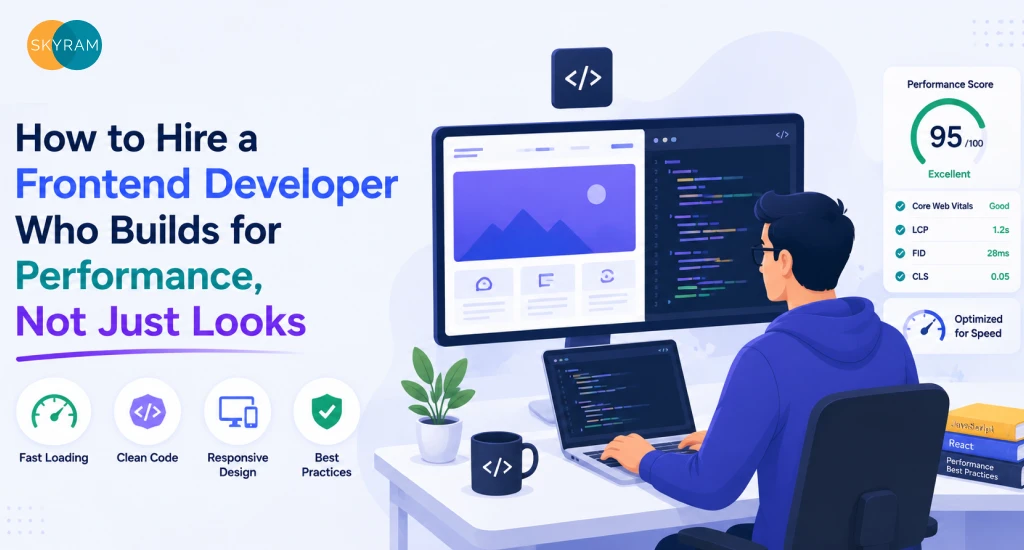
Hiring a Kubernetes Engineer vs. Managed K8s: What Actually Makes Sense at Your Scale

Comparison chart showing Kubernetes engineer hire versus managed Kubernetes service decision framework for mid market SaaS teams

You are managing a SaaS platform that launched with three microservices. Now you have thirty. Deployments take longer, on-call rotations are getting painful, and the person who configured your cluster has moved on to another company. You need Kubernetes to actually work, and you need a decision on how to own it.

Two real options sit in front of you: bring in a dedicated Kubernetes engineer, or hand the operational layer to a managed Kubernetes provider. Both solve different versions of the same problem. Neither is wrong by default. But one of them is wrong for your current stage, your cluster complexity, and the bandwidth your team actually has.

At mid-market SaaS scale, the decision between hiring a Kubernetes engineer and adopting a managed Kubernetes service depends on cluster complexity, internal platform maturity, and whether your team has the bandwidth to own operational overhead. Managed K8s removes node lifecycle management and control plane responsibility. A dedicated hire adds customization depth but concentrates risk in a single role.

This guide walks through what each path actually looks like in practice, what the scale thresholds are, where the hidden costs live, and what a third option looks like for teams that need operational coverage without full-time headcount.

What a Kubernetes Engineer Actually Owns Day-to-Day

Before you write a job description, understand what you are actually hiring for. The title “Kubernetes engineer” covers a wide spectrum of work, and most job postings conflate at least three distinct functions.

Cluster Provisioning, Node Management, and Upgrade Cycles

A Kubernetes engineer owns the infrastructure layer underneath your workloads. That means provisioning cluster nodes, managing node pools, handling resource requests and limits across namespaces, and planning upgrade cycles across minor and major K8s versions.

Upgrades alone are a significant time investment. Each Kubernetes minor version has roughly a 14-month support window. Moving a production cluster through version upgrades without service disruption requires careful sequencing: node draining, pod disruption budgets, compatibility checks against your ingress controllers, CNI plugins, and admission webhooks. A qualified engineer owns that entire process, including rollback planning.

Node management also includes autoscaling decisions. Cluster Autoscaler behavior, node pool configurations, spot and preemptible instance strategies for cost efficiency, and taint and toleration setups for workload isolation all sit in this person’s purview. This is detailed, environment-specific work. It does not delegate well to a generalist DevOps engineer who also owns your CI/CD pipeline automation and monitoring stack simultaneously.

Key Takeaway: Cluster provisioning and upgrade management alone are a recurring time sink that requires dedicated focus. Treating this work as a side task for a generalist engineer compounds operational debt quickly.

Networking, RBAC, and Namespace Governance

Kubernetes networking is where mid-market SaaS teams most often hit invisible walls. Service mesh decisions, Ingress controller configuration, network policy enforcement between namespaces, and DNS resolution behavior within the cluster are all non-trivial. A misconfigured NetworkPolicy can silently block inter-service traffic. An Ingress controller version mismatch can break TLS termination.

RBAC governance scales with your team. As you add engineers, you need service account scoping, role bindings per environment, and a strategy for keeping least-privilege access intact as your namespace count grows. Without someone owning this layer, access sprawl accumulates. You end up with overly permissive service accounts running production workloads, which creates both security risk and compliance exposure.

Namespace governance also matters for cost attribution. Which team owns which namespace? How are resource quotas enforced? How do you prevent one team’s batch jobs from crowding out another team’s real-time services? These are governance problems that a Kubernetes engineer should own structurally, not reactively.

Key Takeaway: RBAC and namespace governance are not one-time setup tasks. They require ongoing ownership as your team and service count grows. Without dedicated oversight, both security posture and cost visibility erode.

Incident Response and Capacity Planning

When a pod is stuck in CrashLoopBackOff at 2 AM and your on-call engineer does not know whether the cause is an OOM kill, a failed liveness probe, or a broken ConfigMap reference, you have a skills gap that managed K8s cannot fully paper over either. A dedicated Kubernetes engineer brings pattern recognition that reduces your mean time to resolution significantly.

Capacity planning is a longer game. Sizing node pools for peak traffic, setting Horizontal Pod Autoscaler thresholds that respond to actual demand signals rather than CPU defaults, and planning for cluster-level resource headroom during product launches all require someone who understands your traffic patterns and workload characteristics deeply. This is not a task you can outsource to a cloud provider’s default autoscaling configuration.

Key Takeaway: Incident response depth and capacity planning accuracy both improve meaningfully with a dedicated Kubernetes engineer. The question is whether your current scale justifies that investment.

What Managed Kubernetes Actually Includes (and What It Doesn’t)

Managed Kubernetes platforms are frequently misunderstood. Teams either over-rely on them or underestimate the residual work they still carry internally. Getting this right matters for your budget planning and your staffing model.

What EKS, GKE, and AKS Manage for You

All three major managed K8s platforms, Amazon EKS, Google GKE, and Microsoft AKS, handle the control plane for you. That means etcd management, API server availability, control plane upgrades, and the underlying infrastructure that K8s uses to schedule and coordinate workloads. You do not provision or patch the control plane. You do not worry about control plane failover. That operational layer disappears.

Node group management is also partially abstracted. EKS Managed Node Groups, GKE Autopilot, and AKS Node Pools give you tools to define node configurations and let the platform handle provisioning and replacement. GKE Autopilot goes furthest, abstracting node-level management almost entirely. You declare workloads and the platform figures out where to run them.

Automated upgrade paths exist on all three platforms, though they require configuration and testing before adoption. You still need someone who understands the upgrade implications for your specific workload stack. The platform does not know your custom admission webhooks or the KEDA version you pinned last quarter.

Where You Still Need Internal Expertise Regardless of the Model

Here is what managed K8s does not eliminate. You still own application-level configuration: Helm charts, resource requests and limits, liveness and readiness probes, pod disruption budgets. You still own networking decisions at the application layer: which services get an internal LoadBalancer versus a ClusterIP, how your Ingress controller handles routing, whether you need a service mesh and at what fidelity.

Security hardening is not handled for you. Pod security admission, image scanning, secrets management integration, and workload identity configuration are all your responsibility. RBAC still needs ownership. Namespace governance still needs ownership.

Observability is also not included. You need to wire up your logging stack, configure Prometheus and Grafana or a managed alternative, and define alerting rules that reflect your SLOs. None of that comes preconfigured. Pairing your managed platform with a structured cloud engineering foundation, covering networking architecture, security layers, and cost governance, is what turns a provisioned K8s cluster into a production-reliable environment.

Managed K8s is not a staffing substitute. It is a scope reducer. You trade operational depth for operational breadth. The right question is not whether to use managed K8s. It is whether the scope it removes justifies the cost, and whether your team has enough internal K8s literacy to handle what remains.

Comparison Table: Kubernetes Engineer Hire vs. Managed K8s

Dimension Dedicated K8s Engineer Managed Kubernetes (EKS/GKE/AKS)
Control plane ownership Full internal ownership Offloaded to cloud provider
Node lifecycle management Engineer-owned, fully customizable Platform-managed with some configuration
Upgrade responsibility Manual, engineer-planned Platform-assisted, requires validation
RBAC and namespace governance Deep, engineer-driven Requires internal ownership regardless
Observability setup Fully custom Requires internal configuration
Cost structure Salary plus benefits plus tooling Platform fees plus reduced headcount
Scale ceiling Very high, limited by single-person risk High, but custom configurations have limits
Risk profile Key-person dependency Vendor dependency plus residual skill gap
Speed to operational coverage 90-plus day hire cycle Days to weeks for initial configuration
Customization depth Maximum Limited by what the provider supports


Key Takeaway: Managed K8s compresses your operational surface area but does not eliminate the need for Kubernetes competence internally. It shifts where you need expertise, not whether you need it

The Scale Thresholds That Make Each Option the Right Call

The honest answer to the “K8s engineer or managed K8s” question is almost always “it depends on how many services you are running and how much operational risk you can absorb.” But that abstraction is not useful on its own. Here are the thresholds that actually matter.

Under 10 Services: Managed K8s Almost Always Wins

At fewer than ten microservices, your cluster is not complex enough to justify a full-time Kubernetes hire. You have limited namespace complexity, predictable traffic patterns, and workloads that managed platforms handle without custom intervention. The overhead of recruiting, onboarding, and retaining a senior K8s engineer at market rate does not pencil out against the operational scope you actually have.

EKS Fargate, GKE Autopilot, or AKS with managed node pools give you a solid operational foundation without headcount investment. Your existing DevOps generalists can handle the application-layer configuration with reasonable ramp-up. The AWS Cloud services layer, for teams running on Amazon infrastructure, already provides the managed EKS control plane plus native integrations for logging, IAM, and node group scaling that remove the majority of operational overhead at this stage.

At this scale, your engineering energy belongs in product velocity, not platform operations.

10 to 50 Services: The Hybrid Model

Between ten and fifty microservices, you hit the zone where managed K8s alone starts showing friction. Your namespace count is growing. Multiple teams own different services. RBAC complexity increases. Your traffic patterns diverge enough that generic autoscaling defaults leave money on the table or leave headroom too tight.

This is where a hybrid model earns its keep. You stay on a managed K8s platform, because you do not yet need the deep customization that self-managed clusters unlock, but you invest in either a platform engineer or an external Kubernetes solutions partner who owns the operational layer on top of what the platform provides. That means owning your Helm chart standards, your RBAC model, your observability stack, and your upgrade validation process.

The hybrid model gives you the cost reduction of managed infrastructure plus the operational depth that your service count now demands. It is the right default for most mid-market SaaS companies in the 50 to 250 engineer headcount range.

50 Plus Services: Where a Dedicated K8s Hire or Specialist Team Earns Its Keep

Above fifty services, cluster complexity compounds. You likely have multiple namespaces with different security profiles, teams deploying independently, custom admission controllers to enforce policies, and performance-sensitive workloads that require fine-grained resource tuning. Generic managed K8s configurations start creating friction.

At this scale, a dedicated Kubernetes engineer or a small platform engineering team makes economic sense. The customization depth they unlock, tighter resource efficiency, custom networking configurations, multi-cluster management strategies, reduces infrastructure cost in ways that outpace their compensation over time. You also gain institutional knowledge about your specific cluster topology that an external provider cannot accumulate as fast.

The risk at this scale is still key-person dependency if you hire one person. A team of two or three is meaningfully more resilient than a single engineer who owns everything.

Key Takeaway: Scale thresholds are not arbitrary. The complexity your K8s environment carries determines which staffing model actually pays for itself. Most mid-market SaaS teams land in the hybrid zone, where neither a full hire nor pure managed K8s is the right single answer.

The Hidden Costs of Getting This Decision Wrong

Both paths carry costs that do not show up in the original budget comparison.

If you hire a Kubernetes engineer before your cluster is complex enough to need one, you pay full-time market rate for an underutilized skill set. Senior K8s engineers in the US command competitive salaries with full benefits packages, and a bored specialist in a low-complexity environment is a flight risk within twelve months.

If you skip the hire and stay on managed K8s past the point where your complexity demands more, you pay in operational incidents, developer productivity loss, and accumulated technical debt in your cluster configuration. Your application engineers start working around platform limitations. Your on-call rotations get harder. Incidents that a competent K8s engineer would resolve in thirty minutes stretch into hours because no one on your team has the depth.

There is also a timing cost on the hiring path that most VPs underestimate. Senior Kubernetes engineers are in short supply. A realistic hiring timeline from job posting to productive first month runs four to six months on average, and that assumes your recruitment process is tight. Your cluster complexity does not pause while you search.

Restructuring your K8s setup after getting this wrong is expensive. Migrating from a self-managed cluster back to a managed platform or vice versa is not a weekend project. It requires careful workload migration, network reconfiguration, and significant validation effort. Getting the decision right earlier costs less than correcting it later.

Key Takeaway: The hidden costs of a wrong K8s staffing decision accumulate on both sides. Over-hiring creates waste and attrition. Under-investing creates operational fragility and technical debt that compounds as your service count grows.

A Third Option: Managed K8s Operations With an External Engineering Partner

The binary framing of “hire versus managed K8s” misses the option that fits the most mid-market SaaS teams in practice: managed Kubernetes infrastructure with an external partner who owns the operational layer on top.

This model works as follows. You run your workloads on EKS, GKE, or AKS. The cloud provider handles the control plane. An external engineering team handles everything above that layer: Helm chart standards, RBAC governance, upgrade validation, observability configuration, incident response depth, and capacity planning. Your internal team focuses on application deployment and product velocity.

The operational coverage is comparable to a dedicated hire. The risk profile is better, because you are not dependent on one person who knows your entire cluster topology and whose departure would be a significant operational event. The ramp-up time is shorter, because a partner team with deep K8s experience already carries the pattern recognition that would take a new hire months to develop for your specific environment.

This model also scales without recruiting cycles. If your service count grows past the point where the external team’s scope needs to expand, that adjustment does not require posting a job description. You adjust the engagement. If your needs shrink during a product consolidation phase, you adjust accordingly without carrying fixed headcount costs.

For mid-market SaaS teams running between ten and one hundred services, this is often the highest-leverage option available. It delivers operational depth without key-person risk, at a cost structure that does not require justifying a full senior engineering salary before your cluster complexity demands it. Skyram’s managed DevOps engagement model works precisely this way, scoped Kubernetes operations ownership layered on top of your existing cloud infrastructure, with defined SLAs and clear transition documentation built in from the start.

How to Evaluate a Managed Kubernetes Partner vs. a Freelance K8s Hire

Whether you are evaluating an external engineering partner or a direct Kubernetes hire, the evaluation criteria overlap more than most hiring managers expect. The difference is in risk distribution and depth of institutional knowledge.

For a freelance K8s hire or direct employee, look for concrete evidence of production cluster management at similar service counts. Ask for specific examples of upgrade cycle management, incident response playbooks they have written, and RBAC models they have designed. Candidates who can articulate their approach to cost optimization through resource request right-sizing and autoscaling configuration will give you signal on operational depth versus surface-level familiarity.

Red flags on the hire side: candidates who lean heavily on managed platform defaults without explaining why, engineers who cannot describe a specific incident they diagnosed and resolved, and candidates who list Kubernetes as a skill but whose depth ends at deployment manifests and Helm installs.

For an external partner, the evaluation criteria shift toward team-level depth and process maturity. You want visibility into their current managed K8s client base and service count range. You want to understand their incident response SLAs and how those map to your production reliability requirements. Ask for a structured walkthrough of how they approach new cluster onboarding, RBAC governance, and upgrade cycle management. A credible partner describes this process in specific, tooling-grounded terms rather than generic DevOps language.

Also evaluate knowledge retention. With a hire, institutional knowledge lives with the person. With a partner, it should live in documentation, runbooks, and tooling configurations that persist if the engagement model changes. Ask explicitly how they handle knowledge transfer and what artifacts they maintain throughout the engagement. This is the question that separates partners with genuine operational discipline from vendors who deliver output without transferring understanding.

For SaaS companies that have both DevOps infrastructure requirements and growing cloud complexity, evaluating the SaaS solutions support model alongside Kubernetes-specific criteria gives you a clearer picture of how a partner handles the full infrastructure stack your product depends on, not just the orchestration layer in isolation.

Key Takeaway: The evaluation criteria for a K8s hire and a managed K8s partner overlap significantly. The differentiator is risk distribution, knowledge retention, and ramp-up speed. A partner carries team-level depth and institutional documentation that individual hires rarely match in the first six months.

Frequently Asked Questions

  1. What is the main difference between hiring a Kubernetes engineer and using a managed Kubernetes service?

A dedicated Kubernetes engineer owns the full operational layer of your cluster, including node management, upgrade cycles, RBAC governance, networking, and incident response. A managed Kubernetes service such as EKS, GKE, or AKS offloads the control plane and node lifecycle to the cloud provider but leaves application-level configuration, observability, security hardening, and namespace governance as internal responsibilities. The distinction is not hire versus no-hire. It is where ownership sits and how much internal K8s competency your team carries regardless of which model you choose.

  1. At what point does a mid-market SaaS company need a dedicated Kubernetes engineer?

Most mid-market SaaS teams running between ten and fifty microservices do not yet need a full-time Kubernetes hire. The operational complexity at that scale is better served by a managed platform paired with either a platform engineer or an external Kubernetes partner who owns the governance and operational layers. Above fifty services, with multiple teams deploying independently and custom resource configurations in play, a dedicated K8s engineer or specialist team starts to deliver ROI through tighter resource efficiency and faster incident resolution.

  1. What does managed Kubernetes not cover that most teams assume it does?

Managed Kubernetes platforms handle the control plane and, depending on configuration, node lifecycle management. They do not handle RBAC governance, namespace policy enforcement, observability stack setup, secrets management integration, image scanning, Helm chart standards, or application-level resource configuration. Teams frequently underestimate how much operational work sits above the control plane layer and remains their responsibility even on a fully managed platform.

  1. How do you avoid key-person dependency risk when hiring a Kubernetes engineer?

Key-person risk is the most significant structural vulnerability in the single-hire model. Mitigating it requires three practices: maintaining comprehensive runbooks and cluster documentation that a new engineer could inherit without institutional knowledge gaps, building RBAC and GitOps workflows that enforce configuration standards regardless of who executes them, and ensuring at least one other engineer on the team has meaningful K8s literacy to handle basic incident triage. Teams that rely entirely on one engineer’s memory of the cluster topology face significant operational risk at every performance review, flight risk assessment, or parental leave cycle.

  1. What should a VP of Engineering ask when evaluating an external managed Kubernetes partner?

Ask for specifics, not generalities. Request a walkthrough of their upgrade cycle management process and how they handle version compatibility validation for admission controllers and CNI plugins. Ask for their incident response SLA structure and examples of how they have managed production incidents for similar service counts. Evaluate their RBAC governance approach and how they document cluster configurations for knowledge transfer. Ask what artifacts they maintain throughout the engagement and how a transition would be handled if the relationship changed. A credible partner gives detailed, tooling-grounded answers to all of these questions without defaulting to generic DevOps language.

Ready to Stop Guessing on Your Kubernetes Strategy?

Your K8s infrastructure decisions compound. The right staffing model at ten services is not the right model at fifty, and the wrong model at either stage creates costs that are expensive to unwind.

If your SaaS platform is scaling past the point where your current K8s setup feels manageable but a full-time hire feels premature, a structured conversation about your cluster environment, service count, and operational requirements is the right next step.

The Kubernetes solutions team can walk through your current architecture and help you identify whether a managed operations model, a hybrid approach, or a scoped engagement fits your stage.

Talk to the Kubernetes Team

How to Hire a DevOps Engineer Without Building an In-House Team

A CTO reviewing DevOps engagement model options on a laptop with infrastructure diagrams in the background

You need a functioning CI/CD pipeline. Your container orchestration is fragile. Infrastructure reliability sits on the shoulders of one or two engineers who are already fully allocated to product work. You know you need DevOps expertise now, not in ninety days at the end of a recruiting cycle.

This is the position most Series A through C CTOs find themselves in. Headcount is constrained. Engineering velocity is not optional. And the classic answer, just hire a DevOps engineer, stops making sense the moment you look at how the market actually works.

Hiring a DevOps engineer without building an in-house team means engaging a managed DevOps partner or augmented specialist who owns pipeline architecture, CI/CD configuration, and infrastructure reliability without requiring a full-time salary, benefits, or a multi-month recruitment cycle. This model is common at Series A through C companies where engineering velocity matters more than headcount control.

This guide is a practical decision framework for technical leaders who need DevOps capability fast, without locking into a full-time commitment they may not be ready to sustain. It covers why the traditional hiring path breaks down at startup scale, what your real alternatives are, how to scope and evaluate a partner, and when each model outperforms the others.

Why the “Just Hire One” Path Breaks Down at Startup Scale

The instinct to hire in-house is understandable. You want ownership, institutional knowledge, and someone who answers to your team. But the hiring path for senior DevOps engineers carries friction that most growth-stage companies cannot absorb without paying a real cost in velocity.

Median Time-to-Fill for Senior DevOps Roles in the US

Senior DevOps and platform engineering roles consistently rank among the longest to fill in technology. The median time-to-fill for a senior DevOps engineer sits between 60 and 90 days from job posting to accepted offer, and that is before onboarding, ramp-up, or the institutional learning curve before the hire operates independently.

If your pipeline is breaking releases today and your cloud infrastructure needs attention this quarter, a 90-day gap in capability is not an inconvenience, it is a compounding liability. Every sprint that runs through that gap carries more deployment risk than the one before it.

Key Takeaway: A 60 to 90-day median time-to-fill for senior DevOps roles is a cycle most growth-stage startups cannot absorb. When engineering velocity is the priority, the hiring timeline itself becomes a constraint on the business.

The Risk of a Single Point of Failure on a Critical Infrastructure Function

Bringing on one full-time DevOps engineer solves the headcount question but creates a different structural problem. That person becomes the sole owner of pipeline architecture, deployment tooling, CI/CD configuration, infrastructure state, and incident response. If they get sick, burn out, or take a vacation, you have a coverage gap in the exact function your product depends on to ship.

At Series B and C scale, the risks compound further. Compliance requirements increase. Architecture decisions carry longer-term consequences. A single engineer making solo calls on Terraform module structure, Kubernetes cluster topology, or observability configuration, without peer review, creates technical debt quietly and surfaces it loudly.

Key Takeaway: A solo in-house DevOps hire concentrates critical infrastructure risk in one person and removes any peer-review layer from decisions that are genuinely hard to undo. Headcount alone does not equal coverage.

What Happens When Your DevOps Hire Leaves in Month Seven

Average tenure for DevOps engineers in the US market is short. Demand is high, compensation packages are competitive across dozens of companies, and retention is structurally difficult for startups that cannot match late-stage total compensation.

When a full-time DevOps hire exits after month seven, you lose more than a headcount. You lose the institutional knowledge behind architecture decisions, why the Terraform state is structured the way it is, what workarounds exist in the pipeline, which configurations are deliberate and which are historical accidents. You restart a 90-day hiring cycle with a harder problem, because the incoming candidate inherits a system they did not build.

This is the pattern that keeps engineering leaders up at night. The alternative is to engage DevOps capability through a model that does not make your infrastructure resilience dependent on one person’s continued employment.

Key Takeaway: Turnover in a single-hire DevOps setup does not just cost a salary, it costs the institutional knowledge holding the infrastructure together. Engagement models that distribute knowledge across a team eliminate the single-exit risk.

The Three Alternatives to a Full-Time DevOps Hire

Three engagement models deliver DevOps capability without the headcount commitment. Each serves a different combination of scope, urgency, and long-term intent.

Staff Augmentation: One Specialist Embedded in Your Team

Staff augmentation places a dedicated DevOps engineer inside your existing team structure. They attend your standups, work inside your sprint cadence, and operate under your direction. You define the priorities. They execute.

This model works well when you have a clear infrastructure roadmap and the internal management capacity to direct a specialist. The engineer builds institutional knowledge of your systems over time, adapts to your team culture, and becomes increasingly useful as context accumulates. The tradeoff is that you carry the coordination burden, and you still face a single-point-of-failure risk when that specialist is unavailable.

Managed DevOps: Full Pipeline Ownership Handed to a Partner

A managed DevOps engagement transfers ownership of pipeline architecture, CI/CD configuration, infrastructure reliability, and incident response to an external partner. Your team defines goals and outcomes. The partner owns execution, tooling decisions, and on-call coverage.

This model removes the overhead of directing a specialist and eliminates single-engineer risk by distributing responsibility across a team. For startups that need infrastructure reliability but lack the internal bandwidth to supervise it daily, managed DevOps delivers the outcome without the operational burden.

Project-Based DevOps: Discrete Scope, Defined End Date

Project-based engagements address a specific infrastructure problem, migrating to Kubernetes, standing up a CI/CD pipeline from scratch, or implementing observability tooling, with a defined scope, timeline, and deliverable. Once the project closes, the engagement ends.

This model fits companies with a bounded problem and a team capable of sustaining the output after the project closes. It carries the lowest commitment but also the highest post-project maintenance risk if internal engineers lack the depth to operate what the partner built.

Comparison: Full-Time Hire vs. Staff Augmentation vs. Managed DevOps

Factor Full-Time Hire Staff Augmentation Managed DevOps
Time to Productive 60 to 120 days 1 to 3 weeks 1 to 2 weeks
Scope of Ownership What you assign What you direct Full pipeline and infra ownership
Internal Management Burden High Medium Low
Single Point of Failure Risk High Medium Low (team coverage)
Knowledge Retention on Exit Lost with the hire Partially documented Partner-owned and maintained
Speed to Engage Slow Fast Fast
Control Over Process High Medium to High Medium (outcome-based)
Cost Structure Fixed salary plus benefits Monthly retainer or hourly Retainer or project scope
Best Fit Long-term, stable headcount plan Clear roadmap with PM capacity Fast delivery without management overhead


Key Takeaway: No single model is universally correct. The right choice depends on how much internal bandwidth you have to direct a specialist, how urgent the need is, and how much infrastructure ownership risk you want to carry internally.

What to Scope Before You Engage Any DevOps Partner

Walking into a partner conversation without a defined scope wastes time and produces proposals that miss what you actually need. Three areas require clear definition before any engagement begins.

CI/CD Pipeline Requirements

Document your current build and deployment process before any partner assessment. How many environments do you deploy to? What triggers deployments today, manual, scheduled, or event-driven? Where does your testing chain break down? Which platforms does your pipeline currently run on, Jenkins, GitHub Actions, GitLab CI, CircleCI? Do you use Terraform or CloudFormation for infrastructure provisioning, or manage it manually?

A partner who understands your current state builds a roadmap that works within your existing tooling rather than proposing a wholesale replacement that creates more disruption than your team can absorb. If you need automated CI/CD pipelines with multi-stage gates and rollback mechanisms, document that requirement explicitly so partners scope to it.

Cloud Platform and Toolchain Specifics

Your cloud platform determines the technical depth you need. AWS cloud environments, Azure stacks, and GCP configurations each carry distinct tooling, certification requirements, and architecture patterns. A partner with deep AWS experience may not be the right fit if your infrastructure runs primarily on Azure, and a confident generalist claim does not substitute for platform-specific production history.

Certifications matter, but delivery history matters more. Ask for platform-specific examples from past engagements and push into the specifics of what they built, not just what tools they used. Scope the exact platform, toolchain, and environment complexity before you evaluate anyone.

On-Call and Incident Response Expectations

Infrastructure does not fail on a schedule. Before engaging any partner, define what happens when something breaks at 2 AM. Does the partner cover on-call, and on what SLA? What constitutes a P1 incident in your environment, and what response time do you require? Who is the escalation contact on their side, and how are handoffs between the partner team and your engineers handled?

A partner who cannot answer these questions clearly before the engagement starts will surface that ambiguity during your first production outage, at exactly the wrong moment.

Key Takeaway: Scope is what separates a productive partner engagement from a vague retainer that drains budget without moving the infrastructure forward. Define CI/CD requirements, cloud platform specifics, and incident response expectations before you talk to anyone.

How to Evaluate a DevOps Partner’s Technical Depth

A polished deck and a list of certifications are not evaluation criteria. Technical depth shows up in how a partner reasons through architecture tradeoffs and whether they can defend past decisions under scrutiny.

What to Ask About Their Kubernetes, Terraform, and Observability Experience

For Kubernetes, push past the “we use K8s” answer. Ask whether they have run multi-cluster environments in production. Ask how they handle cluster upgrades without downtime. Ask what their approach to pod security policies is and how they manage RBAC across namespaces at scale. A partner with genuine enterprise Kubernetes experience can answer these with operational specifics, not documentation references.

For Terraform, ask what module structure they use and why. Ask how they handle state drift between environments. Ask what their strategy is for managing secrets at the infrastructure level without exposing them in code.

For observability, ask what metrics they treat as mandatory baselines, DORA metrics, mean time to recovery, deployment frequency, and what happens when alerting fires at 3 AM. A partner who describes their monitoring stack in terms of tool names rather than outcomes is not yet operating at the level of infrastructure ownership.

How to Audit Past Pipeline Architecture Work

Request architecture diagrams from past engagements. Not reference diagrams, actual system maps showing how the build, test, and deploy chain connects. Ask what the bottlenecks were before they started and what changed in measurable terms after.

Ask specifically about failure scenarios. How did the pipeline handle a partial deployment failure? What was the rollback strategy, automated or manual? A partner who has built production-grade pipelines can answer these questions with specifics. One who cannot is still operating at prototype depth.

Key Takeaway: Push into specifics on Kubernetes, Terraform, observability, and failure scenarios. The right questions surface how a partner reasons through real tradeoffs, not just whether they know the tool names.

Onboarding a DevOps Partner vs. Onboarding an Employee

The onboarding process for a DevOps partner differs structurally from hiring an employee, and understanding that difference in advance prevents the most common friction points.

Documentation Requirements Upfront

An employee learns your environment organically over weeks by asking questions and shadowing colleagues. A partner needs to come up to speed faster, which requires clear documentation at the start: your current architecture, your deployment process, your environment configurations, your access structure, and any known infrastructure debt.

If that documentation does not exist, the first phase of the engagement often becomes a discovery sprint, mapping your environment before improving it. This is not inefficiency. It is the cost of operating without internal documentation, and planning for it in the initial scope prevents it from feeling like a surprise.

Communication and Escalation Protocols

Define how the partner communicates progress, surfaces blockers, and escalates incidents before the engagement starts. Weekly written summaries? Shared Slack channel? Sprint review cadence? The format matters less than mutual agreement on it.

Define escalation paths explicitly. If a production incident occurs, who on your team does the partner contact first? What constitutes a decision requiring your sign-off before the partner proceeds, versus something they resolve autonomously? Partners operating with clear escalation protocols deliver faster resolution because they spend less time determining ownership during high-pressure incidents.

Key Takeaway: Onboarding a partner requires upfront investment in documentation and protocol definition. Teams that skip this step spend the first month building clarity that should have existed before day one.

When Managed DevOps Outperforms a Staff Aug Model

Both models deliver DevOps capability. The managed model consistently outperforms staff augmentation under specific conditions that are worth identifying before you choose.

Staff augmentation requires you to have internal capacity to direct the work. Someone on your team needs to define priorities, review decisions, and validate output. If your engineering leadership is already fully allocated to product delivery, adding a specialist who needs direction can create more coordination overhead than it resolves.

Managed DevOps transfers that coordination burden to the partner. They own the backlog, tooling decisions, and operational outcomes. Your team receives working infrastructure and defined SLAs rather than task-level direction responsibility. For teams running cloud infrastructure across multiple platforms simultaneously, this distinction carries real weight, the managed team covers the breadth without requiring your internal engineers to context-switch across AWS, Azure, and Kubernetes in the same sprint.

The managed model also outperforms staff aug when breadth of coverage matters. A single augmented specialist brings one engineer’s knowledge across Kubernetes, Terraform, observability, security tooling, and cloud platform configuration. A managed DevOps team distributes that coverage across multiple engineers simultaneously. When Azure-specific workloads run alongside AWS infrastructure, a team model handles both without the single-engineer constraint.

Finally, the managed model provides better continuity. When a staff aug specialist rotates off, knowledge transfer depends on how well that individual documented their work. When a managed partner rotates an engineer internally, the institutional knowledge stays with the team and the documentation stays with the partner’s delivery system, your operations do not depend on any single engineer’s exit plan.

Key Takeaway: If your leadership bandwidth is constrained, your infrastructure requires breadth across multiple DevOps domains, or knowledge continuity is a priority, managed DevOps outperforms staff augmentation on all three dimensions.

Frequently Asked Questions

  1. What is the difference between staff augmentation and managed DevOps when hiring without an in-house team?

Staff augmentation places a dedicated DevOps specialist inside your team who works under your direction. Managed DevOps transfers ownership of pipeline architecture, infrastructure reliability, and incident response to an external team that operates against agreed outcomes and SLAs. The core difference is where the coordination burden falls, augmentation keeps it internal, managed DevOps transfers it to the partner.

  1. How quickly can a DevOps partner become productive compared to a full-time hire?

A vetted DevOps partner with a structured onboarding process typically reaches productive output within one to two weeks. A full-time hire takes 60 to 120 days from the start of recruiting to a point where they make independent, production-grade infrastructure decisions. For startups with active infrastructure problems, that gap has a real cost in delayed releases and accumulated technical debt.

  1. What documentation does a startup need before engaging a managed DevOps partner?

At minimum: your current architecture diagram, cloud platform configurations, deployment process, environment structure (development, staging, production), and any known infrastructure debt. If that documentation does not yet exist, plan for a discovery sprint at the start of the engagement where the partner maps your environment before improvement work begins. Building it during onboarding is faster than building it after a production incident.

  1. How does a managed DevOps partner handle on-call and incident response?

A structured managed DevOps partner defines incident response terms before the engagement starts, including response time SLAs by severity tier, escalation contacts on both sides, and handoff protocols between the partner’s on-call coverage and your internal team. Any partner who cannot give clear answers on this before signing is not ready to own production infrastructure.

  1. What should a CTO look for when evaluating a DevOps partner’s Kubernetes experience?

Ask about multi-cluster production environments, cluster upgrade strategies without downtime, RBAC management at namespace scale, and observability configuration. Request architecture diagrams from past engagements and push into failure scenarios, how the partner handled partial deployment failures, what the rollback strategy was, and what changed in pipeline reliability after their involvement. Credentials matter less than the ability to discuss real tradeoffs with operational specifics.

  1. When does project-based DevOps make sense versus an ongoing managed engagement?

Project-based DevOps fits a bounded, well-defined problem, standing up a CI/CD pipeline, migrating to Kubernetes, or implementing observability tooling, where a team can sustain the output after the project closes. A managed engagement fits ongoing infrastructure ownership where continuous reliability, monitoring, and improvement are required without adding internal management overhead. The deciding factor is whether your team has the depth to operate what the partner builds once they disengage.

Ready to Choose the Right DevOps Engagement Model?

The choice between staff augmentation, managed DevOps, and project-based engagement comes down to three variables: how much internal bandwidth you have to direct the work, how much ownership risk you want to carry internally, and how quickly you need infrastructure reliability in production.

If you are working through that decision and want a direct conversation about which model fits your current architecture and team structure, the DevOps solutions team can walk you through the options based on your specific environment, stack, and delivery timeline, no template proposal, no sales pitch.

Book a Consultation

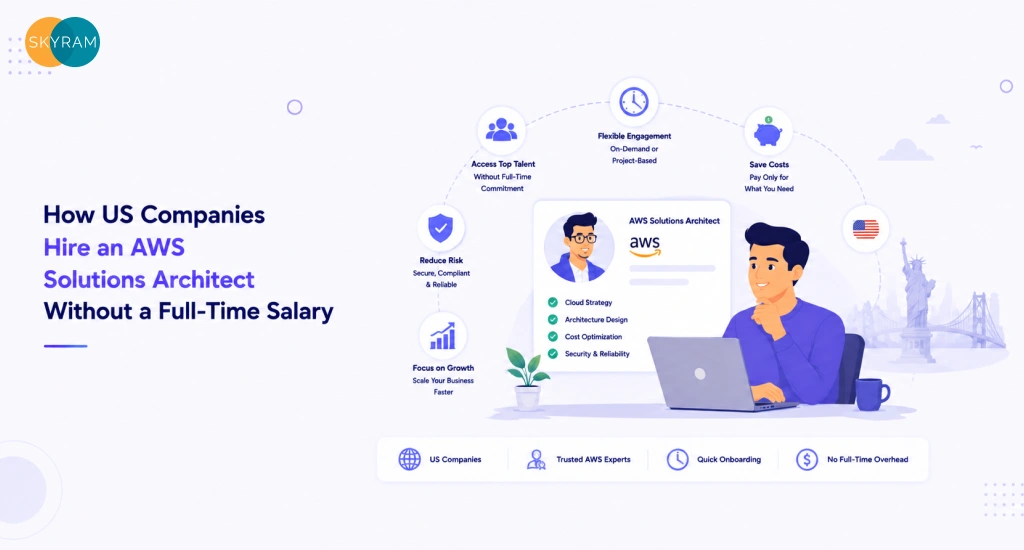
How to Rank in AI Search Without a Big Marketing Budget

Infographic showing low budget tactics for ranking in AI search including entity clarity, structured data, and off site mentions

You do not need a $15,000-per-month agency retainer to learn how to rank in AI search. That is the honest truth, and most agencies selling GEO and AEO services would rather you did not know it.

When ChatGPT, Perplexity, or Google AI Overviews generate an answer and cite a source, they are not citing the brand with the biggest ad budget. They are citing the source with the clearest entity definition, the best-structured content, and the most consistent off-site authority signals. Two of those three are free. The third is affordable.

This guide is written for founders and marketing managers working with real constraints. Not unlimited runway. Not a team of fifteen. The kind of budget where every line item needs to justify its existence.

The first ninety percent of this guide is tactical content you can act on today, regardless of who you hire or whether you hire anyone. The last section explains what professional delivery looks like when you are ready for it.

Ranking in AI search, appearing in ChatGPT, Perplexity, and Google AI Overviews, does not require an enterprise budget. The signals AI engines use to select cited sources are based on content structure, entity clarity, and off-site authority, not on ad spend or the size of a marketing team. A brand with a precisely defined entity, consistent structured data, and ten to twenty authoritative mentions across G2, Clutch, LinkedIn, and industry publications will outperform a larger brand with poorly structured content in AI-generated answers. The total cost of achieving foundational AI search visibility is closer to $500 to $1,500 per month than the $3,000 to $15,000 that full-service GEO agencies charge.

Why AI Search Actually Favours Smaller Brands That Do This Right

Traditional search engine optimisation rewarded scale. The brand with the most backlinks, the most content, and the most domain authority won. AI-generated search is different, and the difference matters enormously if you are competing against larger, better-funded companies.

AI engines synthesise answers from sources they assess as authoritative, clear, and relevant to the specific query. That assessment does not heavily weight domain authority scores. It weights something called entity clarity: the degree to which the AI can confidently identify what your brand is, what it does, who it serves, and where it has been mentioned consistently.

A mid-size SaaS company with a perfectly structured G2 profile, a consistent LinkedIn presence, a handful of industry forum mentions, and FAQ schema on every key service page will get cited over a Fortune 500 competitor whose website is a content sprawl with no clear entity definition.

This is the structural advantage of doing it right at a smaller scale. You can move faster. You can implement schema without navigating a six-department approval process. You can update your G2 profile this afternoon. Large brands cannot.

Perplexity in particular has been observed citing niche, lower-authority sources when those sources answer a specific query more precisely than a high-authority general one. Precision and clarity beat volume in AI search. That is good news for budget-constrained brands.

Key Takeaway: AI engines reward entity clarity and content precision more than domain authority or budget. Smaller brands that implement the right signals correctly can outperform much larger competitors in AI-generated answers.

The Five Things That Determine AI Citation, and Which Ones Cost Nothing

Not every AI ranking signal requires money. Here is a clear breakdown of the five factors that most directly influence whether your brand appears in AI-generated answers, and what each one actually costs to implement.

Entity Clarity (Free)

An entity, in the way AI engines interpret the web, is a distinct, identifiable thing with consistent attributes. Your brand is an entity. So is your product category, your founder, and your primary service.

AI engines struggle to cite brands they cannot confidently identify. If your website describes you as “a full-service technology partner delivering innovative solutions,” you have given the AI nothing to work with. If your website clearly states you are “a cloud infrastructure and DevOps agency serving US mid-market SaaS companies,” you have given the AI a workable entity definition.

Entity clarity work is free. It requires:

  • A single, consistent brand name used identically across your website, social profiles, G2, Clutch, and all directory listings (no “Skyram Technologies” in one place and “Skyram Tech” in another)
  • A concise, factual one-sentence brand description that appears verbatim in your About page, LinkedIn company profile, and G2/Clutch descriptions
  • A Wikipedia or Wikidata entry if your brand has sufficient notability, this is a significant AI trust signal
  • Consistent NAP-equivalent data (brand name, website URL, founding year, headquarters location) across every external profile

Run a Google search for your brand name right now. Look at the Knowledge Panel if one exists. Look at what text appears in the meta description of your homepage. Those are the signals AI engines are reading. If they are inconsistent or vague, fix them before doing anything else.

Key Takeaway: Entity clarity is the single highest-leverage free action in AI search. Consistent brand identity across every public profile gives AI engines the confidence to cite you.

FAQPage Schema (Free, Just Technical Implementation)

FAQPage structured data is JSON-LD markup added to the HTML of your web pages. It tells search engines and AI crawlers that a specific block of content is a question-and-answer pair, structured for direct extraction.

Google uses FAQPage schema to populate AI Overviews. Perplexity and ChatGPT do not read schema directly in the same way, but the discipline of writing self-contained, standalone Q&A pairs that schema requires also happens to produce exactly the kind of content AI language models select when generating answers.

Implementation costs nothing except time. Google’s Structured Data Markup Helper (search.google.com/structured-data/testing-tool) generates the JSON-LD for you. Paste it into the relevant pages. Validate with Google’s Rich Results Test.

The critical rule: every FAQ answer must be a complete, standalone answer. “Yes, we do.” is not a valid FAQ answer for AI citation purposes. “Yes, most cloud migration projects take between eight and fourteen weeks depending on data volume, number of legacy systems, and the degree of application refactoring required.” is.

To understand how structured data connects to AI search visibility at a deeper level, Skyram’s generative engine optimization services page covers the implementation framework in detail.

Key Takeaway: FAQPage schema is free to implement and directly increases the probability that AI Overviews extract your content. Self-contained answers are the key, every FAQ response must make sense without the question in front of it.

G2 / Clutch Profile (Free Tier)

G2 and Clutch are among the most-cited sources in AI-generated answers about software and agency services. When Perplexity answers “what is the best cloud migration agency for mid-market companies,” it frequently pulls from Clutch listings. When ChatGPT describes a software category, it cites G2 data.

Both platforms offer free profile tiers. A complete, optimised free profile on each platform contributes to your off-site entity footprint at no cost. The optimisation checklist is short:

  • Write the company description in plain, direct language, one sentence on what you do, one sentence on who you serve, one sentence on your primary differentiator
  • List specific services, not generic categories. “AWS Lambda architecture and serverless migration” is more citable than “cloud services”
  • Collect reviews proactively. Even three to five detailed reviews generate richer citation material than a bare profile with no social proof
  • Keep the category tags accurate, AI engines use category signals to contextualise when to cite you

The paid tiers on both platforms offer enhanced placement and analytics. They are worth considering as budget increases, but the free tier delivers genuine AI citation value when the profile is fully built out.

Key Takeaway: A complete G2 and Clutch profile costs nothing and puts your brand on two of the platforms AI engines cite most frequently when answering service and software category queries.

Reddit and LinkedIn Presence (Free)

Reddit is one of the most heavily cited sources in Perplexity answers. This is not accidental, Reddit content is indexed at high volume and AI engines treat community-sourced content as a signal of organic authority. If your brand or your team members are participating genuinely in relevant subreddits, that presence builds AI citation potential over time.

The rules for Reddit are non-negotiable: contribute before you promote. Answer questions in your category subreddits without linking to your own content. Build credibility as a practitioner, not as a vendor. When you do reference your brand, do it sparingly and only when directly relevant to the thread.

Subreddits worth consistent participation in for most B2B technology and marketing brands:

  • r/SaaS, r/startups, r/marketing, business and growth strategy conversations
  • r/SEO, r/PPC, r/analytics, digital marketing practitioner communities
  • r/devops, r/aws, r/kubernetes, technical infrastructure conversations
  • r/Entrepreneur, r/smallbusiness, founder-facing discussion

LinkedIn is a different signal. Your company page, your founder’s personal content, and your team members’ posts all contribute to brand entity signals that AI engines read. Publishing structured, detailed posts on LinkedIn, not marketing copy, but genuine practitioner analysis, creates indexable content that supports AI citation over time.

Three to four substantive LinkedIn posts per week, combined with consistent Reddit participation in one or two relevant subreddits, produces a measurable off-site presence within three to four months at zero cost.

Key Takeaway: Reddit and LinkedIn are free AI citation channels that most B2B brands underuse. Consistent, practitioner-level participation in relevant communities builds the off-site presence AI engines use to assess authority.

Content Freshness (Effort, Not Budget)

AI engines weight recency. A page last updated in 2023 ranks lower than a meaningfully updated equivalent from 2025, all else being equal. Content freshness does not require producing new content every week, it requires systematically refreshing existing content with new data points, updated examples, and current statistics.

A practical freshness protocol for a lean team:

  • Audit your top ten service and category pages quarterly. Update any statistics older than eighteen months
  • Add a “Last Updated” date to every blog post and refresh the metadata to match
  • When industry data changes (new survey, new benchmark report, algorithm update), update the relevant pages within two weeks of the data being published
  • Add a brief “What’s changed in [year]” section to evergreen posts annually rather than rewriting from scratch

The effort here is real, it requires discipline and a content calendar. But it costs nothing except time, and it directly counters one of the most common reasons AI engines stop citing a source over time.

Key Takeaway: Content freshness is a free AI citation signal that compounds over time. A systematic quarterly refresh protocol keeps your existing content in contention without requiring constant new production.

The One Thing You Cannot Do for Free

Everything above is achievable with time and discipline. But there is one AI search ranking factor that genuinely requires budget: off-site citation authority building at scale.

AI engines assign more weight to brands mentioned consistently across independent, authoritative sources. Not your own website. Not your own LinkedIn posts. External sources that mention your brand in a context that is editorially independent, industry publications, podcast transcripts, PR placements, expert roundups, and niche directory listings.

Getting ten to twenty of these placements requires either time or money. If you have a founder who is willing to do aggressive outreach, pitching guest posts, appearing on podcasts, contributing expert quotes to journalists, you can build this over twelve to eighteen months without a budget. Most founders do not have that time.

The practical minimum for off-site authority building is three to five targeted placements per month. At a freelance outreach rate, this runs approximately $300 to $600 per month. At a light agency programme, $800 to $1,500 per month. This is where budget becomes a speed multiplier rather than a requirement.

If you are at the stage where you need professional support on the off-site side, Skyram’s affordable GEO services for SaaS companies covers what a structured off-site citation programme looks like and what it costs.

The key insight: do not skip the free work while waiting until you can afford the paid work. Entity clarity, schema, G2/Clutch profiles, and Reddit/LinkedIn presence can all be completed before you spend a dollar. They make every dollar you later spend on off-site authority building more effective because AI engines already have a clear picture of who you are.

Key Takeaway: Off-site citation authority building is the one AI search factor that genuinely requires budget. But starting without it is still better than waiting, entity clarity and structured data amplify every off-site placement you earn later.

What a $1,000/Month AI Search Programme Looks Like vs a $10,000/Month One

Budget shapes speed, not direction. Both a $1,000/month programme and a $10,000/month programme aim at the same outcome: consistent AI citation across the queries your target buyers are running. The difference is how fast you get there and how many queries you cover simultaneously.

The table below maps specific program elements across both budget levels so you can see exactly where the budget goes.


Program Element $1,000/month $10,000/month
Schema implementation DIY with Google’s Structured Data Markup Helper Dedicated developer; quarterly audits
Entity consolidation Manual G2/Clutch/LinkedIn profile updates Full entity map audit + Wikipedia/Wikidata seeding
Content production 2–3 AEO-optimised blog posts per month 8–12 posts + pillar pages + content refresh schedule
Off-site citation building 3–5 targeted placements in niche directories and forums 15–25 placements across publications, podcasts, PR
Reddit/LinkedIn presence Founder-led posting; 3–4 threads/posts per week Dedicated community manager; daily engagement strategy
Monitoring & reporting Manual citation checks in ChatGPT/Perplexity weekly Custom AI citation tracking dashboard; monthly strategy calls
Expected timeline to first AI citations 3–5 months for brand-name queries 6–8 weeks for competitive category queries
Best for Bootstrapped founders, early-stage startups, lean marketing teams Series A+ companies, agencies, multi-product SaaS


The most important number in this table is the timeline to first AI citations. A $1,000/month programme can achieve brand-name citation in ChatGPT and Perplexity in three to five months. That is a meaningful outcome for a budget-constrained founder. It means that when a buyer searches “is [your brand] a legit company” or “what does [your brand] actually do,” AI engines can answer confidently.

A $10,000/month programme accelerates into competitive category queries, “best DevOps agency for Series A startups” or “affordable cloud migration services for mid-market SaaS”, within six to eight weeks. That requires the entity groundwork, the schema, the review profiles, and a sustained off-site publishing calendar running simultaneously.

Neither program is wrong. The $1,000/month program is not a consolation prize, it is a legitimate strategy for early-stage companies building AI search equity while managing cash flow.

Key Takeaway: Budget determines the speed and breadth of AI search coverage, not whether coverage is achievable. A structured $1,000/month programme produces real citation outcomes in three to five months for brand-name queries.

Frequently Asked Questions

1. How long does it take to rank in AI search on a small budget?

The timeline depends on your starting point. If your entity clarity, G2/Clutch profiles, and schema implementation are all in place, expect first brand-name citations in AI search within three to five months of beginning a structured programme. Competitive category queries, where you are competing against established brands, typically require six to twelve months at a modest budget. The free signals (entity clarity, schema, review profiles) accelerate the paid work when both are running simultaneously.

2. Does a small business need to be on Wikipedia to rank in AI search?

No, Wikipedia is a trust amplifier, not a requirement. Many smaller brands achieve consistent AI citation without a Wikipedia entry by relying on G2, Clutch, LinkedIn, industry publications, and structured content on their own website. Wikipedia becomes more relevant when competing for high-intent category queries against well-established brands. For most early-stage companies, it is a secondary priority after the foundational signals are in place.

3. Is FAQPage schema really worth the implementation effort?

Yes, for two reasons. First, FAQPage schema directly influences Google AI Overview extraction, and Google AI Overviews are the AI search surface with the highest query volume. Second, the discipline of writing schema-compliant FAQ answers, standalone, complete, factual, produces exactly the content format that ChatGPT and Perplexity also prefer when selecting cited sources. A single afternoon of schema implementation across your key pages produces persistent citation value.

4. What is the difference between GEO and AEO for a budget-constrained brand?

Generative engine optimization (GEO) refers to the broader practice of optimising for AI-generated answers across all AI search surfaces, ChatGPT, Perplexity, Google AI Overviews, Bing Copilot, and others. Answer engine optimization (AEO) is the content-side practice of structuring information so AI engines extract it directly. For a budget-constrained brand, AEO delivers faster results because it is almost entirely content and implementation work, no paid placement required. GEO at scale requires off-site authority building, which is where budget becomes a speed multiplier.

5. Can Reddit and LinkedIn activity actually move AI search rankings?

Yes, particularly for Perplexity. Perplexity cites Reddit threads at a significantly higher rate than other AI engines, forum content carries real citation weight in Perplexity’s answer generation. LinkedIn content is indexed by Bing, which powers Bing Copilot, making LinkedIn posts a citation source for that AI surface. Neither channel produces instant results. Consistent participation over three to six months creates a measurable off-site presence that AI engines register. The key is genuine, practitioner-level engagement, promotional posts from company accounts carry little citation value.

6. Is it realistic to rank in AI search without hiring an agency?

Yes, the entity clarity work, schema implementation, G2/Clutch profile optimisation, and Reddit/LinkedIn presence are all tasks a single marketing manager or technical founder can execute. The realistic limit for a solo operator is the off-site citation building, which requires either significant outreach time or budget. Brands that want to move faster on off-site authority typically engage a specialist at some point, but the foundational work can be completed independently and provides genuine citation value before any agency engagement begins.

7. What AI search surfaces should a B2B brand prioritise first?

Google AI Overviews should be the first priority because they have the highest query volume and are directly influenced by FAQPage schema and existing Google Search rankings, so the work compounds with traditional SEO. Perplexity is the second priority because it cites external sources at a high rate and is growing rapidly among technically sophisticated buyers. ChatGPT Browse and Bing Copilot follow for B2B brands because their users include enterprise research teams and procurement decision-makers. Prioritising in this order aligns effort with volume and compoundability.

Ready for Professional AEO/GEO Delivery Without Agency-Level Pricing?

The guide above covers everything a determined founder or marketing manager can implement independently. If you have worked through the free signals and you are ready to accelerate, or if you want a professional to execute all of it without the learning curve, here is where Skyram fits.

Skyram works with US B2B companies that want credible AI search visibility without the cost structure of a large GEO agency. The service covers entity consolidation, structured data implementation, content optimisation for AI extraction, and off-site citation building, the full stack.

Start With a Free AI Visibility Audit

Skyram offers GEO and AEO services for US B2B companies from $1,200/month. No long-term contracts. Start with a free AI Visibility Audit to see where you stand before committing to anything. Request your free AI Visibility Audit

GEO vs AEO vs SEO: What Should Be Better for a SaaS Company in 2026?

A SaaS growth chart overlaid with three search strategy labels, SEO, AEO, and GEO, mapped to ARR milestones from seed stage to post Series A

The framework question most SaaS founders get wrong.

Most SaaS founders discover GEO or AEO from a conference talk or a LinkedIn post, get excited about appearing in ChatGPT answers, and immediately ask their content team to pivot. That instinct is expensive. Not because the GEO strategy for SaaS companies is wrong, it is increasingly essential, but because the sequencing matters more than the tactic itself.

The data point that anchors this entire guide: 94% of Google AI Overview citations come from pages that already rank in the top 20 organic results. That figure, reported by Hubstic’s analysis of AI Overview citation patterns, means that if your SaaS company skips SEO services and jumps straight to generative engine optimization, you are optimizing a layer that has no foundation to sit on. GEO produces citations. Citations require organic authority to exist first.

This post gives you the stage-based decision framework SaaS teams should actually use: which discipline to prioritize at each ARR milestone, why the sequencing is non-negotiable, and what each approach looks like in practice. By the end, you will know exactly where to put your next dollar of search visibility budget.

AEO Reference Block: For a SaaS company in 2026, the right search visibility strategy depends on your ARR stage. Pre-revenue or early-stage teams should prioritise SEO first, because 94% of AI Overview citations come from pages that already rank in Google’s top 20. Without that organic foundation, GEO investments produce nothing. Companies at the $1M to $5M ARR stage should layer Answer Engine Optimization, adding FAQ schema, structured answer blocks, and entity signals, on top of an existing SEO foundation. Full Generative Engine Optimization programmes, which include off-site citation building and LLM-specific content structures, deliver the best ROI for post-Series A SaaS teams with established content libraries.

What Each Discipline Actually Does

The terms SEO, AEO, and GEO are often used interchangeably in agency pitches, which creates real confusion about what each one changes and who should be working on it. Here is the clearest distinction that exists:

SEO (Search Engine Optimization) gets your pages ranked in Google’s traditional blue-link results. It covers keyword research, technical site health, backlink acquisition, and content depth. It is the foundational discipline that generates organic traffic and builds domain authority over time.

AEO (Answer Engine Optimization) gets your content surfaced in AI-generated answer boxes, including Google AI Overviews, Bing Copilot, and featured snippets. It works by structuring existing content with FAQ schema, 60-word direct answer blocks, and entity markup that AI extraction systems can parse without surrounding context.

GEO (Generative Engine Optimization) gets your company named, recommended, or cited in responses generated by large language models including ChatGPT, Perplexity, and Gemini. It requires a complete entity presence across multiple trusted third-party sources, G2, Clutch, LinkedIn, industry publications, plus on-site LLM-extractable content structures. GEO does not work without an organic foundation because the platforms it targets still weight pages that already have organic authority.


Dimension SEO AEO GEO
Primary goal Rank on Google SERPs Get cited in AI answer boxes Appear in LLM & AI engine responses
Core mechanic Keywords, backlinks, authority Structured schema + answer blocks Entity signals + off-site citation network
Content format Long-form pillar pages, blogs FAQ schema, 60-word answer blocks LLM-extractable summaries, sameAs markup
Time to results 3–9 months 4–10 weeks on SEO base 60–90 days with existing organic authority
Prerequisite Domain + crawl health Existing organic rankings Organic foundation + AEO layer
Best suited for All SaaS stages $1M–$5M ARR teams $5M+ ARR / post-Series A
Primary measurement Organic traffic, rankings AI Overview impressions, CTR AI citation rate, LLM mention frequency


Key Takeaway: SEO, AEO, and GEO are not competing strategies. They are a stack. AEO amplifies an SEO base. GEO amplifies both. Investing in the top layer without the layer below it produces no measurable return.

The Stage-Based Priority Framework

The single most useful way to decide which discipline deserves your next budget dollar is to match the investment to your current ARR milestone. Here is how the sequencing works in practice.

Pre-$1M ARR, SEO First, Always

At the pre-revenue or early-traction stage, your SaaS company has one search priority: build enough organic authority that AI systems have something to cite later. GEO strategy for SaaS companies at this stage is premature, not because GEO is unimportant, but because it requires an organic content library that does not yet exist.

What to do before $1M ARR:

  • Publish 10 to 15 foundational blog posts targeting buyer-intent keywords with keyword difficulty below 35. These posts become the citation targets for AI systems once authority builds.
  • Fix technical SEO before publishing at volume. Crawl budget waste, duplicate meta tags, and missing canonical tags all reduce the speed at which new content gets indexed and ranked.
  • Build three to five key service pages with self-contained value propositions. These pages are the eventual targets for AI Overview citations.
  • Deploy Organization schema on your homepage and About page immediately. The sameAs attribute array, which links your site to your LinkedIn, G2, and Crunchbase profiles, starts building entity recognition in parallel with SEO. This takes 20 minutes and creates a foundation your answer engine optimization work will build on later.

What to skip before $1M ARR: off-site citation campaigns on G2 and Clutch (do set up the profiles, but do not spend resources driving reviews yet), dedicated LLM content formats, and any form of AI citation tracking. None of these produce measurable returns without an organic foundation in place.

Key Takeaway: Before $1M ARR, 80 to 90 percent of your search visibility budget belongs in SEO. The remaining 10 to 20 percent should go toward basic entity setup, Organization schema and profile creation, that costs almost nothing and compounds over time.

$1M to $5M ARR, Add AEO on Top of Your SEO Foundation

At the $1M to $5M ARR stage, your SaaS company should have 20 to 50 indexed pages, some ranking in the top 50, and a small but consistent stream of organic traffic. This is the right moment to add AEO investment.

The logic: Google AI Overviews and Bing Copilot cite pages that are already ranking. If you have pages in positions 5 to 20 for buyer-intent queries, AEO optimization converts those existing rankings into AI citations without creating new content. You are restructuring what you already built, not starting over.

What to do at $1M to $5M ARR:

  • Audit your top 20 ranked pages and add 60-word direct answer blocks to each one. The block should open with a self-contained answer to the query the page targets. No context required to understand it, no reference to “as mentioned above.”
  • Deploy FAQPage schema on every service page and blog post. Each FAQ item needs a question phrased the way a buyer types it into an AI assistant, and a 40-to-80 word self-contained answer.
  • Add Article schema with author markup to every blog post. Include the author’s job title, a link to their LinkedIn profile, and a link to your Organization entity. Author expertise signals are weighted heavily by Google AI Overviews.
  • Set up a basic G2 profile and request five to ten customer reviews. Reviews that describe specific outcomes, deployment times, or measurable results create factual claims that AI systems ingest.
  • Start tracking AI Overview impressions in Google Search Console. Filter by appearance type to isolate AI Overview data from traditional search impressions.

What to skip at $1M to $5M ARR: full off-site citation campaigns targeting Perplexity and ChatGPT specifically, dedicated LLM content formats, and large-scale GEO content production. These investments require a content library and citation footprint that becomes available post-Series A.

Key Takeaway: At $1M to $5M ARR, AEO converts your existing SEO rankings into AI citation opportunities. It does not require new content, it requires restructuring the content you already have.

$5M+ ARR, Full GEO Programme

Post-Series A SaaS teams with $5M or more in ARR have typically accumulated 50 to 200 indexed pages, established keyword rankings across multiple topic clusters, and a growing backlink profile. This is the point at which a full GEO strategy for SaaS companies delivers measurable ROI.

A full generative engine optimization programme at this stage involves three parallel workstreams.

Off-site citation network: Active review generation on G2 and Clutch, contributed bylines in industry publications, LinkedIn thought-leadership content from named executives and senior technical team members, and authentic participation in relevant Reddit communities. These signals create the third-party validation LLMs require to confidently name a brand in a recommendation.

LLM-specific content formats: Dedicated decision-guide pages structured for conversational AI extraction, comparison pages that answer the exact prompts buyers use with ChatGPT and Perplexity, and “what is” pages for every core term in your product category.

Freshness maintenance: A rolling 30-day update schedule for the top 20 pages by AI impression volume. Pages updated within 30 days surface 4.3 times more often in AI-generated answers than pages last modified more than 90 days ago.

When should a SaaS startup invest in GEO? The clearest trigger is $5M ARR or post-Series A, whichever comes first. At that stage, you have the content library, the domain authority, and the review footprint that makes GEO investment compound rather than evaporate.

Key Takeaway: $5M+ ARR is when GEO produces a return on investment that justifies a dedicated programme. The organic foundation built in stages one and two is what makes the GEO layer work. Without it, even a large GEO budget produces minimal citation gain.

Why You Cannot Skip SEO and Jump Straight to GEO

The argument for skipping SEO and going straight to GEO usually sounds something like this: “My buyers are using AI tools now, not Google. Why would I invest in Google rankings when I should be optimizing for ChatGPT?”

It is a reasonable-sounding argument that the data does not support.

Hubstic’s analysis of AI Overview citation patterns found that 94% of pages cited in Google AI Overviews already ranked in Google’s top 20 organic results. That number is the single most important data point in AI search strategy for SaaS companies in 2026. It means:

  • AI systems do not discover new content independently of the traditional web. They weight content that already has organic authority.
  • A page that does not rank organically for a query has almost no chance of being cited in an AI answer for that same query.
  • Every dollar spent on GEO before building organic rankings is a dollar with no foundation to compound on.

The same logic applies to Perplexity, which performs real-time web retrieval and selects sources based on domain authority signals before it evaluates content structure. A well-structured GEO page on a low-authority domain loses to a moderately structured page on a high-authority domain almost every time.

ChatGPT’s training data is weighted toward high-authority sources for the same reason. If your company has no organic presence, no G2 reviews, and no third-party publication mentions, a ChatGPT user asking “what are the best tools for [your category]” will not receive your brand name in the answer. The model has no evidence of your existence. That is the problem SEO services solve first, before any AI-specific optimization makes sense.

Key Takeaway: The 94% rule is the most important sequencing constraint in AI search strategy. GEO investment without organic authority is money spent building a roof with no walls underneath it.

What GEO Content Looks Like vs SEO Content

The structural difference between SEO content and GEO content is not a matter of topic. Both might cover the exact same subject. The difference is in format, density, and how the content answers questions.

SEO content is built to rank. It is comprehensive, uses keyword variations, builds topical authority through depth, and is optimized for a human reader scanning a SERP result. GEO content is built to be extracted. It is structured so that an AI system can pull a precise, self-contained answer from it without needing any surrounding context.

The table below shows what that difference looks like in practice for a SaaS company targeting the project management software category:


  SEO Content GEO Content
Goal Rank for “best project management software for remote teams” Get cited when a buyer asks ChatGPT “what PM tools work for async remote teams”
Title Best Project Management Software for Remote Teams (2026) How Async-First Teams Choose Project Management Software: A Decision Guide
Opening 3,500-word pillar post with keyword-rich intro, table of contents, and topic clusters 60-word direct answer block: “For async-first remote teams, the strongest PM tools are [X], [Y], and [Z]. Each handles timezone offsets differently: X uses…”
Schema Article schema with breadcrumbs Article + FAQPage + HowTo schema with author markup and sameAs entity links
Off-site Backlinks from guest posts and directories G2 listing, Clutch profile, LinkedIn thought-leadership post citing same claims
Freshness Update annually or when rankings slip Substantive update every 30 days to stay inside AI freshness window


Neither format is wrong. A mature SaaS content program needs both. SEO content builds the organic authority that makes GEO content citable. GEO content converts that authority into AI citations. The most common mistake is writing only SEO-format content and adding schema as an afterthought, or writing only GEO-format content before organic authority exists.

Key Takeaway: GEO content requires extractability, not just expertise. The 60-word answer block at the top of a page is not a summary. It is the primary unit of AI citation. Everything below it serves the human reader; that block alone serves the AI system.

Budget Allocation Guide by Stage

The stage-based framework above maps to concrete budget allocations. These percentages reflect the share of total search visibility spend, not absolute figures, so they apply whether your monthly budget is $5,000 or $50,000.


ARR Stage SEO Budget % AEO Budget % GEO Budget %
Pre-$1M ARR 80–90% 10–20% 0%
$1M–$5M ARR 55–65% 25–30% 10–15%
$5M+ ARR 35–45% 20–25% 30–40%


A few notes on how to apply this table:

  • The SEO percentage at the $5M+ stage does not drop because SEO matters less. It drops because the foundation is established and incremental SEO investment shows diminishing returns relative to GEO amplification.
  • AEO budget stays relatively stable across stages because it is primarily a content restructuring cost, not a production cost. Most AEO work is done once per page, then maintained with quarterly audits.
  • GEO budget at the $5M+ stage includes off-site citation work, contributed content, and review generation programs. These have ongoing costs that SEO and AEO typically do not.
  • If your current stage is unclear, use the AI Visibility Audit to establish a baseline before allocating. Knowing your current citation rate across ChatGPT, Perplexity, and Google AI Overviews tells you whether you are ready for GEO investment or still need to shore up the organic foundation.
Key Takeaway: Budget allocation follows stage, not preference. Investing above the GEO line before your ARR milestone justifies it produces negligible returns. Investing below the GEO line after $5M ARR leaves compounding citation gains on the table.

Frequently Asked Questions

1. When should a SaaS startup invest in GEO?

A SaaS startup should invest in a full GEO programme when it reaches $5M ARR or closes a Series A, whichever comes first. Before that milestone, the organic content library and domain authority required to make GEO investment compound do not typically exist. Earlier-stage teams should focus on SEO to build that foundation, with basic entity setup, Organization schema and directory profiles, running in parallel from day one.

2. Can a SaaS company do GEO without first investing in SEO?

No, not effectively. Ninety-four percent of Google AI Overview citations go to pages already ranking in the top 20 organic results. Perplexity and ChatGPT also weight content from high-authority domains over low-authority ones, even when the low-authority content is better structured for AI extraction. GEO investment without an organic foundation produces no measurable citation gain. The sequencing, SEO first, then AEO, then GEO, is a technical requirement, not a stylistic preference.

3. What is the difference between AEO and GEO for SaaS companies?

AEO (Answer Engine Optimization) focuses on getting content surfaced in structured AI answer boxes, Google AI Overviews, featured snippets, and Bing Copilot. It achieves this through FAQ schema, structured answer blocks, and author markup on existing SEO-ranked pages. GEO (Generative Engine Optimization) focuses on getting your brand name recommended by large language models including ChatGPT and Perplexity. It requires off-site citation signals, entity recognition across multiple platforms, and LLM-specific content formats. Both are distinct from traditional SEO, and both require an organic base to work. Read more about answer engine optimization to see how the two disciplines are implemented separately.

4. What does a GEO strategy for SaaS companies look like in practice?

A GEO strategy for SaaS companies has three parallel workstreams: off-site citation building across G2, Clutch, LinkedIn, and industry publications; on-site LLM-extractable content including 60-word answer blocks, decision guides, and comparison pages; and a monthly freshness refresh program covering the top 20 AI-targeted pages. Companies implementing all three workstreams on an established SEO base typically begin appearing in ChatGPT and Perplexity answers within 60 to 90 days.

5. How do I know if my SaaS company is ready for GEO investment?

Three signals indicate GEO readiness. First, you have 30 or more indexed pages with at least 15 ranking in Google’s top 50. Second, you have an active G2 or Clutch profile with five or more verified reviews. Third, your organic traffic shows consistent month-over-month growth over at least six months. If any of these conditions is missing, SEO and AEO investment will produce higher returns than GEO spend. An AI Visibility Audit can tell you exactly where your current citation rate stands across ChatGPT, Perplexity, Gemini, and Google AI Overviews and which signals are blocking progression.


GEO, AEO, and SEO are not a choice between three strategies. They are three stages of the same programme, sequenced by ARR milestone and compounding in the right order. SaaS companies that try to skip the sequence, jumping to GEO before organic authority exists, consistently find that their AI citation rate stays near zero regardless of how well their GEO content is structured. The 94% rule explains why. Organic rankings are not a legacy SEO concern. They are the prerequisite for AI visibility. Build the foundation first, add AEO structure on top of it, and run full generative engine optimization once the organic base justifies the investment.


Not Sure Which Strategy Fits Your ARR Stage?

Skyram’s AI Visibility Audit maps your current citation rate across ChatGPT, Perplexity, Gemini, and Google AI Overviews and tells you exactly where your organic foundation needs reinforcing before GEO investment makes sense. Start with an AI Visibility Audit and get a prioritized action plan within 7 business days. Or explore the full GEO service to see what a structured program looks like at your stage.

How to Get Your Company Cited in ChatGPT, Perplexity, and Google AI Overviews

A B2B marketing team reviewing an AI citation dashboard showing brand mentions across ChatGPT, Perplexity, and Google AI Overviews on multiple screens

AI-referred visitors convert at 14 to 23 times the rate of Google organic traffic. Here is exactly how to become one of the brands they find.

That number is not a projection. It comes from session data collected by B2B analytics teams tracking referral sources since generative search went mainstream. A user who reaches your site from a ChatGPT recommendation, a Perplexity answer, or a Google AI Overview has already been pre-qualified by an AI system. They read a curated answer that named your company. They clicked anyway. That intent is different in kind from a keyword-triggered Google click.

The catch: most B2B companies are not in those answers at all. Their competitors are, or worse, no recognizable brand is named, and the reader stays on the AI platform instead of visiting any site.

Getting cited in ChatGPT, Perplexity, and Google AI Overviews is not a matter of luck. It follows a specific technical and editorial logic that most SEO playbooks have not caught up to yet. This post covers exactly what that logic is, step by step, and what our team at Skyram implements for every client we onboard to an AI visibility program. Read it as a blueprint. You can execute every step yourself, or you can start with an audit if you want a faster baseline.

AEO Reference Block: To be cited in ChatGPT, Perplexity, and Google AI Overviews, a B2B company needs five things in place: a clearly defined brand entity with consistent signals across the web, self-contained answer blocks on high-intent pages that AI systems can extract without context, schema markup that tells machines what your content is about and who authored it, off-site citation signals from trusted third-party sources such as G2, Clutch, and industry publications, and content refreshed frequently enough to remain within the freshness window AI engines prefer. Companies that address all five signals typically begin appearing in AI-generated answers within 60 to 90 days.

Why AI Engines Recommend Some B2B Brands and Not Others

Traditional search engines rank pages. AI engines recommend entities. That distinction matters more than any other single concept in this guide.

When a user asks ChatGPT “what’s the best DevOps outsourcing firm for a Series B startup,” the model does not run a search against a keyword index. It retrieves structured knowledge about organizations it has learned to associate with that problem space. If your company exists in its internal representation as a named entity with clear attributes, you can surface in that answer. If you exist only as a collection of keyword-optimized pages, you will not.

Perplexity operates differently but with similar logic. It actively searches the web in real time, but it is looking for pages structured in a way that lets it extract a precise, citable answer. A 3,000-word blog post that buries its main claim in paragraph fourteen is not extractable. A page with a 60-word direct answer block in the first screen is.

Google AI Overviews blend both approaches. Google already knows your entity from its Knowledge Graph. But it selects content for AI Overviews based on a combination of entity authority, content structure, and freshness. Pages that check all three boxes win the citation.

The table below shows how each platform weights the five core signals. The weights are approximate and shift with model updates, but the directional pattern has remained consistent across the 14 months since Google AI Overviews reached general availability.

Signal ChatGPT Perplexity Google AI Overviews
Entity recognition Critical Critical Critical
Structured schema Moderate Moderate High
60-word answer blocks High Very high Very high
Off-site citations (G2, Clutch) High Very high Moderate
Content freshness (<30 days) Moderate Very high High
FAQPage schema Moderate Moderate Very high
Author expertise signals Moderate High Very high
★  Key Takeaway: AI engines operate on entity logic, not keyword logic. Before any content or schema tactic produces results, your brand must be a recognizable entity with consistent signals across the web.

Step 1: Establish Entity Clarity

Entity clarity means that multiple independent data sources agree on who your company is, what it does, and where it operates. AI systems ingest this data from several places simultaneously: your Organization schema, your Google Business Profile, third-party directories, Wikipedia if you have a page, and the pattern of how your company name appears across publications that the model has indexed.

Deploy Organization Schema on Your Homepage and About Page

Organization schema is structured JSON-LD that tells crawlers and AI systems your official name, founding date, service areas, social profiles, and what type of organization you are. Most B2B sites either skip it or deploy an incomplete version. A complete Organization schema block includes:

  • Your exact legal or trade name as it appears everywhere else
  • @type: “Organization” or “ProfessionalService” depending on your category
  • sameAs: links to your LinkedIn, Crunchbase, G2, and Clutch profiles
  • description: a 50-to-80 word plain-English summary of what you do
  • areaServed: “US” or specific sectors if you target a vertical
  • knowsAbout: an array of your core service areas

The sameAs array is particularly critical. It is the primary mechanism AI systems use to confirm that the Skyram Technologies mentioned on G2 is the same entity as the one on LinkedIn and the one whose homepage they have crawled. Inconsistency here creates what Google calls entity disambiguation failures: the AI is not sure which signal to trust, so it may surface a competitor whose signals are cleaner.

Consistent NAP Across Every Touchpoint

Name, address, and phone number consistency matters beyond local SEO. For AI systems, it is a trust signal. If your company name appears as “Skyram Technologies” in one directory and “Skyram Tech” in another, and your phone number differs across three listings, the AI’s confidence in naming you in a response drops. Audit every directory, citation, and profile your company appears on and normalize the data to a single canonical format.

Claim and Optimize Your Knowledge Panel

A Google Knowledge Panel for your organization is a strong signal to all AI systems, not just Google. It indicates that Google has resolved your entity with sufficient confidence to surface a structured profile. To establish one, you need: verified Google Business Profile, Organization schema on-site, and consistent off-site citations. Once a panel appears, verify it through the “Claim this knowledge panel” option in Google Search Console and use it to add authoritative attributes.

Key Takeaway: Entity clarity is foundational. Schema, NAP consistency, and a verified Knowledge Panel together tell every AI system that your organization is a real, authoritative entity in your category.

Step 2: Structure Your Content for AI Extraction

Getting cited in ChatGPT and getting cited in Perplexity require structuring content differently from how it was written for traditional SEO. Google ranking rewarded depth and comprehensiveness. AI citation rewards extractability. A model needs to pull a clean, self-contained answer from your page and present it to the user without needing to re-explain the surrounding context.

The 60-Word Answer Block

Every high-intent page on your site should open with a 60-word direct answer to the primary question that page addresses. Not a hook. Not a lede. An answer. The format: state the question implicitly through the answer itself, cover the who/what/why/how, and end with a figure or timeframe that grounds the claim in specificity.

Example of a poorly structured opening: “In today’s rapidly evolving digital landscape, many B2B companies are asking how to improve their AI search visibility. This is a complex question with multiple dimensions that this post will explore in depth.” That is not extractable.

Example of an extractable answer block: “To appear in ChatGPT, Perplexity, and Google AI Overview answers, a B2B company needs consistent entity signals across the web, self-contained answer blocks AI systems can extract without context, FAQPage schema on high-intent pages, off-site citations from G2 and Clutch, and content refreshed within the last 30 days. Companies implementing all five signals typically begin appearing in AI answers within 60 to 90 days.”

The second version is answerable, specific, and requires zero surrounding context to be useful. That is the structure Perplexity pulls from. That is the structure Google AI Overviews cite.

FAQPage Schema on Every Key Page

FAQPage schema marks up question-and-answer pairs in JSON-LD so that AI systems can identify them as structured content specifically designed for extraction. Each question in your FAQ should meet three criteria: it mirrors language a buyer actually uses when querying an AI assistant, the answer is fully self-contained at 40 to 80 words, and the answer does not require any other part of the page to make sense.

Our AEO implementation process deploys FAQPage schema on service pages, blog posts, and landing pages simultaneously, because AI systems do not differentiate content type. They differentiate by whether the content is structured well enough to cite.

Semantic Structure and Author Signals

Beyond answer blocks and FAQ schema, use Article schema with author markup on every blog post. Include the author’s name, job title, and a link to their LinkedIn or bio page. AI systems, particularly those trained on human-written web content, give weight to attributed content. A bylined article from a named expert with a verifiable professional presence is weighted more heavily than anonymous content on the same topic.

Key Takeaway: Extractable content beats comprehensive content for AI citation. Every high-intent page needs a 60-word direct answer block at the top, FAQPage schema at the bottom, and Article schema with author attribution throughout.

Step 3: Build Off-Site Citation Signals

Getting cited in AI answers is partly a function of how many trusted third-party sources already mention your company in authoritative contexts. AI systems are trained on corpora that heavily weight directories, peer review platforms, industry publications, and structured databases. If those sources validate your expertise in a given service category, your chances of appearing in answers about that category increase substantially.

Tier-One Directories: G2, Clutch, and Capterra

G2 and Clutch are among the most-cited B2B sources in AI-generated answers about vendor selection. A complete profile on both platforms should include: verified company description matching your on-site content, category tags that align with your service pages, active reviews from real clients with specific use cases described, and your official website URL.

Reviews that mention specific outcomes (“reduced deployment time by 40 percent,” “migrated three microservices in eight weeks”) are more likely to be ingested as factual claims by AI systems than generic praise. Ask clients to describe what they hired you for and what happened as a result.

Reddit, LinkedIn, and Industry Publications

Perplexity in particular indexes Reddit heavily. A thread on r/devops or r/SEO where your company is mentioned by name in the context of solving a specific problem creates a citation signal that a paid directory listing cannot replicate. Participate in relevant subreddits authentically, and when appropriate, mention your company’s experience with specific tools or methodologies.

LinkedIn thought leadership from named individuals at your company creates author-level citation signals. A LinkedIn article from your CTO explaining a Kubernetes migration decision, with your company name in the post, becomes indexable content that AI systems attribute to your organization. Publish at least two long-form LinkedIn articles per month from executive or senior technical team members.

Industry publications create the highest-authority citations. A contributed article in Search Engine Journal, MarTech, or a vertical trade publication carries more weight than 20 directory listings. Target one to two contributed bylines per quarter, focused on practical how-to content that demonstrates expertise in your core service areas.

Key Takeaway: Off-site citations from G2, Clutch, Reddit, LinkedIn, and industry publications create the third-party validation AI systems need to confidently name your brand in a recommendation. Directories are the floor, not the ceiling.

Step 4: Keep Content Fresh Within the AI Freshness Window

Content freshness is a more significant ranking factor for AI citation than most SEO teams realize. Research analyzing which pages get selected for AI-generated answers found that pages updated within the last 30 days were surfaced 4.3 times more often than pages last modified more than 90 days ago. This pattern holds across ChatGPT web browsing, Perplexity, and Google AI Overviews.

The mechanism differs by platform. Perplexity actively re-crawls sources as part of its real-time retrieval process. A fresh timestamp on your page is a direct signal. Google AI Overviews use a combination of crawl date and content-change detection. Even minor updates to a page, if they change substantive content rather than just formatting, reset the freshness signal.

What Counts as a Meaningful Update

Adding a new statistic with its source and date, revising an answer block to reflect a product update, publishing a new FAQ item in response to a query trend you observed in Search Console, or appending a case study outcome to a service page all count as substantive changes. Swapping CSS classes or fixing a typo does not move the freshness needle.

For the clients we manage through our full GEO service, we schedule a monthly content audit of the top 20 pages by AI impression volume. Each page gets at least one substantive update before its 30-day freshness window closes. The result is a page inventory that stays perpetually inside the freshness threshold without requiring full rewrites.

Editorial Calendar for Freshness

Map your top 20 AI-targeted pages to a rolling 30-day calendar. Each week, four to five pages get reviewed for freshness. Updates can be minor: a new data point, a revised FAQ answer, a link to a recent case study. This system is sustainable with one content manager and produces a consistent freshness signal across your entire priority inventory.

Key Takeaway: Pages updated within the last 30 days surface 4.3 times more often in AI-generated answers. A rolling monthly refresh schedule for your top 20 pages is the minimum viable freshness program.

Step 5: Track Your AI Citation Rate

You cannot optimize what you do not measure. Most companies chasing AI visibility do not have a systematic way to know whether they are actually appearing in ChatGPT, Perplexity, or Google AI Overview answers. They look at their Google Search Console data and see AI Overviews impression data, but they have no visibility into ChatGPT or Perplexity referrals at all.

Free Measurement Methods

Start with three measurement approaches that cost nothing:

  • Google Search Console: Filter by appearance type to isolate AI Overview impressions and clicks. This tells you which queries trigger an AI Overview that includes your site, and whether users are clicking through from it.
  • Direct Perplexity queries: Run your target queries manually in Perplexity every two weeks and record whether your brand appears in the answer and whether your site is listed as a cited source. Log results in a simple spreadsheet with date, query, and outcome.
  • GA4 referral tracking: Create a custom channel group in GA4 that captures traffic from chat.openai.com, perplexity.ai, gemini.google.com, and bard.google.com. This referral traffic is currently small for most B2B sites but grows as AI citation builds. Track it monthly.

What to Measure

Track four metrics on a monthly basis: AI Overview impression share for your top 20 target queries, click-through rate from AI Overview impressions, referral sessions from identified AI platforms, and conversion rate from AI-referred sessions versus organic search sessions. The last metric is the most important. If your AI citation converts at even 5x the rate of organic, the investment in visibility optimization pays back quickly.

Paid Tools Worth Considering

Once you have baseline data from free methods, tools like Semrush’s AI Overviews tracking, BrightEdge Generative Parser, and emerging AI-native trackers like Otterly.ai and Scrunch AI can automate the manual query testing at scale. These tools run your keyword list against ChatGPT and Perplexity on a scheduled basis and report brand mention frequency, sentiment, and competitor positioning.

Key Takeaway: Track AI citation rate monthly using GA4 referral data, manual Perplexity queries, and Google Search Console AI Overview filters. The conversion rate difference between AI-referred and organic traffic is the core business case for the investment.

Frequently Asked Questions

1. How long does it take to start appearing in ChatGPT and Perplexity answers?

Companies that implement all five signals described in this guide, including entity schema, structured answer blocks, FAQPage markup, active off-site citations, and a 30-day content refresh cycle, typically begin appearing in AI-generated answers within 60 to 90 days. The timeline is shorter for brands that already have G2 or Clutch profiles and longer for brands starting with no third-party citation footprint at all.

2. How to get cited in ChatGPT specifically?

ChatGPT citation depends primarily on entity recognition and off-site authority. The model surfaces brands it has learned to associate with a topic through training data, which includes G2 reviews, Clutch profiles, Reddit threads, LinkedIn articles, and industry publications. To get cited in ChatGPT, a company needs consistent entity signals across multiple trusted third-party sources, plus on-site content structured with clear answer blocks that can be retrieved through its browsing feature when users enable web search.

3. How to get cited in Perplexity?

Perplexity performs real-time web retrieval and selects sources based on content freshness, extractability, and domain authority. To get cited in Perplexity, publish content with self-contained 60-word answer blocks at the top of each page, maintain a page update frequency of at least once every 30 days for high-intent pages, and build listing profiles on the third-party directories that Perplexity treats as authoritative sources, including G2, Clutch, and relevant industry publications.

4. How to get cited in Google AI Overviews?

Google AI Overviews select content based on three criteria: entity authority from the Knowledge Graph, structured content that can be extracted and attributed without context, and freshness. To get cited in Google AI Overviews, deploy Organization schema with complete sameAs attributes, add FAQPage schema to service pages and blog posts, maintain a verified Google Knowledge Panel, and refresh high-intent pages within a 30-day window. Pages with demonstrated E-E-A-T signals, including author schema and off-site citations, earn consistent AI Overview placement within two to four months of optimization.

5. Can a small B2B company with low domain authority appear in AI-generated answers?

Yes. AI citation does not correlate directly with domain authority the way Google ranking does. A smaller company with a complete Organization schema, active G2 and Clutch profiles, three to five LinkedIn thought-leadership articles from named team members, and a service page structured with a 60-word answer block can earn citation faster than a high-DA competitor whose pages are unstructured. Entity clarity and content extractability matter more than raw link counts for AI visibility.

6. What is the biggest mistake B2B companies make when trying to optimize for AI search?

The most common mistake is treating AI optimization as a content volume play. Publishing more blog posts without fixing entity signals or content structure produces no measurable improvement in citation rate. The second most common mistake is optimizing only for Google AI Overviews and ignoring Perplexity, which requires real-time-retrievable, freshness-optimized content and has different source-selection logic. A complete AI visibility program addresses all three platforms with platform-specific tactics, not a single unified approach.

AI search is not replacing Google organic. It is layering on top of it with a higher-intent traffic channel that most B2B companies are leaving entirely unoptimized. The five steps above, entity clarity, extractable content structure, off-site citations, freshness discipline, and systematic measurement, are exactly what distinguish brands that appear in ChatGPT and Perplexity answers from brands that do not. None of them require a budget. They require sequenced, systematic execution. If you want to understand where your current program stands against these criteria, the right first move is a structured baseline assessment. See what a full GEO service engagement looks like, or go directly to the AEO implementation detail if content structure is your primary gap.

Ready to Know Where Your Brand Stands in AI Search?
Not sure where your B2B brand stands in AI search right now? Skyram’s AI Visibility Audit checks your citation rate across ChatGPT, Perplexity, Gemini, and Google AI Overviews and delivers a prioritised action plan within 7 business days.
Start with an audit and see exactly where you rank in the AI answers your buyers read every day.

How to Hire an E-commerce Development Agency for a High-Volume B2C or B2B Store

E commerce Director reviewing agency proposals for high volume B2C B2B store development project

The store launched on time. The design was clean. The product pages were fast on staging. Then the Black Friday campaign went live, and 3,200 concurrent users hit a platform that the agency had never tested above 500. Checkout errors cascaded. Stripe retries created duplicate orders. The cart page timed out. By the time engineering got the site stable, the brand had lost six figures in revenue and spent the next quarter managing customer service fallout.

The agency had strong Shopify credentials. They had built dozens of mid-market stores. What they had never done was architect for peak traffic, build checkout redundancy, or stress-test a payment gateway stack under real load. Nobody asked them to, because the RFP never specified it.

Hiring an e-commerce development agency for a high-volume store means evaluating platform scalability under peak load, payment gateway redundancy, inventory synchronization architecture, and conversion rate optimization built into the development process, not bolted on after launch. Agencies that deliver high-volume e-commerce builds treat performance benchmarks and checkout funnel integrity as primary engineering requirements, not post-launch optimizations.

This guide is for E-commerce Directors, CMOs, and Founders who cannot afford to learn this lesson in production.

What High-Volume E-commerce Development Actually Requires

Most e-commerce agencies know how to build stores. Fewer know how to build stores that survive their own success. The gap between these two capabilities only surfaces under load, and by then the cost of the lesson is already paid.

High-volume e-commerce development is a distinct engineering discipline from standard e-commerce builds. It requires different architectural assumptions, different testing protocols, and a different relationship between the engineering team and the business operations team. An agency that has never built for five-figure concurrent sessions cannot bluff their way through it with the right keywords in a proposal.

Load Testing and Peak Traffic Architecture as Baseline Requirements

A high-volume e-commerce platform should never be load-tested for the first time in production. Any agency positioning for this work should have a documented load testing protocol that runs before every deployment milestone, not just before launch.

Load testing for high-volume e-commerce involves simulating realistic traffic patterns, not just raw concurrent user counts. Black Friday traffic does not arrive uniformly. It spikes, drops, spikes again at checkout, and concentrates in specific product categories based on campaign targeting. An agency that tests “5,000 concurrent users on the homepage” without modeling the checkout funnel behavior under that same load has run a marketing exercise, not an engineering test.

Ask any candidate agency: what is your load testing methodology, which tool do you use (k6, Gatling, Locust), and show us a load test report from a comparable engagement. If they cannot produce one, they have not done this work at the level you need.

Peak traffic architecture also requires decisions that are made at the design phase, not the optimization phase. Database connection pooling, horizontal scaling configurations, CDN layering for static and dynamic content, and queue-based order processing are architecture decisions. Retrofitting them after a site goes live is expensive and disruptive. An agency building for high volume makes these decisions before writing a line of application code.

B2C vs. B2B Store Architecture Differences: Pricing Tiers, Account Management, Bulk Ordering

B2C and B2B e-commerce share a surface-level similarity that masks fundamentally different technical requirements. A brand that sells both, or transitions from B2C to B2B, needs an agency that understands both models at the architecture level, not just the feature level.

B2C architecture is optimized for conversion velocity. The checkout funnel is as short as possible. Guest checkout is standard. Pricing is uniform. Product discovery is primary. Performance under anonymous traffic spikes is the dominant engineering concern.

B2B architecture is optimized for account-level complexity. Pricing is customer-specific, pulling from negotiated contracts stored in an ERP or pricing engine. A buyer for a regional distribution chain does not see the same price as a small retail account. Orders are frequently large, requiring bulk order entry interfaces, purchase order fields, net payment terms, and multi-location shipping splits. The checkout flow must accommodate approval workflows, where a buyer’s order requires a purchasing manager’s sign-off before it routes to fulfillment.

An agency that has only built B2C stores will approach B2B requirements with B2C patterns and create a platform that technically works but operationally fails. They will suggest Shopify’s standard checkout for buyers who need to enter 200 SKUs with different quantities and shipping addresses per line item. They will miss the customer-specific pricing model entirely. Ask agencies to walk you through how they have handled customer-specific pricing in a previous B2B engagement. The specificity of that answer tells you everything you need to know.

Payment Gateway Redundancy and Checkout Resilience

A single payment gateway is a single point of failure. For high-volume stores, that failure during a peak traffic event is a catastrophic revenue event, not a technical inconvenience.

Payment gateway redundancy means configuring a primary gateway, a secondary fallback, and a clear automated failover rule. If Stripe returns a 503 during your flagship sale event, the checkout should retry through Braintree or Adyen within milliseconds, not display an error page. This requires gateway integration at a level that most standard agency builds skip.

Checkout resilience also covers idempotency in order creation. When a user clicks “place order” and the response is slow, they click again. Without idempotent order creation, that becomes two orders, two charges, and a downstream inventory and fulfillment problem. High-volume agencies design for this pattern from the start.

Ask agencies specifically: how do you handle payment gateway failover, and what order creation idempotency pattern do you implement? An agency that does not recognize the question is not the right partner.

Key Takeaway: High-volume e-commerce development requires load testing protocols, peak traffic architecture decisions, B2B-specific account and pricing complexity, and payment gateway redundancy. These are pre-launch engineering requirements, not post-launch optimization tasks.

The Platform Decision: Shopify Plus vs. Custom vs. Headless Commerce

Platform selection is the most consequential architectural decision in any high-volume e-commerce engagement. The wrong platform for your volume and complexity does not just create technical debt. It creates a ceiling that your business will hit at exactly the moment you can least afford it.

The right answer is rarely the most popular one. It is the one that matches your current volume, your projected trajectory, your internal team’s operational capacity, and your customization requirements.

When Shopify Plus Hits Its Ceiling for High-Volume Operations

Shopify Plus is the right platform for a large range of high-volume B2C stores. It handles significant transaction volumes, provides solid CDN infrastructure, and offers a managed hosting environment that removes much of the infrastructure burden from the development agency and the merchant.

The ceiling appears in specific scenarios. Shopify’s API rate limits are hard constraints that affect high-frequency inventory sync, real-time pricing updates, and complex bulk operations. Its checkout is highly standardized, which is a feature for conversion optimization but a constraint for B2B flows that require custom fields, approval workflows, or customer-specific pricing logic applied before checkout. And its scripting and function layers, while improved in recent years, still constrain complex promotional logic that retailers in competitive categories frequently require.

The technical ceiling of Shopify Plus is not about raw transaction volume. It is about architectural customization depth. When a business needs to build proprietary checkout behavior, deeply integrate a custom pricing engine, or push real-time data to multiple external systems at high frequency, Shopify Plus begins creating friction that grows with the business rather than shrinking.

What Headless Commerce Unlocks at Scale, and What It Costs

Headless commerce decouples the frontend experience layer from the commerce backend. The product catalog, pricing engine, cart, and checkout logic live in a commerce platform or custom backend. The storefront is a separate application, typically built in Next.js or Remix, that consumes commerce data through APIs and delivers a fast, fully custom user experience.

For high-volume operations, headless architecture provides three meaningful advantages. First, it removes the frontend performance ceiling. A Next.js storefront served from a CDN with server-side rendering can deliver sub-second page loads at any traffic volume. Second, it allows complete customization of the buyer experience without platform constraints. A B2B account portal, a configurator, a subscription management interface, and a promotional landing page can all be built exactly as the business requires. Third, it enables independent scaling of different system components. The product catalog API and the checkout service can scale independently based on where traffic concentrates.

The cost is real. Headless builds require a strong frontend engineering team, both from the agency and internally for ongoing maintenance. Time to first meaningful deliverable is longer. And the operational complexity is higher, because the merchant now owns two layers of infrastructure rather than one. A headless build typically costs 50 to 80 percent more than an equivalent Shopify Plus build and requires longer to reach production.

The correct question is not whether headless is technically superior. It is whether your volume, your customization requirements, and your internal engineering capacity justify the investment.

Custom Platform Builds: When the Volume and Complexity Actually Justify It

A fully custom e-commerce platform is justified in a narrow set of scenarios. When the product catalog runs into millions of SKUs with complex attribute inheritance. When pricing logic is so proprietary that no platform can express it through configuration or scripting. When transaction volume is genuinely at a scale where platform licensing costs approach or exceed the cost of building and operating a custom system. When regulatory requirements, particularly in financial services, healthcare commerce, or government procurement, prevent the use of any third-party platform.

Outside these scenarios, a custom build is usually the answer to the wrong question. Building a custom e-commerce platform from the ground up takes 12 to 18 months before it reaches production-ready status and requires ongoing engineering investment that a product team has to justify against every other priority. Most businesses that think they need a custom platform actually need a headless architecture on top of a proven commerce backend.

A good agency helps you make this decision honestly. One that recommends a custom build for a business doing $20M in annual GMV without a detailed justification is telling you more about their development revenue preference than about your business requirements.

Comparison Table: Shopify Plus vs. Headless Commerce vs. Custom Build

Evaluation Criteria Shopify Plus Headless Commerce Custom Build
Scale ceiling High for standard B2C; limited for complex B2B customization Very high; scales components independently Unlimited, with corresponding engineering cost
Development cost $50K to $200K+ for a high-volume build $150K to $500K+ depending on stack complexity $500K to $2M+ for production-ready platform
Time to production 3 to 5 months 5 to 10 months 12 to 18 months minimum
Checkout customization Limited to Shopify’s checkout extensibility Full custom checkout possible Fully bespoke
B2B account and pricing support Requires workarounds; improving but constrained Full flexibility via custom backend Full flexibility
Operational complexity Low; Shopify manages infrastructure Medium to high; two-layer architecture Very high; full stack ownership
Ongoing maintenance cost Low to medium Medium to high Very high
Best-fit scenario B2C stores up to $50M GMV, standard checkout requirements High-volume stores needing performance and customization depth Marketplace operators, proprietary pricing platforms, regulated commerce

Key Takeaway: Platform selection should follow your actual volume, customization requirements, and engineering capacity, not industry trends. An agency that defaults to one platform for every engagement is not making decisions in your interest.

How to Evaluate an E-commerce Development Agency for High-Volume Fit

Portfolio review is necessary. It is not sufficient. The right evaluation of an agency for high-volume e-commerce work requires specific evidence, specific process documentation, and specific contractual commitments. Proposals that lack these are not incomplete. They are telling you the agency does not operate at this level.

Portfolio Review: What Traffic Volumes and Transaction Volumes Have They Actually Handled?

A portfolio of beautiful stores is a marketing deliverable. What you need is evidence of operational performance at the volume you are targeting.

Ask for specific metrics from comparable engagements: peak concurrent sessions during major traffic events, transaction volumes per hour during campaigns, uptime during peak periods, and load test results that were run before go-live. Ask whether those builds are still live and whether you can speak to the engineering lead, not the account manager, from that engagement.

Agencies that have operated at high volume will have these numbers. Agencies that have not will provide case studies that emphasize design quality, feature count, and on-time delivery. These are valid metrics. They are not the metrics that matter for your selection decision.

Pay particular attention to whether their case studies reference failed events. An agency that has navigated a traffic spike failure, diagnosed it correctly, and recovered the site faster than expected has more operational value than one that has only delivered smooth launches on sites that were never truly tested.

Their Load Testing and Performance Benchmarking Process

A high-volume e-commerce agency should have a documented performance engineering process, not just a load testing step before launch. That process should include performance budgets defined at the design phase, load testing at each major development milestone (not just the pre-launch pass), and a defined set of acceptance criteria that a build must meet before it ships to production.

Ask candidates to share their performance benchmarking standards: what LCP threshold do they target for product pages, what server response time do they require under load, and what is their maximum acceptable order failure rate during a load test? Agencies doing this work at a professional level can answer these questions with specific numbers. Agencies that describe their process in general terms are telling you they do not have one.

For the backend web development work underlying your e-commerce platform, load test results and server architecture diagrams should be part of every project handoff package, not optional deliverables.

Post-Launch Support and Incident Response SLA

The launch is not the end of the engagement. For a high-volume e-commerce operation, the most commercially significant moments happen after launch, and the agency’s availability and response speed during those moments determines whether they are a partner or a liability.

A high-volume e-commerce SLA should specify response time by severity, P1 being checkout-affecting incidents affecting revenue, P2 being performance degradation above defined thresholds, and P3 being non-revenue-affecting issues. P1 incidents should carry a maximum response time measured in minutes, not hours, with a defined escalation path and a war room protocol for major traffic events.

Ask for the agency’s on-call schedule, their incident playbook, and their postmortem process. Agencies that treat support as a retainer-line-item rather than an operational commitment will not be available at 2am on Black Friday when the site is down.

Key Takeaway: Agency evaluation for high-volume e-commerce must be evidence-based. Portfolio aesthetics, company size, and client logo lists are not evaluation criteria. Traffic volumes handled, load test results, and SLA commitments are.

The Integration Stack That High-Volume Stores Require

A high-volume e-commerce store is not a standalone application. It is the customer-facing layer of a connected system that includes inventory management, fulfillment operations, marketing automation, and financial reporting. Agencies that treat these integrations as afterthoughts create stores that work beautifully in isolation and break operationally at scale.

ERP and Inventory Management Connectivity

At high volume, manual inventory management is not a process problem. It is a revenue problem. A product page that shows in-stock inventory that was depleted three hours ago creates orders that cannot be fulfilled, customer service escalations, and brand damage.

ERP integration at the e-commerce layer means real-time or near-real-time inventory sync between your commerce platform and your system of record, whether that is NetSuite, SAP, Microsoft Dynamics, or a WMS. It means order data flowing into the ERP immediately on placement rather than through a nightly batch export. And it means customer account data, pricing, and credit terms in a B2B context flowing from the ERP to the storefront so that what a buyer sees reflects what the business has actually agreed to.

Ask any agency how they have implemented ERP integration in previous builds, specifically how they handle inventory sync conflicts when the ERP and the storefront have divergent stock counts, and what their fallback behavior is when the ERP API is unavailable. The specificity of the answer tells you whether they have shipped this in production or are describing it theoretically.

Multi-Warehouse Fulfillment and 3PL Integration

A high-volume operation typically fulfills from multiple warehouses or through a third-party logistics provider. The e-commerce platform needs to route orders to the correct fulfillment location based on inventory availability, shipping destination, and carrier preference, automatically, in real time, without manual intervention.

This requires integration with the WMS or 3PL at the order routing layer, not just at the shipping confirmation layer. An agency that builds a store and treats 3PL integration as the logistics team’s problem has left a major operational gap. When a customer places an order and the routing logic sends it to a warehouse that is out of stock on that SKU, the result is a delayed shipment, a cancellation, or a manual intervention that does not scale.

For web development projects at this complexity level, integration architecture should be part of the proposal, not a scoping exercise after the contract is signed.

Marketing Automation and Abandoned Cart Infrastructure

Abandoned cart recovery is one of the highest-ROI activities in e-commerce, typically recovering three to five percent of otherwise lost revenue. At high volume, that percentage represents a significant number and requires reliable, fast-triggering automation infrastructure.

The integration between the e-commerce platform and the marketing automation stack, Klaviyo, HubSpot, Salesforce Marketing Cloud, or similar, must trigger within minutes of cart abandonment, not hours. It must carry accurate product and pricing data from the session. And it must suppress triggers for users who completed a purchase through a different session or device.

This sounds straightforward. In practice, it requires event architecture at the checkout layer that most agencies do not design deliberately. Ask candidates: how do you implement cart abandonment event tracking, and how do you handle the suppression logic for completed purchases?

Key Takeaway: The integration stack for a high-volume e-commerce store is as consequential as the storefront itself. An agency that cannot demonstrate production experience with ERP sync, 3PL routing, and marketing automation event architecture is not equipped for high-volume work.

B2B E-commerce Development: The Requirements That B2C Agencies Miss

B2B e-commerce is a distinct category from B2C. The buyer journey is longer, the order sizes are larger, the pricing logic is more complex, and the relationship between buyer and seller is often governed by contracts that the platform must reflect. Agencies that specialize in B2C stores frequently underestimate all of these dimensions and deliver B2B platforms that work for simple use cases and fail at every edge case the business actually encounters.

The requirements that B2C-focused agencies consistently miss fall into four categories.

Customer-specific pricing is the most common gap. B2B buyers operate under negotiated pricing agreements. A distributor purchasing 500 units sees a different unit price than a retailer purchasing 50. That pricing logic must live somewhere in the system, typically in the ERP or a CPQ (configure, price, quote) tool, and the e-commerce platform must pull it in real time based on the authenticated buyer’s account. An agency that proposes handling this with Shopify price lists or discount codes has not understood the requirement.

Account hierarchy and approval workflows matter for any B2B buyer operating within a purchasing structure. A buyer at a division of a larger company may have a spending limit. Orders above that limit need approval from a purchasing manager before they route to fulfillment. The e-commerce platform must support this workflow natively, not through workarounds. Agencies that have not built approval workflows before will suggest alternatives that technically satisfy the requirement but create operational friction for the buying team.

Net payment terms are standard in B2B commerce and absent from most B2C platform implementations. A buyer on Net 30 terms should be able to place an order and receive an invoice without being required to enter a credit card. The platform must generate the invoice, track the payment due date, and sync the status back to the ERP’s accounts receivable module. Most e-commerce agencies have never built this.

Punch-out catalog integration connects the seller’s product catalog to the buyer’s procurement system, such as Coupa, SAP Ariba, or Jaggaer, through a standardized protocol that allows the buyer to browse and select products within the seller’s storefront and have those selections populate directly into their internal purchase order workflow. This is a standard B2B procurement requirement for enterprise buyers and a capability that almost no B2C-focused agency has ever implemented. If your target customer base includes enterprise procurement teams, this is a must-ask during agency evaluation.

For organizations operating in both B2C and B2B channels, the e-commerce development engagement must treat both as first-class requirements from the design phase, not as separate workstreams added sequentially.

Key Takeaway: B2B e-commerce requires customer-specific pricing, account hierarchy and approval workflows, net payment terms, and procurement system integration. Agencies without documented B2B production experience will deliver a platform that works for simple B2B use cases and fails at the requirements enterprise buyers actually need.

Contract and SLA Provisions Specific to High-Volume E-commerce Builds

The contract for a high-volume e-commerce development engagement is an operational document, not a formality. Provisions that are adequate for a standard web development project are insufficient for a build where a poorly worded SLA or a missing performance guarantee has direct revenue consequences.

Five provisions deserve specific attention for high-volume e-commerce contracts.

Performance acceptance criteria must be defined in the contract with specific, measurable thresholds, not qualitative language. The contract should specify required LCP on product pages under peak load, maximum server response time under defined concurrent session counts, acceptable order failure rate during load tests, and minimum uptime SLA with financial remedy clauses. Contracts that say “the site will be performant” provide no protection.

Load testing obligations should be explicit. The contract should specify when load tests are conducted during the development cycle, what traffic scenarios they must simulate, and what the acceptance threshold is. A provision that allows the agency to define the load test parameters unilaterally eliminates its value as a risk management tool.

Incident response SLA tiers with escalation paths and financial penalties for breaches are essential for a platform where downtime during a peak event is a six-figure problem. P1 SLA should commit to a response within 15 minutes, a status communication within 30 minutes, and a defined war room activation protocol for extended outages.

Intellectual property and code ownership provisions must be explicit. All custom code, including integration connectors, custom checkout logic, and proprietary pricing implementations, should transfer to the merchant on final payment. Agencies that retain licensing rights over components of the build create leverage over the merchant’s future development decisions.

Post-launch support scope and exclusions should be spelled out in full before signing. Common disputes arise when an agency classifies a critical bug as a scope change because it exists in a component that was not specifically scoped. The contract should define what constitutes a defect versus a change request, and what the resolution timeline obligation is for each severity level.

The backend infrastructure decisions that underpin all of these provisions connect directly to how the web application development layer is architected from the start. Skyram Technologies builds e-commerce infrastructure with these operational requirements defined before any development begins, not discovered after launch.

Key Takeaway: A high-volume e-commerce contract must specify performance thresholds, load testing obligations, incident response SLA tiers with financial penalties, IP ownership terms, and post-launch support scope. Contracts that lack these provisions shift all performance risk to the merchant.

Frequently Asked Questions

  1. What should I look for when hiring an e-commerce development agency for a high-volume store?

When hiring an e-commerce development agency for a high-volume store, the most critical evaluation criteria are evidence of prior performance at comparable traffic and transaction volumes, a documented load testing protocol that runs before each major deployment milestone, payment gateway redundancy design, and checkout resilience patterns such as idempotent order creation. An agency qualified for high-volume work can produce load test reports from prior engagements, articulate their peak traffic architecture decisions, and provide a specific incident response SLA with P1 response times measured in minutes. Portfolio aesthetics, client count, and agency size are not reliable indicators of high-volume capability. The evaluation should require specific technical evidence, not general experience claims.

  1. What is the difference between Shopify Plus and headless commerce for high-volume stores?

Shopify Plus is a managed commerce platform that handles hosting, infrastructure, and core commerce functionality within Shopify’s environment. It suits high-volume B2C stores where the checkout flow, pricing model, and product discovery patterns fit within Shopify’s architecture. Headless commerce decouples the frontend storefront from the commerce backend, building the customer-facing layer as a separate application, typically in Next.js, that consumes commerce APIs. Headless architecture is appropriate when a business needs complete control over the buyer experience, requires B2B-specific checkout behavior that Shopify’s checkout cannot support, or needs to deliver commerce experiences across multiple surfaces simultaneously. The tradeoff is cost: headless builds typically cost 50 to 80 percent more than Shopify Plus builds and require a stronger ongoing engineering commitment. The decision should be based on actual customization requirements and internal engineering capacity, not on which architecture is more technically sophisticated.

  1. How do I evaluate whether an e-commerce development agency has real high-volume experience?

To evaluate high-volume e-commerce experience, request load test reports from comparable prior builds, ask for peak concurrent session counts and transaction volumes from their most demanding production deployments, and request references from the engineering lead on those projects rather than the account team. Ask specifically how they handled payment gateway failover, what their order creation idempotency pattern is, and how they have designed horizontal scaling configurations for their e-commerce builds. Agencies with genuine high-volume experience will answer these questions with specifics. Agencies without it will use general language about scalability, cloud infrastructure, and best practices. A useful qualifying question is: walk me through a performance incident you have responded to in production on a comparable platform. The quality of that answer is the most reliable signal of operational capability.

  1. What B2B e-commerce requirements do most development agencies miss?

Most development agencies with B2C e-commerce experience miss four B2B requirements when engaged on B2B or hybrid store builds. Customer-specific pricing, where the unit price displayed to each authenticated buyer reflects their negotiated contract terms pulled from an ERP or CPQ system in real time, is the most common gap. Account hierarchy and approval workflows, where buyers above a spending threshold must route orders through a purchasing manager before fulfillment, are frequently underestimated in complexity. Net payment terms, enabling invoice-based ordering without credit card requirements, are rarely supported natively in agency builds that assume card-on-file checkout. Punch-out catalog integration, connecting the seller’s storefront to enterprise procurement platforms such as Coupa or SAP Ariba, is a B2B standard that most B2C-focused agencies have never implemented. Any agency being evaluated for B2B e-commerce work should be asked to walk through how they have handled each of these requirements in a prior B2B engagement.

  1. What SLA provisions should a high-volume e-commerce development contract include?

A high-volume e-commerce development contract should include five specific provisions. Performance acceptance criteria with measurable thresholds for LCP, server response time under load, and order failure rate during load tests must be defined before the contract is signed. Load testing obligations should specify when tests are conducted during the development cycle, what scenarios they simulate, and what constitutes a passing result. Incident response SLA tiers should define P1 response time in minutes with financial penalty clauses for breaches. Intellectual property terms should specify that all custom code transfers to the merchant on final payment with no retained licensing rights. Post-launch support scope should define defect versus change request, resolution timelines by severity, and on-call availability protocols for peak commercial events. Contracts that use qualitative performance language rather than measurable thresholds shift all delivery risk to the merchant.

  1. How long does it take to build a high-volume e-commerce store?

A high-volume e-commerce build on Shopify Plus typically takes four to six months from discovery to production launch for a B2C store with standard complexity. A headless commerce build, where the frontend is a custom Next.js application consuming a commerce API, typically requires six to ten months depending on design complexity and the number of integrations. A B2B e-commerce build with customer-specific pricing, approval workflows, and ERP integration typically runs six to nine months on a managed platform and longer on a headless or custom architecture. These timelines assume a well-scoped project with a defined product catalog structure, clear integration requirements, and timely client-side decision making. Scope changes during development, particularly to checkout behavior, B2B pricing logic, or integration architecture, extend timelines significantly. Any agency proposing a high-volume e-commerce build in under three months without a pre-existing codebase is either scoping an incomplete delivery or understating the complexity.

Ready to Build a Store That Performs When It Matters Most?

High-volume e-commerce builds fail when agencies are selected on design portfolio and price rather than on performance engineering experience and operational track record. The evaluation process described in this guide is designed to filter for the capability that actually determines whether your store survives its first major traffic event.

Skyram Technologies builds e-commerce platforms for high-volume B2C and B2B operations, with load testing, integration architecture, and SLA-backed support built into every engagement. Whether you are evaluating platforms, scoping a headless build, or trying to identify where your current e-commerce infrastructure is likely to fail under load, start with a structured conversation before the RFP.

Book a consultation with Skyram Technologies and bring your current platform, your traffic profile, and your integration requirements. We will tell you honestly what your build needs and whether we are the right partner to deliver it.

What to Look for When Hiring a Custom CMS Developer for an Enterprise Content Team

VP of Content reviewing custom CMS developer candidate profiles for enterprise editorial platform build

Your content team has a publishing queue that is weeks long. Half of those delays have nothing to do with writing, editing, or approval. They exist because someone needs to ask a developer to change a field type, fix a broken editorial workflow, or enable a content type that the CMS was never built to support in the first place.

This is the most common enterprise CMS failure pattern. The platform was built for the developer who built it, configured around architectural preferences rather than editorial requirements, and handed off to a content team that now files tickets to do their jobs. The root cause is rarely the platform itself. It is the developer who built it.

Hiring a custom CMS developer for an enterprise content team requires evaluating headless architecture experience, API-first design philosophy, multi-channel content delivery capability, and the ability to build editorial interfaces that non-technical content teams can operate without developer dependency. Most CMS developers can configure existing platforms. Enterprise content teams need someone who can architect custom content models that scale across channels, languages, and publishing workflows.

This guide gives VPs of Content and Digital Directors a concrete hiring framework, from what to evaluate, how to structure the technical screen, and when a development partner outperforms a single hire.

What Enterprise Content Teams Actually Need From a CMS Developer

The first mistake most hiring managers make is writing a CMS developer job description based on platform familiarity, WordPress experience, Contentful certified, Drupal contributor. Platform knowledge is a baseline, not a differentiator. What distinguishes a CMS developer who works for an enterprise content team from one who simply knows how to configure a platform is a fundamentally different orientation: they start with the editorial workflow and build backward to the architecture, not the other way around.

Custom Content Modeling vs. Template Configuration

Template configuration is what most CMS developers know how to do. It means taking a platform’s default structure, adding fields, adjusting page templates, and deploying. A content team inherits whatever the platform’s default model allows.

Custom content modeling is different. It means designing a structured content schema from the ground up, defining content types as discrete, reusable building blocks rather than page templates. A blog post is not a template. It is a content type with defined fields, relationships to authors, taxonomies, topics, products, or regions, and publication rules. A product description is not a page. It is a content object that a developer can deliver to a website, a mobile app, a partner API, and a digital display, all from the same source.

A developer who thinks in content models asks: “What is this piece of content, what does it relate to, and where does it need to go?” A developer who thinks in templates asks: “What does this page look like?” Those are completely different starting points, and only one produces infrastructure that a twenty-person content team can scale without constant developer intervention.

When interviewing candidates, ask them to describe a content model they have designed for a complex publishing environment. If they describe page layouts, they are thinking in templates. If they describe content types, relationships, taxonomy structures, and inheritance rules, they are thinking architecturally.

Multi-Channel Publishing: Web, Mobile, Email, and Digital Signage From One Content Layer

Enterprise content teams frequently publish the same content across multiple surfaces: the main website, a mobile app, email newsletters, partner portals, and sometimes digital signage or voice interfaces. Most CMS implementations force teams to manage each channel separately, copying and re-formatting content across systems. This creates version drift, inconsistency, and unsustainable operational overhead.

A capable enterprise CMS developer builds a single content layer that serves all channels through an API. Content is created once, stored in a structured format, and delivered to each surface through dedicated frontend applications that request only what they need. This is the operational model that headless and API-first architectures enable, and it requires a developer who has built for this pattern before, not one who is hearing about it for the first time in the interview.

Ask candidates to walk you through how they would architect a content structure that publishes to three different frontend environments from a single editing interface. Their answer tells you immediately whether they have shipped this pattern in production or are theorizing about it.

For teams that are building or rebuilding their content infrastructure, our CMS Development Services guide covers how to approach platform selection and architecture decisions before a developer is ever engaged.

Editorial UX: Building Admin Interfaces Non-Technical Teams Can Own

This is the dimension most CMS developer hiring briefs skip entirely, and it is the one that determines whether your content team files tickets or publishes independently.

Editorial UX refers to the design of the CMS admin interface that content editors, campaign managers, and digital producers interact with every day. A developer who is technically capable but lacks editorial UX thinking will build a system that works correctly from an engineering perspective and frustrates every person who has to use it.

A CMS developer with strong editorial UX habits designs publishing workflows that match how content teams actually work, not how databases store data. They build role-based access controls that allow different permissions for writers, editors, regional managers, and administrators, without requiring every role to navigate the full admin interface. They think about where a content editor should be one click away from previewing a change, and where they should be blocked from publishing without approval.

Ask candidates: “Walk me through how you would design the admin interface for a 20-person content team where writers create drafts, regional editors approve for their markets, and a small group of admins controls global publishing.” A developer who understands editorial UX will sketch a workflow. A developer who does not will describe database tables.

Key Takeaway: Enterprise CMS developers who build for content teams start with the editorial workflow and design the architecture around it. Technical platform skill is necessary but not sufficient. Content modeling depth and editorial UX thinking are the differentiators that prevent the developer-dependency trap.

Headless vs. Traditional CMS Architecture: How to Know Which Your Developer Should Build

The headless vs. traditional CMS decision shapes everything that comes after it. Your developer candidate should not only understand both architectures deeply, they should be able to help you make the right call for your specific content operations model, not default to whichever approach they personally prefer.

What Headless Unlocks for Enterprise Content Delivery

A headless CMS stores content as structured data and delivers it via API to any requesting frontend. The editorial backend is completely decoupled from the presentation layer. Content editors work in one interface. Developers build frontend applications in React, Next.js, Vue, or any other framework, and those frontends request only the content they need through API calls.

For enterprise content teams, headless architecture unlocks three meaningful capabilities. First, true omnichannel publishing: the same piece of content can be delivered to a website, a native mobile app, an email platform via webhook, and a third-party portal, all simultaneously, without re-entry. Second, frontend flexibility: design and development teams can build each surface using the best technology for that use case without being constrained by the CMS’s native rendering engine. Third, performance at scale: because the frontend is decoupled, it can be deployed as a static or server-rendered application with CDN caching, producing significantly faster page delivery than a traditional server-rendered CMS at high traffic volumes.

The tradeoff is operational complexity. Headless architectures require a frontend engineering team to build and maintain each surface. Content preview requires additional configuration. And content editors work in a more abstract interface, entering structured data rather than seeing their content rendered in context as they type.

A developer hiring for a headless build should have shipped at least two production headless implementations, understand how to configure live preview for editorial teams, and have experience building content APIs that frontend teams can consume without returning to the CMS developer for every change.

When a Traditional CMS Is Still the Right Call

Traditional CMS architecture, where the content management system and the presentation layer share the same deployment, remains the right choice for many enterprise content environments. If your primary publishing channel is the web, your content team needs to self-serve without engineering support, and you do not have a multi-platform delivery requirement, a well-built traditional CMS will outperform a headless implementation on operational efficiency at lower cost and complexity.

WordPress, Drupal, and similar platforms are not inferior choices for enterprise content teams. They become inferior choices when organizations select them for multi-channel requirements they were not designed to support, or configure them with plugin stacks that create maintenance debt, security exposure, and performance problems.

A CMS developer who recommends headless architecture for every engagement is not giving you sound advice. They may be recommending what they find technically interesting. Ask any candidate: “Tell me about a situation where you recommended against a headless architecture and why.” Their answer reveals whether they make decisions in your interest or in their own technical comfort zone.

The API-First Philosophy and Why It Matters for Long-Term Content Infrastructure

An API-first CMS developer designs the content system so that every piece of content is accessible, queryable, and deliverable through a clean API, regardless of whether you use that capability today. This future-proofs your content infrastructure. When the business launches a mobile app two years from now, the content already exists in a structured, API-accessible format. There is no migration required.

Contrast this with a developer who builds a presentation-layer-first CMS, where content is structured around how it displays on one specific website. When that business needs to deliver content to a new surface, the CMS cannot support it without a rebuild. Rebuilds are expensive. API-first design is cheap by comparison.

For organizations investing in custom CMS development at the enterprise level, API-first thinking in the developer you hire is not optional. It determines whether your content infrastructure has a five-year horizon or an eighteen-month one.

Comparison Table: Traditional CMS Developer Profile vs. Headless / Custom CMS Developer Profile

Evaluation Criteria Traditional CMS Developer Headless / Custom CMS Developer
Architecture approach Configures platform defaults; adds templates and plugins Designs content models from scratch; builds API-first
Content modeling Template-based page layouts Structured content types with defined relationships and taxonomies
Multi-channel delivery Web-only by default; workarounds for other channels Native API delivery to any frontend or channel
Editorial output Standard admin UI; limited workflow customization Custom editorial interfaces built to content team workflows
Enterprise fit Good for web-primary, single-channel content ops Required for multi-channel, multi-region, or high-complexity content operations
Frontend dependency Presentation coupled to the CMS Frontends independent; can be updated without CMS changes
Long-term flexibility Constrained by platform conventions Extensible; new channels and content types added without platform rebuild
Integration approach Plugin-based; limited to available extensions API-native; integrates with any system through structured connections
Technical complexity Lower; faster to hire and onboard Higher; requires architectural experience and CMS-agnostic thinking
Long-term cost Lower build cost; higher maintenance cost as scale increases Higher build cost; lower per-channel content operations cost at scale

Key Takeaway: The right architecture depends on your publishing channels and team structure, not on what is architecturally impressive. A developer who cannot tell you why you should or should not go headless based on your specific content operations is not the right hire for an enterprise content team.

The Technical Evaluation for a Custom CMS Developer

A portfolio review tells you what a CMS developer has shipped. It does not tell you how they think about content architecture, editorial workflow, or API design under constraint. Three exercises reliably surface the thinking that matters for an enterprise content team.

Content Modeling Exercise: Architect a Content Structure for a Multi-Brand Enterprise

Present the candidate with a realistic scenario: a holding company that operates three distinct brands, each with its own website, a shared mobile app that surfaces content from all three, and an email platform that receives content via webhook. Each brand has its own editorial team. Some content types are brand-specific. Others, press releases, product announcements, thought leadership articles, need to be shareable across brands.

Ask the candidate to design the content model. What content types would they define? How would they handle brand attribution and content sharing? How would they structure taxonomies across brands without creating editorial conflicts?

A developer who has thought about multi-brand content architecture will produce a clear model with shared content types, brand-scoped overrides, and a taxonomy structure that makes cross-brand filtering possible without duplicating content. A developer who has not will produce a model for a single website with a brand field bolted on.

This exercise does not require a perfect answer. It requires the candidate to demonstrate that they think architecturally about content, not just about pages.

API Design: How Do You Deliver Content to Three Different Frontend Frameworks Simultaneously?

Describe a scenario where the same content needs to be delivered to a Next.js website, an iOS app built in Swift, and a digital signage platform that consumes a simplified JSON feed. Ask the candidate how they would design the content API to serve all three efficiently.

The correct instinct is to design a content model that normalizes all shared fields, then implement content delivery endpoints that allow each consumer to request only the fields it needs, formatted appropriately for its use case. A well-designed content API does not force the iOS app to receive the same full content payload as the website. It allows consumers to specify their requirements through query parameters or defined endpoint variants.

Candidates who have built production multi-channel content APIs understand this pattern immediately. Candidates who have built single-channel web CMSes will describe serving the same endpoint to all consumers and letting each one parse what it needs, which is technically functional but wasteful and brittle at scale.

This question is also a useful filter for API-first philosophy. A developer who reaches for GraphQL without explaining why they would choose it over REST for this specific use case is pattern-matching to technology they know. A developer who compares the tradeoffs and recommends based on the consumer requirements is thinking architecturally.

Editorial Interface: Walk Me Through How You’d Design the Publishing Workflow for a 20-Person Content Team

Describe the team: writers who create first drafts, channel-specific editors who review for their market or region, a small group of senior editors who approve for brand voice, and administrators who manage global publishing schedules. The team publishes across four languages. Content in draft form should not be visible to approvers until it reaches a specific workflow stage. Approvers for the French market should only see content queued for French publishing.

Ask the candidate to walk you through how they would design the CMS admin interface and workflow for this team.

A developer who understands editorial workflow will immediately identify role-based access, workflow state machines with defined stage transitions, content localization as a structural feature of the content model, and a notification system that alerts the right person when an action is required. They will ask clarifying questions about approval escalation, deadline management, and content scheduling.

A developer who is primarily an engineer rather than a content systems thinker will describe user permissions and database tables. Both are necessary. Only one produces a system the content team can use without ongoing developer mediation.

Key Takeaway: The three exercises above test whether a CMS developer thinks in content systems or in technical implementation. An enterprise content team needs the former. The technical screen should be designed to distinguish between these orientations explicitly.

Integration Requirements That Most CMS Hiring Briefs Forget

Most CMS hiring briefs focus on the platform and the editorial interface. Integration requirements, the connective tissue between the CMS and the rest of the martech and data stack, are frequently omitted. This is how organizations end up with a well-built CMS that creates data silos, disconnects content performance from business metrics, and requires manual workarounds to move content into the systems that act on it.

A senior CMS developer for an enterprise content team should be able to speak fluently about each of the following integration categories, not just as implementation tasks, but as architectural decisions that affect content model design.

CRM and Marketing Automation Connectivity

Enterprise content does not exist in isolation. A published article generates leads. A product page drives form submissions. A resource library attracts nurture candidates. If the CMS cannot connect to the CRM and marketing automation system, none of that content performance data flows back to the teams that need it.

A capable CMS developer understands how to design content types so that lead capture, gating rules, and CRM sync happen natively within the CMS workflow rather than through manual exports or disconnected third-party plugins. They know how to structure webhook triggers that pass content metadata to HubSpot, Salesforce, or Marketo when specific publishing actions occur. And they understand the data hygiene implications of connecting a content system to a CRM, particularly around contact deduplication and consent tracking.

Ask candidates to describe a CRM or marketing automation integration they have built into a CMS. How did they structure the data flow? What happened when the CRM record did not match the content record? What error handling did they implement?

This question separates developers who have shipped these integrations in production from those who know they are possible.

DAM Integration for Asset Management at Scale

At enterprise content volumes, unmanaged digital assets become a significant operational burden. Images, videos, documents, and brand-approved graphics multiply across content types. Without a structured digital asset management (DAM) integration, content editors maintain local asset libraries, use inconsistent file names, duplicate assets across brands, and break image references when assets are updated.

A CMS developer building for an enterprise content team should design the asset layer of the CMS to connect natively with the organization’s DAM, whether that is Cloudinary, Bynder, Canto, Widen, or a proprietary system. This means editors select assets from the DAM directly within the CMS publishing interface, asset metadata from the DAM flows into content records automatically, and updated assets in the DAM propagate to all content that references them without manual intervention.

This is not a plugin-and-configure task for most enterprise DAM systems. It requires API-level integration work and content model decisions about how assets are stored and referenced within the CMS. A developer who has not built DAM integrations before will underestimate the complexity and over-promise on the timeline.

Analytics and Personalization Layer Compatibility

The web development and content operations teams that get the most from their CMS are those that have connected content performance data back into the publishing workflow. When editors can see which content types drive the most engagement, which topics generate the most time on page, and which publishing patterns correlate with downstream conversion, they make better editorial decisions. This requires the CMS to be instrumented for analytics from the start, not retrofitted after launch.

A CMS developer building for an enterprise content team should implement GA4 dataLayer pushes tied to content type attributes, structured content metadata that enables accurate attribution in analytics platforms, and event tracking for editorial actions like content preview, approval, and publication. For teams using personalization platforms like Optimizely, Dynamic Yield, or Segment, the CMS must expose content attributes that the personalization engine can use to make targeting decisions.

Ask candidates: “How would you instrument this CMS for a content analytics program that needs to track performance by content type, author, taxonomy, and publishing channel?” Their answer tells you whether they think about the measurement layer as a core design requirement or an afterthought.

Key Takeaway: CMS integration requirements are architectural decisions, not implementation tasks. A developer who treats them as add-ons to be addressed after the core build is complete will produce a CMS that creates data silos and requires remediation work that costs more than building the integrations correctly from the start.

When a Custom CMS Development Partner Outperforms a Single Hire

There are specific scenarios where engaging a development partner for custom CMS work produces better outcomes than hiring a single developer, even an exceptionally capable one.

The first is scope. A custom CMS build for an enterprise content team involves content modeling, backend API development, editorial interface design, frontend component architecture, integration engineering, and post-launch enablement. A single developer who excels in all of these disciplines simultaneously is extraordinarily rare. More commonly, a single hire is strong in two or three of these areas and manages the rest adequately. For a content infrastructure that needs to serve a twenty-person team across multiple channels for the next several years, “managed adequately” is an expensive outcome.

A development partner brings the appropriate specialist to each workstream, a content strategist for the modeling phase, a backend engineer for API architecture, a UX-focused engineer for the editorial interface, and an integration specialist for the martech stack. The result is a more complete build with fewer architectural compromises made because a single person was stretched across too many domains.

The second scenario is timeline. A senior CMS developer who understands enterprise content architecture is not sitting idle on the market waiting for your job posting. Sourcing, screening, and onboarding one can take three to four months through standard hiring channels. A development partner with pre-vetted specialists can begin a discovery engagement within two to three weeks.

The third scenario is knowledge transfer risk. When a single developer owns the CMS architecture and leaves, the institutional knowledge walks out with them. A development partner delivers documentation, architectural decision records, and a handoff process that reduces this risk substantially.

For teams considering a custom CMS build, our custom CMS development services page outlines how Skyram Technologies approaches enterprise content infrastructure across editorial workflow design, headless and API-first architecture, and martech integration.

The evaluation is not binary. Some organizations hire a lead CMS architect who sets the technical direction, then engage a partner to execute specific workstreams under that direction. This model captures the institutional continuity of an internal hire and the specialist depth of an external partner, without requiring either one to cover the full scope alone.

Skyram Technologies works with enterprise content teams at the architecture level, building web application and CMS infrastructure that editorial teams can own and operate independently post-launch. Teams that want to assess whether a partner model fits their CMS build can book a consultation to walk through the scope and decide together which engagement model makes the most sense.

Key Takeaway: A single CMS hire is the right model when scope is narrow, timeline is flexible, and the organization has strong internal architectural oversight. When scope is broad, timeline is compressed, or knowledge transfer risk is high, a development partner produces a more complete and durable outcome.

Frequently Asked Questions

  1. What skills should a custom CMS developer have for an enterprise content team?

A custom CMS developer qualified for enterprise content work should demonstrate three distinct capability clusters. First, content modeling: the ability to design structured content schemas that define content as reusable, relationship-driven objects rather than page templates, with taxonomy systems and inheritance rules that support multi-brand, multi-region, or multi-channel publishing. Second, API-first architecture: experience building CMS backends that deliver content via clean, well-documented APIs to multiple frontend consumers simultaneously, rather than coupling content to a single presentation layer. Third, editorial UX: the ability to design admin interfaces that non-technical content teams can operate without developer support, including role-based access controls, workflow state machines, and localization structures. Platform-specific certifications or familiarity are secondary to these three capabilities. An enterprise content team needs a developer who starts with editorial workflow and designs architecture around it.

  1. What is the difference between a headless CMS and a traditional CMS for enterprise use?

A traditional CMS couples the content management backend with the presentation layer in a single system. Content editors create and publish content, and the CMS renders that content directly to a website. WordPress, Drupal, and Joomla operate on this model. A headless CMS separates the content repository from any presentation layer. Content is stored as structured data and delivered via API to any requesting frontend, including websites, mobile apps, email platforms, digital signage, or third-party portals. For enterprise content teams that publish across multiple channels or need to deliver content to surfaces beyond the web, headless architecture eliminates the need to maintain separate content repositories for each channel. For teams whose primary publishing channel is a single website, a well-implemented traditional CMS offers lower operational complexity and faster editorial self-service. The correct choice depends on the organization’s specific publishing channels, team structure, and engineering capacity, not on which architecture is more technically sophisticated.

  1. How do you evaluate a CMS developer’s content modeling experience?

Evaluating content modeling experience requires exercises that reveal architectural thinking, not portfolio review. The most reliable evaluation exercise is to present the candidate with a multi-brand publishing scenario, such as three brands sharing a mobile app and a common content taxonomy, and ask them to design the content model from scratch. A developer with genuine content modeling experience will define content types as discrete, relationship-driven objects, design taxonomy systems that work across brands without creating editorial conflicts, and explain how the model supports API delivery to all surfaces. A developer whose experience is primarily in template configuration will describe page layouts rather than content objects. A follow-up question asking how their model would handle content localization across four languages reveals whether they have built for multilingual publishing or have only configured language settings in a pre-existing platform. The distinction between these two experiences produces fundamentally different content infrastructure outcomes.

  1. What CMS integrations should enterprise content teams require from a developer?

Enterprise content teams should require documented integration capability across four system categories. First, CRM and marketing automation connectivity, the developer should be able to architect webhook-based or API-driven sync between the CMS and platforms like Salesforce, HubSpot, or Marketo, structured so that lead capture, content gating, and attribution data flow automatically without manual export. Second, DAM integration, the developer should be able to connect the CMS asset library to digital asset management platforms like Cloudinary, Bynder, or Widen, enabling editors to select assets from the DAM directly within the publishing interface. Third, analytics instrumentation, the developer should implement structured event tracking and dataLayer pushes that enable accurate content performance attribution by content type, author, taxonomy, and publishing channel. Fourth, personalization layer compatibility, the developer should be able to expose content attributes as structured metadata that personalization engines like Optimizely or Segment can consume for targeting decisions. These four integration categories determine whether the CMS operates as the center of a connected content ecosystem or as an isolated publishing tool.

  1. When should an enterprise organization hire a CMS development partner instead of a single developer?

A CMS development partner typically produces better outcomes than a single developer hire when three conditions apply. First, when the build scope spans multiple specialist disciplines simultaneously, including content modeling, API architecture, editorial interface design, and martech integration, because a single developer who is genuinely strong across all four is rare, and architectural compromises made to cover gaps create long-term technical debt. Second, when the timeline is compressed, because sourcing a senior CMS developer with enterprise content architecture experience through standard hiring channels typically requires three to four months, whereas a development partner can begin a scoped engagement within two to three weeks. Third, when knowledge transfer risk is a concern, because a development partner delivers architectural documentation, decision records, and structured handoff materials that reduce the risk of institutional knowledge loss if team members change. The single developer model is more appropriate when scope is narrower, the organization has strong internal technical oversight, and the timeline allows for a thorough hiring process.

Ready to Build a CMS Your Content Team Can Actually Own?

Enterprise content teams that outpace their competitors publish faster, manage fewer content silos, and spend less time waiting on developer support because their CMS was built around how their team works, not around what was easiest to configure.

Skyram Technologies builds custom CMS solutions for enterprise content teams that need headless architecture, API-first design, multi-channel publishing infrastructure, and editorial interfaces their teams can operate independently. Whether you are evaluating a new build, re-platforming from a system your team has outgrown, or trying to determine which architecture fits your publishing model, start with a conversation.

Book a consultation with Skyram Technologies and bring your content operations challenge. We will help you determine what your CMS needs to do, which architecture fits, and what to look for in the developer or team that builds it.

How to Hire a Frontend Developer Who Builds for Performance, Not Just Looks

CTO reviewing Lighthouse performance audit report during frontend developer hiring process

Your product team just shipped a redesign. The Figma reviews went well. Stakeholders loved the visuals. Then the launch happened, and your Lighthouse score landed in the red. LCP over four seconds. CLS firing on every scroll interaction. Bundle size that had no business being that large in production.

The frontend developer who built it knew React fluently. They had a clean portfolio and passed the component-building exercise in the interview. Nobody asked them about Core Web Vitals, rendering strategy, or what happens to Time to Interactive when you ship a 2MB JavaScript payload.

That is the hiring gap this post addresses. Hiring a frontend developer who builds for performance means evaluating Core Web Vitals literacy, bundle optimization habits, lazy loading implementation, and rendering strategy decisions, not just visual design ability or framework familiarity. Most frontend developers can build interfaces that look correct. Far fewer default to performance-first architecture decisions without being asked.

This guide gives CTOs and Product Leads a sharper hiring filter, one that catches the difference before the damage is done.

The Performance Gap Nobody Catches in Standard Frontend Interviews

Standard frontend hiring processes were designed to catch a specific kind of failure: developers who cannot build at all. Can they write a React component? Can they use hooks? Can they manage state? These are necessary bars. They are not sufficient ones.

The performance failure mode is different. It does not announce itself in a portfolio or a take-home exercise. It shows up three months post-launch when your organic traffic drops because Core Web Vitals scores dragged your pages down in search rankings, or when your mobile conversion rate falls because your bundle is taking seven seconds to parse on a mid-range device.

Why Portfolio Reviews Miss Performance Architecture Entirely

A portfolio shows finished interfaces. What it cannot show is what choices the developer made before writing a single line of code. Did they reach for code splitting before adding a new dependency? Did they think about which components needed to be server-rendered vs. client-rendered? Did they set a performance budget?

Portfolios reveal aesthetics and component-level skill. They reveal nothing about the architectural decisions that determine whether a product performs well in production. A developer who built a beautiful interface in a Next.js demo project may have shipped every component as a client component, never used dynamic imports, and left images unoptimized because the demo ran fine locally.

Ask to see Lighthouse reports alongside portfolio pieces, not just screenshots.

The Difference Between a Developer Who Can Build It and One Who Optimizes It

Both types of developer can ship a working feature. The gap appears when the feature goes to production at scale. A developer who can build it ships what works. A developer who optimizes it ships what works and asks: what is the largest contentful paint on this page, what is the total JavaScript weight, and what happens to the interaction-to-next-paint when this component re-renders?

This is not a senior-versus-junior distinction. It is a mindset distinction. Some mid-level developers carry performance literacy as a default. Some senior developers have never run a production Lighthouse audit.

Your screening process needs to separate these two profiles explicitly, because the interview will not do it by accident.

What Core Web Vitals Failures Actually Cost in Organic Search and Conversion

Google uses Core Web Vitals as a ranking signal. Pages that fail LCP, INP (Interaction to Next Paint, which replaced FID in March 2024), or CLS thresholds face a quantifiable disadvantage in search visibility against pages that pass. For product teams chasing organic growth, this translates directly to lost traffic that a well-structured SEO strategy cannot fully compensate for if the underlying page performance is broken.

Conversion impact runs parallel. Studies consistently show that each additional second of load time on mobile reduces conversion rates, with the steepest drop happening between one and three seconds. A frontend developer who ships pages that load in 1.8 seconds on 4G creates a meaningfully different business outcome than one who ships the same feature loading in 4.2 seconds.

The cost of not catching this at the hiring stage is not a performance score. It is revenue.

Key Takeaway: Standard frontend interviews screen for build capability. Performance-first hiring requires a separate, deliberate filter that evaluates architecture decisions, not just feature output.

The Frontend Performance Skill Set That Separates Top-Tier Hires

Performance-literate frontend developers share a specific cluster of skills. These skills are not exotic. They are standard practices in high-performing engineering teams. The problem is they are rarely verified in interviews.

Bundle Optimization: Tree Shaking, Code Splitting, Lazy Loading

A frontend developer who optimizes bundles knows three things instinctively. First, every import has a weight cost. Second, that cost compounds. Third, the user pays it before they see your product.

Tree shaking removes unused code during build time, but it only works correctly when developers avoid side-effectful imports and structure modules for it. Code splitting divides the JavaScript bundle into smaller chunks loaded on demand, so the initial page load does not carry code for routes the user may never visit. Lazy loading defers the rendering of off-screen components, images, and iframes until the user is about to encounter them.

The correct interview test is not “do you know what lazy loading is?” A mid-level developer can answer that from memory. The correct test is: “show me a component tree from a recent project and walk me through where you would apply code splitting and why.” That answer tells you whether they carry this as a habit or as trivia.

This is closely tied to the kind of frontend development work where performance engineering is built into the delivery model, not added as a remediation pass after launch.

Rendering Strategy Decisions: SSR vs. CSR vs. SSG and When Each Applies

Framework fluency is not the same as rendering strategy fluency. A developer can know React deeply and still reach for client-side rendering (CSR) on every page by default, which is the wrong choice for most SEO-facing, content-heavy, or frequently updated pages.

Here is how performance-literate developers think about rendering strategy:

Server-side rendering (SSR) generates HTML on the server per request. It is the correct choice for pages that need fresh data and fast First Contentful Paint on every visit, such as product pages with live inventory, user dashboards, or personalized content.

Static site generation (SSG) pre-renders pages at build time. It is the right choice for content that does not change frequently, documentation, marketing landing pages, and blog content, where maximum cache efficiency translates directly to LCP improvements.

Client-side rendering (CSR) renders in the browser using JavaScript. It is appropriate for highly interactive interfaces, behind-login experiences, and dashboards where SEO is not a factor and the user is already authenticated.

A developer who defaults to CSR because it is what they know is not making an architecture decision. They are making a habit. Ask them to justify their rendering choice on a recent project, not just describe what they built.

Image Optimization and CDN Integration as Default Habits, Not Afterthoughts

Unoptimized images are the single most common cause of poor LCP scores. A performance-literate developer automatically reaches for next-generation formats (WebP, AVIF), sets explicit width and height attributes to prevent layout shift, uses responsive image srcsets for different viewport sizes, and pushes assets through a CDN to minimize latency.

Developers who treat image optimization as a post-launch task to address when someone complains about Lighthouse scores have already cost you ranking potential and conversion rate. The performance-first hire treats CDN integration and image pipeline configuration as part of the initial build checklist.

Comparison Table: Standard Frontend Developer vs. Performance-First Frontend Developer

Evaluation Criteria Standard Frontend Developer Performance-First Frontend Developer
Portfolio review Clean UI, working features Requests Lighthouse reports alongside screenshots
Bundle awareness Ships whatever the build tool outputs Sets bundle size budgets, monitors via CI
Rendering strategy Defaults to CSR or framework convention Chooses SSR/SSG/CSR based on data freshness and SEO requirements
Image handling Uploads source files, adds alt text Converts to WebP/AVIF, sets explicit dimensions, uses responsive srcsets
Lazy loading Knows the concept Implements as a default on off-screen content and non-critical routes
Code splitting Aware of dynamic imports Applies route-level and component-level splitting as standard practice
CDN integration Relies on hosting defaults Configures CDN caching headers and asset delivery as part of build setup
Core Web Vitals Has heard of them Can diagnose LCP, INP, and CLS failures from a Lighthouse report
Long-term cost Performance remediation cycles Lower technical debt, faster subsequent builds
Output quality Visually correct interfaces Visually correct + measurably fast interfaces

Key Takeaway: Performance-first developers treat speed as a design constraint, not a cleanup task. The gap in long-term cost between the two profiles compounds with every feature shipped.

The Technical Screen That Actually Surfaces Performance Thinking

Three exercises reliably separate performance-aware developers from developers who have only heard about performance. Use at least two of these in your technical screen, alongside your standard component-building assessment.

Lighthouse Audit Exercise: Diagnose This Page’s Performance Issues

Provide a Lighthouse report from a real or realistic production page with poor scores across LCP, INP, and CLS. Ask the candidate to identify the top three issues and explain what architectural decisions likely caused them.

What you are looking for: The developer should recognize that a slow LCP often signals a large hero image without preloading, a render-blocking resource, or an unoptimized server response time. CLS issues typically point to images without explicit dimensions, dynamically injected content above the fold, or late-loading fonts. INP issues usually indicate heavy JavaScript execution on the main thread or excessive event listeners.

A developer who can read a Lighthouse report and map findings to root causes has internalized performance as a practice. A developer who says “you should compress the images” without identifying the actual cause has memorized advice without the underlying model.

This single exercise eliminates a large portion of candidates who have performance on their resume but not in their daily workflow.

Architecture Question: How Would You Render This Component to Minimize LCP?

Describe a product page scenario: a category landing page with above-the-fold marketing copy, a hero image loaded from a third-party product database, and a personalized recommendation carousel below the fold.

Ask the candidate which rendering strategy they would choose for the above-fold content, how they would handle the hero image, and how they would treat the personalized carousel.

The correct answer includes SSR or SSG for the above-fold content, preload link hints for the hero image (or server-side image handling via next/image or equivalent), and deferred client-side rendering or lazy loading for the personalized carousel because it is below the fold and highly dynamic.

A candidate who defaults to “I would use React with client-side fetching” without acknowledging the LCP penalty of rendering the entire page in the browser is telling you something important about their default instincts.

Code Review Simulation: What’s Wrong With This Bundle Configuration?

Share a webpack or Vite config (or a package.json with a dependency list) with intentional performance problems built in. Examples: a full lodash import instead of cherry-picked utilities, moment.js instead of a lightweight alternative like date-fns, no dynamic import for a heavy third-party chart library, no chunk splitting configured.

Ask the candidate to identify the issues, explain the production impact, and describe how they would fix them.

This tests whether the developer monitors bundle composition as part of their normal workflow. Developers who have shipped production applications and cared about performance will spot these patterns immediately. Developers who have worked in environments where performance was someone else’s problem will struggle to articulate why any of these choices matter.

Key Takeaway: Performance screening requires purpose-built exercises. Standard coding challenges test logic and syntax. These three exercises test whether a developer carries performance as a habit.

React vs. Next.js vs. Vue: How Framework Choice Signals Performance Maturity

Framework preference alone is not a performance signal. React, Next.js, and Vue can all produce fast or slow applications depending on how they are used. But how a developer talks about framework choice tells you a great deal about their performance maturity.

A developer who says “I use React” without qualifying when they would use it differently is showing you a habit. A developer who says “I use React with Next.js for anything where LCP matters at launch, CSR with React alone for authenticated dashboards where SEO is irrelevant, and Vue for lighter interactive widgets in environments with strict bundle constraints” is showing you a mental model.

The key distinctions worth probing in an interview:

React alone (Create React App / Vite) is a CSR-only baseline. It suits internal tools and dashboards but produces poor Core Web Vitals scores for public-facing, SEO-dependent pages because the browser must download and execute JavaScript before rendering meaningful content.

Next.js provides SSR, SSG, ISR (Incremental Static Regeneration), and server components within a single framework. A developer who uses Next.js and understands when to apply each rendering mode demonstrates the kind of architectural thinking that produces fast production applications. This is why Next.js has become the de facto choice for teams building web applications where performance and SEO both matter.

Vue is a lighter framework that tends to produce smaller default bundles. It signals good performance instincts when a developer chooses it specifically for that reason, rather than defaulting to it out of familiarity.

Ask every frontend candidate: “Walk me through a situation where your framework choice directly affected a performance outcome.” Developers who have thought about this will have an example. Developers who have not will generalize.

Key Takeaway: Framework choice is not a performance proxy. How a developer justifies their framework choice is.

Staff Augmentation as a Fast Path to Performance-Focused Frontend Talent

One of the compounding problems with frontend performance hiring is time. Running a thorough technical screen that surfaces rendering strategy knowledge, bundle habits, and Lighthouse literacy requires more rounds than a standard frontend interview. Standard job boards surface candidates who have polished their resume for “React developer” searches, not candidates pre-screened for performance-first thinking.

Staff augmentation solves a specific version of this problem. Rather than sourcing candidates from scratch and building a performance-specific screening process from zero, product teams can engage an augmentation partner whose pre-vetting process already filters for this skill cluster. The developer who joins your team has been assessed on the skills you cannot easily screen in a 90-minute technical interview.

This is particularly relevant for teams running web development programs with defined delivery timelines. A six-to-ten-week direct hire cycle for a senior frontend developer with Next.js and Core Web Vitals experience is realistic through job boards. A staff augmentation model with pre-vetted candidates can compress that to two to three weeks without sacrificing the performance filter.

There are two situations where augmentation outperforms direct hire for performance-critical frontend roles. First, when a product team needs performance-focused capacity immediately, without the extended sourcing cycle. Second, when the team lacks the in-house technical depth to design and evaluate the performance-focused screening itself.

Skyram Technologies provides frontend development resources across React, Next.js, and Vue stacks, with delivery teams built around performance-first development practices.

Key Takeaway: If your team cannot design a performance-focused technical screen, you also cannot evaluate whether candidates passed one. Augmentation partners who pre-vet for this skill cluster address both the sourcing and the evaluation gap.

When to Pair a Frontend Developer With a Performance Audit Engagement

Not every frontend performance problem starts with a bad hire. Some teams have capable frontend developers who have been working under feature-delivery pressure that deprioritized performance optimization. The codebase has accumulated technical debt in the form of unoptimized images, unsplit bundles, and rendering strategy decisions made for convenience rather than for production outcomes.

In this scenario, the correct intervention is not a new hire. It is a structured performance audit engagement followed by a remediation sprint, potentially with an augmented frontend developer who specializes in performance engineering.

A performance audit maps every Core Web Vitals failure to its root cause, documents the JavaScript bundle composition, identifies render-blocking resources, and produces a prioritized remediation backlog. This audit gives an existing frontend team a clear scope of work, rather than asking them to find performance problems while also shipping features.

The right time to run a performance audit alongside a new frontend hire is when both conditions exist: the team needs additional frontend capacity and the existing codebase has measurable performance debt that will compound if new features are built on top of it without remediation.

This is also the point at which teams benefit from considering how their web design and development process connects to their performance monitoring process. A frontend developer who builds on top of an audited, performance-baseline codebase will consistently ship faster than one entering an unaudited codebase without performance benchmarks.

Teams using generative engine optimization strategies alongside their content programs need fast-loading pages to fully benefit from AI search visibility, because AI platforms increasingly extract from pages that load quickly and render cleanly for their crawlers.

The combination of a performance audit and a performance-literate frontend hire produces a compounding return. The audit eliminates accumulated debt. The right hire prevents it from returning.

Key Takeaway: A performance audit engagement paired with the right frontend hire addresses both the backlog and the future pipeline. Neither intervention alone produces durable results.

Frequently Asked Questions

  1. What should I look for when hiring a frontend developer for performance?

When hiring a frontend developer for performance, the most important signals are Core Web Vitals literacy (LCP, INP, CLS), bundle optimization habits (tree shaking, code splitting, lazy loading), and the ability to select the appropriate rendering strategy (SSR, SSG, or CSR) based on the page type and SEO requirements. A performance-literate frontend developer can read a Lighthouse report, trace failures to their architectural root causes, and adjust build configuration to reduce JavaScript payload. Portfolio reviews and standard coding challenges do not surface these skills. Technical screens should include a Lighthouse audit exercise and a rendering architecture question to reliably evaluate performance thinking.

  1. What is the difference between a frontend developer and a performance-focused frontend developer?

A standard frontend developer builds interfaces that function correctly and meet design specifications. A performance-focused frontend developer builds interfaces that function correctly and also meet measurable speed thresholds such as LCP under 2.5 seconds, INP under 200ms, and CLS under 0.1. The key difference is default behavior: a performance-focused developer applies bundle optimization, lazy loading, and rendering strategy decisions as part of normal feature development, not as a remediation step after launch. This distinction is not exclusively about seniority. It reflects whether performance engineering has been part of the developer’s workflow and whether they have shipped production applications where performance outcomes were tracked and owned.

  1. How do Core Web Vitals affect organic search rankings?

Core Web Vitals (LCP, INP, and CLS) are ranking signals in Google’s search algorithm as part of the Page Experience update. Pages that meet the “Good” thresholds on all three metrics have a ranking advantage over pages with poor scores, particularly in competitive keyword markets where other on-page SEO factors are comparable across competing pages. LCP measures how quickly the largest visible content element loads. INP measures responsiveness to user interactions across the full page visit. CLS measures visual stability during load. A frontend developer who consistently ships pages that fail Core Web Vitals thresholds creates a structural disadvantage in organic search that content and link-building strategies cannot fully compensate for.

  1. What frontend frameworks are best for performance in 2026?

No single frontend framework guarantees performance. Next.js is widely used for performance-sensitive applications because it supports server-side rendering, static site generation, incremental static regeneration, and server components within a single framework, giving developers fine-grained control over rendering strategy per page. Vue.js tends to produce lighter default bundles than React alone, making it a strong choice for weight-sensitive environments. React without a meta-framework (such as Vite or Create React App configurations) defaults to client-side rendering, which produces poor Core Web Vitals on SEO-facing pages without additional configuration. Framework performance depends more on how a developer uses the framework than on the framework itself. A developer who uses Next.js correctly outperforms one who uses any framework without performance intent.

  1. What interview questions should I use to test frontend performance knowledge?

Three exercises reliably surface frontend performance knowledge in a technical screen. First, provide a Lighthouse report with poor LCP, INP, and CLS scores and ask the candidate to identify the root causes of each failing metric. Second, describe a product page architecture and ask the candidate to justify which rendering strategy (SSR, SSG, or CSR) they would apply and why. Third, share a webpack or Vite configuration with intentional bundle inefficiencies (full lodash import, unoptimized dependencies, no code splitting) and ask the candidate to identify the problems and explain the production impact. A developer who can complete all three exercises demonstrates performance engineering as an active practice rather than a concept they have read about. Standard algorithm challenges and UI component exercises do not evaluate this skill set.

Ready to Add Performance-First Frontend Talent to Your Team?

Hiring a frontend developer who builds for performance requires a different screening process than standard frontend interviews. The skills that separate fast-shipping, measurably fast interfaces from aesthetically correct, slow-loading ones are specific, testable, and frequently missed in portfolio reviews and take-home exercises.

Skyram Technologies works with product teams and engineering organizations that need frontend development resources built around performance-first delivery. Whether you need to augment an existing team, run a performance audit before your next build cycle, or structure a technical screen that surfaces the right candidates, talk to us about what your frontend hiring challenge actually looks like.

Book a consultation with Skyram Technologies and describe your current frontend engineering gap. We’ll outline the right engagement model for your timeline and your stack.

How SaaS Companies Are Outsourcing Kubernetes Management Without Losing Operational Control

SaaS engineering team reviewing Kubernetes cluster ownership boundaries and governance framework on a shared dashboard

Every VP Engineering who has evaluated a managed Kubernetes engagement arrives at the same hesitation before signing: if someone else runs the cluster, what happens when you need to push a hotfix at 11 PM, troubleshoot a pod restart loop mid-incident, or make a node scaling decision during your biggest traffic event of the year? The concern is legitimate, but it points to a structural question, not a categorical one. Whether you retain operational control in a managed Kubernetes model is a governance design decision made before the contract starts, not an outcome determined by the fact of outsourcing.

SaaS companies outsourcing Kubernetes management without losing operational control do so by establishing clear ownership boundaries before the engagement starts: the partner owns cluster operations, node lifecycle, upgrade cycles, and incident response, while the internal team retains application deployment authority, namespace governance, and access control policy. Operational control in a managed Kubernetes model is a governance design decision, not a binary outcome.

This guide covers the ownership framework, GitOps tooling, observability structure, contract provisions, and exit criteria that make managed Kubernetes for SaaS teams work on your terms, not your vendor’s.

The Control Objection: What Engineers Actually Fear and What Is Legitimate

Before designing a governance framework, it helps to separate the fears that are valid from those rooted in a misreading of what managed K8s actually changes.

Fear of Deployment Autonomy Loss: What Managed K8s Actually Restricts

A managed Kubernetes provider takes ownership of the control plane, node pools, cluster upgrades, and core networking configuration. They do not own your application workloads, Helm releases, Deployment manifests, or namespace configuration unless you explicitly grant that access. Your engineers retain full authority to deploy, rollback, scale horizontally, and modify resource limits inside namespaces that your team controls.

The restriction that catches teams off guard is around cluster-level changes: modifying node instance types, adjusting cluster autoscaler parameters, or requesting control plane version upgrades typically require a change request routed through the partner. That is not the same as losing deployment autonomy. It means cluster-level changes go through a defined process rather than being made unilaterally. For most SaaS engineering teams deploying application code dozens of times per day, this boundary rarely intersects with daily operations.

Fear of Incident Blindness: How Observability Is Maintained in a Managed Model

The second concern is access: will your team be able to see what is happening in the cluster during an incident if someone else manages the infrastructure? The answer depends entirely on how observability ownership is negotiated upfront. In a well-structured managed engagement, your internal team retains full read access to cluster metrics, pod logs, and alerting dashboards. Prometheus scrape targets, Grafana dashboards, and alertmanager routing are configured to expose data to both the partner and your internal team simultaneously, not exclusively to the partner.

Incident blindness happens when observability is treated as a vendor deliverable rather than a shared resource. Prevent it by requiring in the contract that your team holds read access to all cluster monitoring systems independent of any partner tooling.

Fear of Vendor Dependency: What True Operational Independence Requires

The most substantive control concern is long-term dependency: if the managed partner owns all operational knowledge, do you lose the ability to function without them? This is a real risk in engagements structured without knowledge transfer requirements. The mitigation is documentation standards and access controls baked into the SOW. Your team should hold cluster credentials at the same permission level as the partner, receive all runbooks in a version-controlled repository you own, and maintain the ability to operate the cluster independently on 30 days notice.

How to Define the Ownership Boundary Before the Engagement Starts

The ownership model for a managed Kubernetes engagement is not implicit in the contract type. It has to be specified explicitly, function by function, before work begins. Teams that skip this step end up negotiating boundaries during incidents, which is the worst possible time.

What the Managed Partner Owns: Cluster, Nodes, Upgrades, Core Monitoring

The partner’s ownership domain covers infrastructure-layer responsibilities: provisioning and maintaining the cluster control plane on EKS, AKS, or GKE; managing node pool scaling and instance health; executing Kubernetes version upgrades on a defined cadence; maintaining core cluster networking (CNI, ingress controller, service mesh if applicable); and operating the base monitoring stack for cluster-level metrics such as node resource pressure, etcd health, and API server latency.

These are high-operational-overhead tasks that require 24/7 on-call coverage and deep platform expertise. Offloading them to a cloud engineering partner frees your platform team to focus on developer experience, internal tooling, and application reliability.

What the Internal Team Retains: Namespaces, Application Deployment, RBAC Policy

Your team retains full authority over the application layer. That means namespace creation and governance, Deployment and StatefulSet configuration, resource quota and limit range settings, Horizontal Pod Autoscaler configuration, RBAC policy for all service accounts and user bindings within your namespaces, Secret management (via Vault or Kubernetes Secrets), and all Helm release management.

On a well-run DevOps team, this partition is already implicit: infrastructure engineers manage the cluster substrate, application engineers manage workload configuration. Managed K8s externalizes the first role without touching the second.

The Escalation Protocol That Keeps Both Sides Aligned During Incidents

Define escalation explicitly. The escalation protocol should specify: what constitutes a P1 (cluster-layer incident) versus a P2 (application-layer incident); who owns initial triage for each class; the maximum partner response time before your internal team engages independently; and the communication channel (dedicated Slack channel, PagerDuty routing, or both). Both sides should agree on the protocol in writing before go-live, not during the first real incident.

Comparison Table: Managed K8s Ownership Boundary

Function Partner-Owned Internally Retained
Control plane management Yes No
Node pool provisioning and scaling Yes No
Kubernetes version upgrades Yes (scheduled, with notice) Approval required
Core CNI and ingress configuration Yes No
Cluster-level monitoring (node/etcd/API server) Yes Read access retained
Namespace creation and governance No Yes
Application Deployment and rollout strategy No Yes
Helm release management No Yes
RBAC policy (namespace-scoped) No Yes
Secret and credentials management No Yes
Horizontal Pod Autoscaler configuration No Yes
Observability dashboards (application-layer) Shared tooling Yes
Incident triage (cluster-layer P1) Yes Escalation access
Incident triage (application-layer P1) Notification only Yes
Change requests for cluster modifications Initiated by partner Approval by internal team

The Governance Framework That Makes Managed K8s Work for SaaS Teams

Ownership boundaries define who controls what. Governance frameworks define how changes flow, how access is structured, and how drift is detected before it becomes an incident.

GitOps Workflows That Keep Internal Teams in Control of Application Delivery

The most effective control mechanism in a managed Kubernetes environment is GitOps. When every application state change flows through a Git repository that your team owns, neither the partner nor any other party can modify application configuration without that change appearing in your version history. Tools like Argo CD or FluxCD enforce this by reconciling cluster state to the declared state in Git continuously.

Your internal team commits the desired state. The GitOps controller applies it. The partner’s cluster operations never touch your application manifests. This architecture means your CI/CD pipeline automation remains entirely under your control, even when the infrastructure underneath it is managed externally.

RBAC Design for a Shared Cluster Environment

In a managed cluster, the partner requires cluster-admin access to perform infrastructure operations. Your internal team should hold a separate administrative role scoped to your namespaces, not a dependency on the partner’s admin credentials. The RBAC design should follow this structure: partner holds cluster-admin for infrastructure operations; your platform team holds namespace-admin for all production namespaces; your developers hold deploy-level roles for specific namespaces; and service accounts follow least-privilege principles with no cross-namespace access.

Audit this structure during onboarding and on a defined quarterly cadence. Undocumented RBAC changes are the most common source of unexpected access patterns in managed engagements.

Audit Logging and Change Management Requirements

Require that all cluster-level changes executed by the partner are logged in an audit trail that you can query independently. On EKS, this is AWS CloudTrail. On GKE, it is Cloud Audit Logs. On AKS, it is Azure Monitor. The key requirement is that these logs are forwarded to a destination your team controls, such as an S3 bucket or a centralized SIEM, rather than existing only in the partner’s tooling. Change requests for cluster modifications should follow a ticketed workflow with a documented approval step from your designated platform lead.

Observability in a Managed Kubernetes Engagement

Observability is the most frequently contested surface area in managed K8s engagements. Get the ownership model wrong here and your team is flying blind during incidents.

Who Owns Prometheus, Grafana, and Alerting Configuration?

The cleanest structure is a two-layer observability model. The partner deploys and maintains a Prometheus instance scraping cluster-level metrics (node exporter, kube-state-metrics, etcd, API server). Your team deploys and maintains a separate Prometheus instance scraping application-level metrics from your workloads, using ServiceMonitor resources in your namespaces. Both instances can feed into a shared Grafana instance or separate dashboards depending on the security model you negotiate.

Alerting configuration for cluster-layer events (node NotReady, API server latency spikes, etcd leader election events) should route to the partner’s on-call system first. Alerting configuration for application-layer events (pod OOMKilled, latency SLO breach, error rate thresholds) should route to your team. Cross-routing for P1s is a design decision, not a default.

How Internal Teams Access Cluster Metrics and Logs in a Partner-Managed Environment

Your team should have direct kubectl access to all namespaces you own and read access to cluster-level resources via a kubeconfig that does not depend on the partner being online. Logs from application containers should be forwarded to a logging backend your team owns (Datadog, Grafana Loki, OpenSearch, or your preferred stack) using DaemonSet-level log shippers configured by your team. Never accept a model where log access requires a support ticket to the managed partner.

Require this in the contract: your team holds a valid kubeconfig with namespace-scoped permissions that functions independently of the partner’s administrative access. This gives you the ability to run kubectl logs, kubectl exec, and kubectl top commands during incidents without waiting for partner assistance.

Incident Communication Protocols and Post-Mortem Ownership

Cluster-layer incidents are owned by the partner for triage and resolution, with your team notified within the first response time window specified in the SLA. Application-layer incidents are owned by your team. Post-mortems for cluster-layer incidents should be produced by the partner and delivered to your team within five business days, including root cause, contributing factors, timeline, and remediation. You should retain the right to request a joint post-mortem call for any P1 incident.

The Contract Provisions That Define Operational Control

The governance design discussed above is only meaningful if it appears in the contract. Verbal commitments degrade. Written SLAs and SOW provisions are enforceable.

SLA Structure for Cluster Availability and Incident Response

Negotiate availability SLAs at the cluster layer separately from application availability. A cluster availability SLA of 99.9% covers control plane uptime and node pool health. It does not cover your application availability, which depends on your deployment architecture. Incident response SLAs should specify: acknowledgment time (typically 15 minutes for P1), first update time (30 to 60 minutes), and resolution target time (four hours for P1 cluster-layer incidents). Anything broader than these targets is insufficient for a production SaaS platform.

Penalties for SLA breach should be explicit in the contract. Monthly service credits are standard. Chronic breach (two or more P1 SLA misses in a rolling 90-day window) should trigger a right-to-terminate clause without penalty.

Change Management and Approval Requirements for Cluster-Level Modifications

Every cluster-level change executed by the partner (node pool resize, Kubernetes version upgrade, ingress controller update, network policy change) should require a change request submitted to your designated platform lead with a minimum notice window (typically 48 to 72 hours for non-emergency changes). Emergency changes during active incidents can bypass the notice window but require retroactive documentation within 24 hours. Your team retains the right to defer any scheduled change that conflicts with a product freeze or high-traffic event.

When to Transition From Managed K8s Back to an Internal Platform Team

Managed Kubernetes is the right model for most SaaS teams at the series A through late series B stage, and for mature teams whose platform workload does not justify a dedicated four-person platform engineering function. The signals that indicate readiness to bring operations in-house are specific and worth tracking.

You are ready to transition when your platform team has grown to at least four engineers with dedicated Kubernetes expertise; when cluster customization requirements (custom admission controllers, specialized networking configurations, multi-cluster federation) exceed what the managed partner’s offering supports; when the cost of the managed engagement plus the opportunity cost of working within the partner’s change management constraints exceeds the cost of hiring; or when your compliance posture requires sole operational access to cluster credentials and audit logs.

The transition should be planned over a 90-day window. Begin by taking on change request approval authority and gradually expanding your team’s cluster-level access before formally terminating the managed engagement. Document the partner’s operational runbooks during this period, because institutional knowledge walks out the door at contract end.

For teams evaluating whether to move in that direction, working with a partner experienced in Kubernetes solutions, AWS cloud services, and broader cloud infrastructure gives you the option to scale the engagement down rather than terminate abruptly when the internal team is ready.

Frequently Asked Questions

  1. What does a managed Kubernetes provider actually control?

A managed Kubernetes provider controls the cluster control plane, node pool provisioning and scaling, Kubernetes version upgrades, core networking components (CNI, ingress controller), and base cluster monitoring. They do not control application workloads, namespace configuration, RBAC policy scoped to application namespaces, Helm releases, or Deployment manifests unless explicitly granted that access. The boundary is the cluster substrate versus the application layer.

  1. Can my team still deploy independently if we use a managed Kubernetes service?

Yes. Application deployment authority remains with the internal team in a properly structured managed Kubernetes engagement. Engineers can run kubectl apply, execute Helm releases, configure Horizontal Pod Autoscalers, and roll back deployments without any partner involvement. The only deployment-adjacent restriction is that cluster-level changes (node type, autoscaler configuration, ingress controller version) require a change request routed through the managed partner.

  1. What RBAC permissions should our internal team retain in a managed cluster?

The internal team should retain namespace-admin access for all production namespaces, cluster-level read access for monitoring and audit purposes, and the ability to manage RBAC policy within their namespaces independently. Platform leads should hold a kubeconfig with these permissions that functions independently of the partner’s administrative credentials. Cluster-admin access remains with the partner for infrastructure operations, but the internal team’s access should not be contingent on partner availability.

  1. How do we maintain observability access when someone else manages the cluster?

Negotiate a two-layer observability model. The managed partner operates cluster-level monitoring (node, etcd, API server metrics). The internal team deploys and owns application-level monitoring (pod metrics via ServiceMonitors, application logs forwarded to an internal logging backend). Require in the contract that your team holds direct kubectl access and log forwarding that does not depend on the partner’s administrative tooling. Never accept a support-ticket model for log access during incidents.

  1. What SLA provisions should be in a managed Kubernetes contract?

The contract should include: cluster availability SLA (99.9% minimum for production), P1 incident acknowledgment time (15 minutes or less), first update time (30 to 60 minutes), resolution target for cluster-layer P1 (four hours), post-mortem delivery window (five business days), minimum change request notice for planned modifications (48 to 72 hours), and a right-to-terminate clause triggered by chronic P1 SLA breach (two or more in a rolling 90-day window). Availability SLAs should cover the control plane and node health, not application uptime.

  1. When does it make sense to move Kubernetes operations back in-house?

The transition is justified when the internal platform team reaches four or more engineers with dedicated Kubernetes expertise; when the managed offering cannot support the customization requirements of the platform (custom admission controllers, multi-cluster federation, specialized networking); when the total cost of the managed engagement plus change management overhead exceeds the cost of the equivalent internal headcount; or when compliance requirements demand sole operational access to cluster credentials. Plan the transition over a 90-day window with progressive handoff of cluster-level responsibilities.

Talk to Skyram About Managed Kubernetes for SaaS

Skyram Technologies works with SaaS engineering teams at every stage of the Kubernetes maturity curve, from teams running their first production cluster on EKS to multi-cluster platforms serving enterprise customers. Our approach to managed Kubernetes is built around the governance model described in this guide: clear ownership boundaries established before the engagement starts, GitOps-first application delivery that your team controls end to end, and observability access that does not require a support ticket during an incident.

If your platform team is evaluating whether managed Kubernetes is the right model for your current stage, or if you want to pressure-test the governance structure of an existing engagement, schedule a consultation with our Kubernetes team.