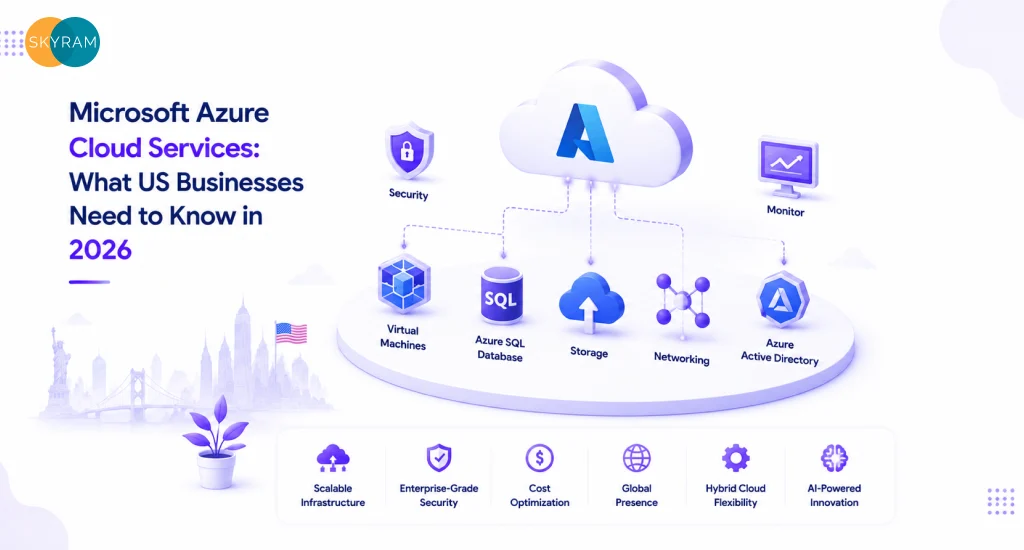
Microsoft Azure Cloud Services: What US Businesses Need to Know in 2026

IT team reviewing Microsoft Azure cloud services dashboard for US business infrastructure planning in 2026

Your on-premises infrastructure is costing you more than money. It’s costing you speed. While your team patches servers and fights with capacity limits, competitors running on Azure cloud services are deploying updates in minutes, absorbing traffic spikes without a second thought, and paying only for what they actually use. That gap compounds every quarter.

Azure sits at the center of most serious cloud conversations in 2026, and for good reason. Microsoft’s global network spans 60+ cloud regions, more than any other provider, and its enterprise integrations run deeper than almost anyone else in the market. But “Azure is big” is not a useful starting point for a decision-maker trying to figure out what it actually solves, what it costs to get wrong, and whether it fits how their organization operates.

This guide gives you the unfiltered picture: what Azure cloud services deliver, where they outperform alternatives, where they introduce complexity, and how US businesses are using them to solve real infrastructure, security, and scalability problems in 2026.

What Azure Cloud Services Actually Cover

Azure is not a single product. It’s a platform of over 200 services organized into categories, and most businesses only need a fraction of them. Getting clear on the categories first prevents the common mistake of buying into Azure’s breadth without a plan for depth.

Compute: The Core of Any Migration

Azure Virtual Machines (VMs) give you infrastructure-as-a-service, meaning you control the OS, the runtime, and the configuration. Azure Kubernetes Service (AKS) handles container orchestration so your teams skip the overhead of managing Kubernetes clusters from scratch. Azure App Service sits above both, letting developers deploy web apps and APIs without touching the underlying infrastructure at all.

For businesses migrating from on-prem Windows Server environments, the path to Azure is often straightforward. Microsoft’s licensing portability and Azure Hybrid Benefit mean companies running active Software Assurance agreements can significantly reduce VM costs, sometimes by 40% or more compared to standard pay-as-you-go rates.

Storage, Databases, and Data Services

Azure Blob Storage handles unstructured data at scale: backups, media files, log archives, data lake feeds. Azure SQL Database and Azure Cosmos DB cover relational and multi-model NoSQL workloads, respectively, both with built-in high availability and geo-redundancy options.

Azure Synapse Analytics matters for companies treating data as a competitive asset. It unifies data warehousing, big data processing, and analytics pipelines in one service, which cuts down on the sprawl that typically comes from stitching together separate ETL tools, data warehouses, and BI connectors.

Networking: What Makes Multi-Region Work

Azure Virtual Network (VNet) is the foundation. Everything else, load balancers, VPNs, application gateways, sits on top of it. Azure ExpressRoute connects your data centers directly to Microsoft’s network without traversing the public internet, which matters for latency-sensitive workloads and compliance requirements that prohibit data traveling over shared infrastructure.

Azure CDN and Azure Front Door handle global traffic routing. For US businesses with distributed user bases or international customers, Front Door’s intelligent routing and anycast routing capabilities translate directly to faster page loads and lower bounce rates.

Key Takeaway

Azure’s 200+ services span compute, storage, databases, networking, AI, and security. Most businesses start with a focused set of five to ten services and expand based on workload needs. Building a clear service map before migration prevents scope creep and cost overruns.

Azure Cloud Services in the USA: The Infrastructure Advantage

Azure’s US footprint is substantial. Microsoft operates multiple data center regions across the continental US, including dedicated government cloud regions (Azure Government) that meet FedRAMP High, DoD IL2/IL4/IL5, and ITAR compliance requirements. That matters directly for federal contractors, defense suppliers, healthcare organizations, and any business subject to data residency requirements.

Compliance Coverage That’s Already Built In

Regulated industries spend disproportionate time building compliance infrastructure from scratch. Azure ships with pre-built compliance controls covering HIPAA, SOC 2 Type II, PCI DSS, ISO 27001, and more. Microsoft Defender for Cloud provides continuous compliance assessment and surfaces gaps against specific regulatory frameworks, so your security team isn’t manually checking controls.

HIPAA Business Associate Agreements (BAAs) are available directly from Microsoft, which matters for any healthcare organization or business that processes protected health information. Azure’s compliance documentation is also directly usable in audit submissions, which cuts down the time your team spends compiling evidence for annual audits.

Latency and Performance for US Workloads

Proximity to compute infrastructure matters when milliseconds affect conversion rates or application responsiveness. Azure’s US regions, combined with Azure Availability Zones within those regions, allow architects to design for sub-10ms latency for most US-based users while maintaining geographic redundancy.

Azure’s peering relationships with major US ISPs also reduce the number of network hops between end users and Azure-hosted applications. For SaaS businesses, this translates to measurable performance improvements over hosting in a single on-premises data center or a colocation facility without comparable peering.

Hybrid Cloud for Businesses Not Ready to Go All-In

Not every workload belongs in the cloud, and Azure Arc acknowledges that reality. Arc extends Azure management plane capabilities to on-premises servers, VMware environments, and other cloud providers, so organizations running mixed infrastructure can apply consistent governance, security policy, and monitoring from a single control plane.

This is particularly relevant for mid-market manufacturers, financial services firms, and healthcare systems with legacy systems that can’t migrate cleanly. Azure Arc lets those organizations modernize incrementally without forcing a big-bang migration that carries significant operational risk.

Key Takeaway

Azure’s US infrastructure advantage goes beyond raw availability. Purpose-built compliance regions, ISP peering for low latency, and hybrid management via Azure Arc make it a viable platform for regulated industries and organizations with mixed on-prem and cloud environments.

Azure Deployment Models and Cost Structures at a Glance

Azure pricing is consumption-based by default, but the right model depends heavily on workload predictability. Here’s a direct comparison of the deployment options US businesses most commonly evaluate:

Azure Tier / Model Best Fit Cost Model Key Benefit for US Teams
Azure IaaS Companies migrating on-prem workloads Pay-as-you-go VMs Full infrastructure control without data center costs
Azure PaaS (App Service / AKS) Dev teams building and deploying apps Per-instance or cluster pricing Zero OS patching, built-in scaling
Azure SaaS (M365, Dynamics) Business units needing ready-made tools Per-user monthly licensing Immediate productivity; no infrastructure burden
Azure Hybrid (Arc) Regulated industries with on-prem requirements Arc management + cloud services Unified governance across on-prem and cloud
Azure Reserved Instances Predictable, always-on workloads 1 or 3-year commitment Up to 72% cost savings vs. on-demand pricing


One structural point worth understanding: Azure Reserved Instances require upfront commitment but generate significant savings for stable workloads. Spot VMs take this further, offering up to 90% cost reduction for fault-tolerant, interruptible workloads like batch processing, rendering, and non-time-sensitive data pipelines.


Key Takeaway

Matching Azure’s pricing model to your workload profile is more impactful than any feature selection. Reserved Instances and Spot VMs can cut compute costs by 40-90% compared to on-demand pricing. Most organizations benefit from a hybrid of on-demand for variable workloads and reserved capacity for predictable production systems.

Security Architecture on Azure: What’s Native vs. What You Still Own

Microsoft invests roughly $1 billion annually in cybersecurity research and engineering. That number gets cited often, but what it means operationally is that Azure ships with security capabilities that would cost millions to build and maintain independently. The shared responsibility model, though, means understanding exactly where Microsoft’s responsibility ends and yours begins.

Microsoft Entra ID: Identity at Scale

Microsoft Entra ID (formerly Azure Active Directory) handles authentication and authorization for most Azure workloads. Its Conditional Access policies let security teams enforce MFA, device compliance, and location-based access rules without building custom identity infrastructure. For organizations already using Microsoft 365, Entra ID integration is already in place.

Privileged Identity Management (PIM) solves a specific problem that causes a disproportionate number of cloud security incidents: standing privileged access. PIM enforces just-in-time elevation, meaning users request elevated permissions when needed and those permissions expire automatically. This eliminates the class of attack that exploits permanently privileged accounts.

Microsoft Defender for Cloud and Sentinel

Defender for Cloud provides cloud security posture management (CSPM) and cloud workload protection (CWPP) in one service. It continuously assesses your Azure environment against security benchmarks and highlights misconfigurations before they become incidents. The Secure Score metric gives security teams a quantified baseline and tracks improvement over time.

Microsoft Sentinel is Azure’s cloud-native SIEM and SOAR platform. It ingests signals from Azure services, Microsoft 365, on-premises systems, and third-party tools into a unified detection and response workflow. For organizations replacing legacy SIEM products, Sentinel’s pricing model, based on data ingestion volume, typically comes in significantly lower than established competitors for equivalent data volumes.

The Shared Responsibility Model in Practice

Microsoft secures the physical infrastructure, the hypervisor, and the managed service layers. Your team owns identity configuration, data classification, network security group rules, encryption key management, and application-layer security. A misconfigured storage blob with public access enabled is not Azure’s failure. It’s a configuration error on the customer side, and it happens regularly.

The practical implication: buying Azure does not mean buying security. It means buying a platform with strong security tools that require correct configuration and ongoing governance to deliver their value. Organizations that skip the security architecture work during onboarding consistently experience the kind of incidents that Azure’s tools were designed to prevent.

Key Takeaway

Azure’s native security toolchain, Entra ID, Defender for Cloud, and Sentinel, covers most enterprise security requirements without third-party products. However, the shared responsibility model places identity, data, and application security configuration squarely in the customer’s domain. Security outcomes on Azure depend on how well those controls are implemented and maintained.

Azure AI and Machine Learning Services for Business Applications

Azure OpenAI Service is the high-profile entry point, but it’s one component of a broader AI stack. Azure’s AI services span document intelligence, speech recognition, computer vision, and full custom model training, all accessible via API without requiring in-house ML expertise for most use cases.

Azure OpenAI Service: What Enterprise Access Actually Means

Unlike the public OpenAI API, Azure OpenAI Service runs within Microsoft’s infrastructure with private endpoints, regional data residency, and content filtering controls that enterprise procurement and compliance teams require. Your prompts and completions don’t train the base models. Data governance stays within your Azure tenant.

The practical use cases generating ROI in 2026 include document summarization for legal and financial services, customer support automation, internal knowledge base search using retrieval-augmented generation (RAG), and code generation integrated into development workflows. Each of these has measurable productivity impact without requiring a dedicated AI engineering team to build from scratch.

Azure Machine Learning for Custom Models

Azure ML provides a managed environment for training, versioning, and deploying custom models. For businesses with proprietary data and specific prediction problems, such as demand forecasting, churn prediction, or anomaly detection in time-series data, Azure ML offers the infrastructure without the DevOps overhead of managing GPU clusters independently.

MLflow integration and the Model Registry support proper ML lifecycle management, which matters when models move from experimentation to production and need reproducibility, version control, and monitoring baked in from the start.

Key Takeaway

Azure’s AI services provide enterprise-grade access to large language models, vision APIs, and custom ML infrastructure with compliance controls that generic API access lacks. Organizations getting the most value in 2026 are applying AI to specific, high-volume workflows rather than broad AI experimentation programs without clear business objectives.

Azure DevOps and Engineering Velocity

Azure DevOps is a full development lifecycle platform covering source control, CI/CD pipelines, work tracking, artifact management, and test planning. Azure Pipelines integrates natively with GitHub Actions, and both connect directly to AKS, Azure App Service, and Azure Container Registry for deployment targets.

CI/CD Pipeline Architecture on Azure

A production-grade CI/CD pipeline on Azure typically chains GitHub or Azure Repos for source control, Azure Pipelines for build and test automation, Azure Container Registry for image storage, and AKS or App Service for deployment. Infrastructure-as-code using Bicep or Terraform handles environment provisioning, so development, staging, and production environments are consistent and reproducible.

For teams scaling DevOps practices, the DevOps engineering services at Skyram Technologies page outlines how structured pipeline architecture reduces deployment risk and accelerates release cycles for businesses at different maturity levels.

Developer Productivity and Inner Loop Tooling

GitHub Copilot integrates directly into the development environment and reduces time spent on boilerplate code, test generation, and documentation. Microsoft’s 2023 developer productivity research found Copilot users completed tasks 55% faster in controlled studies. Real-world gains vary, but the directional impact on developer throughput is consistent across reported enterprise deployments.

Azure Load Testing lets engineering teams simulate real traffic loads against applications before production releases. This catches performance regressions before they affect users and removes the guesswork from capacity planning for anticipated traffic spikes.

Key Takeaway

Azure DevOps and GitHub Actions form a mature CI/CD ecosystem that supports the full development lifecycle without requiring third-party tooling for most enterprise use cases. The combination of pipeline automation, infrastructure-as-code, and developer productivity tools directly shortens release cycles and reduces deployment-related incidents.

Where Azure Migrations Go Wrong and How to Avoid It

Azure migrations fail more often from planning gaps than from technical limitations. The same patterns appear across industries and organization sizes.

Lift-and-Shift Without Architecture Review

Moving workloads to Azure without re-architecting for cloud-native patterns often produces results worse than the on-prem baseline: higher costs, similar or worse performance, and new operational complexity. Applications designed for fixed-capacity hardware don’t automatically benefit from cloud elasticity. They require rearchitecting to take advantage of autoscaling, managed services, and event-driven patterns.

Uncontrolled Cloud Spending

Azure’s default is consumption-based pricing with no spending limits. Without tagging policies, budget alerts, and cost center governance in place from day one, cloud bills grow faster than expected. Azure Cost Management provides the tools, but it requires active configuration and ownership. Organizations that treat cost governance as a post-migration concern rather than a launch criterion consistently overspend during the critical first six months.

Identity and Access Misconfiguration

Overly permissive role assignments, missing Conditional Access policies, and inconsistent MFA enforcement account for a significant percentage of Azure security incidents. The principle of least privilege requires deliberate implementation, not just a stated intention. Role assignments should follow a documented access matrix, and privileged roles should use PIM-enforced just-in-time elevation without exception.

Key Takeaway

The most common Azure migration failures trace back to three root causes: lifting workloads without re-architecting them, skipping cost governance until after launch, and under-investing in identity and access configuration. Addressing all three before migration begins, not after incidents surface, is the difference between a successful cloud transition and a costly rollback.

How to Evaluate Whether Azure Is the Right Fit for Your Business

Azure is not the default right answer for every organization. The evaluation should run against your specific workload mix, your team’s existing toolchain, your compliance requirements, and your three-to-five-year infrastructure trajectory.

Where Azure Has a Clear Advantage

  • Organizations running Microsoft 365 and needing deep identity integration
  • Regulated industries requiring documented compliance controls for HIPAA, FedRAMP, or PCI DSS
  • Development teams using GitHub who want tighter CI/CD pipeline integration
  • Enterprises with hybrid infrastructure that need unified governance across on-prem and cloud
  • AI workloads requiring data residency, private endpoints, and content filtering on top of LLM access

Where to Look Carefully Before Committing

  • Pure Linux workloads with no Microsoft software dependency may find AWS or GCP pricing more competitive in some configurations
  • Very small teams without in-house cloud expertise will need a managed service partner to operate Azure effectively at scale
  • Organizations with existing Google Workspace and Google Cloud investments face real integration friction when splitting between platforms


The evaluation framework that consistently produces better decisions: start with a workload inventory, classify each workload by migration complexity (rehost, re-platform, refactor), map compliance requirements to available Azure controls, model cost at 80% of projected peak usage using the Azure Pricing Calculator, and run a 30-day proof of concept on a non-critical workload before committing to a full migration plan.

Key Takeaway

Azure’s strongest advantages cluster around Microsoft ecosystem integration, compliance coverage for regulated industries, and hybrid infrastructure governance. The evaluation should be workload-specific, not platform-generic. A 30-day proof of concept on a representative workload gives decision-makers concrete data before committing migration budget.

Frequently Asked Questions

  1. What are Azure cloud services?

Azure cloud services is Microsoft’s public cloud platform, offering over 200 services including virtual machines, managed databases, Kubernetes orchestration, AI and machine learning tools, DevOps pipelines, and identity management. Organizations access these services on a pay-as-you-go or reserved-capacity basis through Microsoft’s global network of data centers, without owning or managing physical infrastructure.

  1. How do Azure cloud services differ from AWS or Google Cloud?

Azure’s primary differentiators are its Microsoft ecosystem integration, its compliance portfolio for regulated industries, and its hybrid cloud capabilities via Azure Arc. AWS has a larger service catalog and longer market history. Google Cloud has performance advantages in certain AI and analytics workloads. The right choice depends on your existing toolchain, compliance requirements, and workload profile, not vendor preference.

  1. What does Azure cloud services cost for a US business?

Azure pricing is consumption-based and varies by service, region, and commitment level. A small-to-mid-size business running web applications and databases might pay between $500 and $5,000 per month depending on scale, storage, and traffic. Enterprises with complex multi-service architectures typically spend significantly more. Azure Reserved Instances can reduce compute costs by up to 72% compared to on-demand rates for predictable workloads. The Azure Pricing Calculator provides workload-specific estimates.

  1. Is Azure compliant with HIPAA, SOC 2, and PCI DSS?

Yes. Azure provides built-in compliance controls, documentation, and audit reports for HIPAA, SOC 2 Type II, PCI DSS Level 1, ISO 27001, FedRAMP High, and dozens of other frameworks. Microsoft will sign a HIPAA Business Associate Agreement (BAA) directly. Azure Defender for Cloud continuously monitors your environment against these frameworks and surfaces gaps. Compliance in the cloud requires proper configuration; Azure provides the tools but customer configuration determines the actual compliance posture.

  1. What is Azure Arc and why does it matter for hybrid environments?

Azure Arc extends Azure’s management capabilities, including policy enforcement, monitoring, role-based access control, and security assessments, to infrastructure running outside Azure. This includes on-premises servers, VMware virtual machines, and workloads on other cloud providers. For organizations that cannot move all workloads to the cloud due to latency, data residency, or legacy system constraints, Arc provides unified governance without forcing full cloud migration.

  1. How long does it take to migrate to Azure?

Migration timelines vary significantly by scope and complexity. A single application rehost can complete in days. A full data center migration for a mid-market company typically takes three to twelve months, including assessment, planning, migration, testing, and cutover phases. Re-platform and refactor projects take longer because they involve rearchitecting applications, not just moving them. Starting with a workload inventory and complexity assessment produces a realistic timeline before committing resources.

  1. Do I need a managed service partner to run Azure effectively?

Small teams or organizations without dedicated cloud operations expertise benefit significantly from a managed service partner, at least during migration and initial stabilization. Azure’s service breadth and configuration depth require ongoing governance across security, cost management, identity, and network architecture. As internal teams build Azure expertise, the dependency on external partners typically decreases. For large-scale migrations or complex multi-region architectures, a partner with deep Azure specialization reduces risk and accelerates time-to-value.

Ready to Build a Smarter Azure Strategy?

Azure cloud services deliver real results for US businesses that approach them with a clear architecture plan, defined compliance requirements, and cost governance built in from the start. Getting those fundamentals right from day one separates migrations that generate returns quickly from projects that drag on, overspend, and underdeliver.

If your team is evaluating Azure for the first time or optimizing an existing cloud environment, Skyram Technologies works with US IT decision-makers to design, implement, and manage Azure environments built around your specific workload and compliance requirements. Whether you’re planning a migration, modernizing a legacy application, or building out a DevOps pipeline on Azure, connect with the Azure engineering team to get a structured assessment of your current infrastructure and a clear path forward.

Azure Managed Services From India: A Guide for US Companies Running Microsoft Workloads

IT director reviewing Azure cloud management dashboard supported by an Azure Managed Services India offshore team

Your Azure environment is live, your internal team is stretched, and the Microsoft workloads that matter most to your business, Active Directory, SQL Managed Instance, Azure Kubernetes Service, Azure Virtual Desktop, need consistent operational attention that your three-person cloud team cannot realistically provide at 2 AM on a Tuesday. You have seen the case for Azure Managed Services India in a few vendor decks but none of them have told you what to actually look for, what separates credible delivery from overpromised support contracts, or how to structure an engagement so your team stays in control. This guide does that.

What Azure Cloud Management India Actually Covers, and What It Often Does Not

The term ‘managed services’ is applied to a wide range of offerings, and that range matters. At one end, you get a vendor who monitors your Azure environment and sends you alerts. At the other end, you get a team that owns infrastructure operations, security posture, cost governance, incident response, and documentation, with defined SLAs for each. US enterprises running production Microsoft workloads need the second kind. They usually get pitched the first.

The distinction shows up in the scope of work document. Vague SOWs that describe ‘monitoring and management’ without specifying response times, coverage hours, escalation paths, or deliverable formats are structured to give the provider maximum flexibility and your team minimum accountability leverage. Tight SOWs specify exactly what gets managed at what SLA tier with what documentation output.

Here is what a complete Azure cloud management India engagement should cover across seven operational areas:
 

Managed Service Area What It Should Include Common Gap in Cheap Providers
Infrastructure Operations Patching, scaling, backup, DR testing, cost governance on a defined SLA Patching only; no DR testing, no cost reporting
Security and Compliance Microsoft Defender for Cloud, Sentinel SIEM, Entra ID governance, Policy enforcement Basic firewall rules; no SIEM, no identity governance
Azure DevOps / CI-CD Pipeline management, release governance, IaC drift detection CI-CD handed back to client team after initial setup
Monitoring and Alerting Azure Monitor, Log Analytics, Application Insights with defined escalation paths Alert configuration only; no documented escalation or on-call coverage
Cost Management Monthly FinOps reporting, Reserved Instance recommendations, rightsizing actions Invoice forwarding; no proactive cost analysis
Incident Response Defined P1/P2/P3 SLA, post-incident review, root cause documentation Best-effort response; no SLA, no post-mortems
Knowledge Transfer Runbooks, ADRs, architecture diagrams maintained in client systems Knowledge sits with offshore team; no documentation standards

 
The gap column in that table is not theoretical. It reflects the actual delta between what US enterprises expect when they outsource Azure operations and what many offshore providers deliver. Run through this list with every vendor you evaluate and ask for specific examples of how they deliver on each area.
 

Key Takeaway: Managed services is not a category, it is a spectrum. The scope document is the most important artifact in any vendor evaluation. If a provider cannot specify their deliverables across infrastructure, security, DevOps, monitoring, cost, incident response, and documentation, you are buying availability, not operational depth.

Why US Companies Are Choosing Azure Managed Services Offshore

The economics are straightforward. A senior Azure operations engineer in the US costs $120,000 to $150,000 annually. A 24/7 internal Azure support team covering operations, security monitoring, and incident response requires at a minimum four to five full-time engineers, because no single person covers all time zones without burning out. That’s a $600,000 to $750,000 per year internal investment before tooling, training, and overhead.

An offshore Azure support team delivering equivalent coverage, with defined SLAs, documented runbooks, and senior-level escalation paths, typically runs 40 to 60 percent of that cost. The savings are real. But cost reduction is not why the best-run US enterprises choose this model. They choose it because the operational depth available through a dedicated managed services provider is genuinely hard to replicate with an internal team of equivalent size.

The Coverage Argument

Internal Azure teams at sub-50-engineer organizations almost always have gaps. Someone covers monitoring but not security. Someone handles patching but not FinOps. The CI/CD pipeline is managed by the dev team, not the ops team, which means nobody owns the handoff. A mature offshore managed services team structures coverage across all these areas as a coordinated function rather than a set of individual job descriptions.

The Continuity Argument

When your Azure engineer leaves, and they will eventually leave, because Azure expertise commands strong market demand, your managed services provider continues operating. Runbooks, architecture documentation, incident history, and institutional knowledge remain in your systems, not in a departing employee’s head. For organizations that have survived the departure of a critical infrastructure engineer, this argument lands immediately.

The Specialization Argument

Azure’s service surface is now too broad for any single engineer to cover at senior depth. AKS networking, Azure Data Factory pipeline optimization, Sentinel threat detection rule tuning, and Cosmos DB multi-region write configuration are each of these is its own specialization. A managed services team brings multiple specialists to bear on your environment without requiring you to hire each one individually.

Key Takeaway: The cost advantage of offshore Azure managed services is real but secondary. The primary value is operational breadth and continuity, coverage across infrastructure, security, cost governance, and DevOps that internal teams at most US enterprises cannot staff consistently without significant investment.

How to Evaluate a Managed Microsoft Azure India Provider

Vendor selection for managed services is harder than hiring an individual engineer because you cannot run a technical interview with the person who will actually work on your environment. You are evaluating a team’s processes, not an individual’s skills. Here is how to do it effectively.

Demand a Working Reference From a Live US Client

Ask for two or three reference contacts at US companies with comparable Azure environments, similar workload types, similar compliance requirements, similar team size. Call them. Ask specifically: ‘Has this provider ever missed a P1 SLA? What happened? How did they respond?’ Ask what the documentation quality looks like after 12 months. Ask whether they would renew the contract. References that only come from satisfied long-term clients in marketing materials are not the same as live contacts you can call directly.

Review Their Runbook and ADR Standards

Ask to see an anonymized runbook from a current engagement. Ask what their architecture decision record template looks like. Ask where documentation lives, in your systems or theirs. A managed services provider that keeps all operational knowledge in their own systems is building dependency. A good provider documents everything in your version control, your Confluence, or your ServiceNow instance. The test: if you terminate the engagement tomorrow, can your team pick up and operate the environment independently?

Test Their Incident Response Process

Ask for a sample post-incident review from a P1 event. Not a template, an actual anonymized report from a real incident. It should include a timeline of detection, escalation, and resolution; a root cause analysis; and specific changes made to prevent recurrence. Providers without real post-incident reviews have either not handled a serious incident or have not documented the ones they have handled. Neither is acceptable for enterprise workloads.

Verify Their Microsoft Certifications and Partner Status

Look for Microsoft Solution Partner status in the Infrastructure and Cloud category. Individual team members should hold AZ-104, AZ-305, or AZ-500 credentials with recent renewal dates. Certifications alone do not prove operational capability, but their absence at a managed services provider is a credibility gap. Microsoft’s partner designation requires demonstrated deployment volume and customer success metrics, it is not self-reported.

Your evaluation should also look at how a provider integrates managed services with a broader cloud strategy. A provider who only handles day-two operations without connecting to architecture and DevOps pipeline governance leaves a gap between the infrastructure layer and the delivery layer that your team ends up managing.

Key Takeaway: Vendor evaluation for managed services requires a different process than hiring an individual. Live references, real runbook samples, actual post-incident reviews, and verified Microsoft partner status are the four non-negotiable evaluation gates before you sign an SOW.

What a Well-Structured Outsource Azure Operations Engagement Looks Like

The difference between a managed services engagement that works and one that creates friction for your team almost always comes down to how the engagement is structured at the start, not how capable the provider is. Capable providers in poorly structured engagements still underdeliver.

The Onboarding Phase: Weeks One to Four

The first four weeks should produce a current-state assessment of your Azure environment: a network topology diagram, an IAM audit, a cost baseline, a security posture review against Microsoft’s Well-Architected Framework, and an inventory of every resource in scope. This is not a discovery exercise, it is the foundation for everything that follows. If a provider skips the current-state assessment and moves straight into operations, they are managing an environment they do not understand.

By the end of week four, you should have a documented operating model: which resources the provider manages, which your team manages, what the escalation path looks like at each severity tier, and what the cadence of reporting is. Ambiguity in the operating model is where every managed services relationship eventually breaks down.

Ongoing Operations: The Monthly Rhythm

A mature Azure operations engagement runs on a defined monthly cadence. Monthly deliverables should include a cost management report with specific optimization actions taken or recommended, a security posture summary from Microsoft Defender for Cloud and Sentinel, a patching and compliance status report, and a capacity and performance review. These are not slide decks assembled the night before a QBR. They are operational artifacts produced from your Azure environment’s actual data.

Quarterly, you should receive a Well-Architected Review update showing progress against the previous quarter’s recommendations, a Reserved Instance coverage analysis, and a forward-looking capacity plan tied to your roadmap.

Escalation and Incident Response

Define severity tiers in the contract before signing. P1 is a production outage or security incident affecting business operations. P2 is a significant degradation without a full outage. P3 is non-urgent maintenance or advisory. Each tier needs a documented response time, an escalation path with named roles, and a resolution time target. Vague SLA language like ‘best effort’ or ‘within business hours’ is not an SLA, it is a disclaimer.

P1 incidents should carry a response commitment of 15 to 30 minutes, 24/7, 365 days. If a provider cannot commit to this for production workloads, they are not delivering enterprise-managed services.

Key Takeaway: Engagement structure determines outcome more than provider capability does. A current-state assessment in weeks one to four, a documented operating model, defined monthly deliverables, and tiered SLAs with named escalation paths are the structural elements that make the difference between a managed services partnership and an expensive support ticket queue.

Security and Compliance in an Azure Managed Services Offshore Model

This is where US CTOs and IT directors slow down in the evaluation, and for good reason. Handing operational access to your Azure environment to an offshore team introduces security and compliance questions that a vendor deck will not answer for you.

Access Control Architecture

Your offshore Azure support team should never operate with standing administrative access to your production environment. The correct model uses Privileged Identity Management (PIM) through Microsoft Entra ID, which grants just-in-time elevated access for specific operations, with full audit logging. Every session is recorded. Every action is attributable. If a provider cannot operate within a PIM-based access model, they are not operating at enterprise security standards.

Separate managed identities for automation workloads from human operator accounts. Require MFA for all human access. Require managed identities or workload identity federation for service accounts, no long-lived secrets stored in configuration files or environment variables.

Data Residency and Compliance

Define which data your offshore team can access and which they cannot. For workloads subject to HIPAA, PCI DSS, or SOC 2, your contract needs explicit language about data residency, data handling procedures, and the conditions under which offshore team members can access data-containing environments. In most cases, the correct architecture restricts offshore team access to infrastructure operations, compute, networking, storage configuration, while keeping data-plane access with your domestic team or automated systems.

For audit purposes, ensure your provider can produce access logs from your Azure environment on demand. Azure Monitor and Log Analytics provide this natively, if your provider cannot point you to a query that shows every privileged action taken in the past 90 days, they are not operating a defensible audit trail.

Vendor Security Assessment

Before signing, run your standard vendor security assessment against the provider. Require SOC 2 Type II certification from the provider organization itself, not just the individual engineers. Review their internal access control policies, their employee background check process, and their data handling procedures for client information. A provider that resists your security questionnaire is not a provider you should be giving Azure access to.

Key Takeaway: Security in an offshore managed services model is an architecture and contract problem, not a trust problem. PIM-based just-in-time access, defined data residency terms, full audit logging, and a SOC 2-certified provider are the technical and contractual controls that make offshore Azure operations safe for enterprise workloads.

The Metrics That Tell You Your Azure Managed Services Engagement Is Working

Too many managed services engagements get evaluated on relationship quality rather than operational outcomes. You like the team. Communication feels good. That is not the same as the engagement performing. These are the metrics that tell you whether the engagement is delivering value.

Infrastructure Health Metrics

  • Patch compliance rate: Target 95 percent or higher across all managed resources within the defined patching window. Anything below 90 percent signals process gaps.
  • Backup success rate: 100 percent of defined backup jobs completing successfully. Failures should trigger immediate alert and remediation within the P2 SLA.
  • Uptime against SLA: For production workloads, 99.9 percent minimum. Track this monthly, not quarterly, so trends surface before they become incidents.

Security Metrics

  • Microsoft Defender for Cloud secure score: Track month-over-month movement. A well-managed environment should show consistent improvement in the first six months and stable maintenance thereafter.
  • Open high-severity recommendations: Any finding rated High or Critical in Defender for Cloud should have a remediation plan within five business days. Track the backlog monthly.
  • PIM access review completion: Quarterly access reviews for all privileged roles should complete 100 percent on schedule. Missed access reviews are a compliance finding waiting to happen.

Cost Governance Metrics

  • Budget variance: Month-over-month Azure spend should stay within 10 percent of forecast unless tied to a documented business change. Unexplained variance above 10 percent requires a written explanation.
  • Reserved Instance coverage: For stable workloads running more than 12 months, target 70 to 80 percent coverage with Reserved Instances or Savings Plans. Sustained on-demand pricing for predictable workloads is a cost governance failure.
  • Optimization actions completed: Track the ratio of cost recommendations made to actions implemented. A provider who identifies savings but does not implement them is generating reports, not results.

These metrics connect directly to the broader value a full Azure cloud services engagement delivers. Infrastructure health, security posture, and cost governance are not separate functions, they interact, and a managed services team that tracks them together surfaces problems faster than one treating each domain in isolation.

Key Takeaway: Managed services performance is measurable. Define your baseline metrics at onboarding, review them monthly, and require written explanations for any metric that falls below target. An engagement that cannot be measured cannot be managed, and a provider that resists metric-based accountability is telling you something important about how they operate.

Frequently Asked Questions

  1. What does Azure Managed Services India typically include for US enterprise clients?

A complete Azure Managed Services India engagement for US enterprise clients covers infrastructure operations (patching, scaling, backup, DR), security management (Microsoft Defender for Cloud, Sentinel SIEM, Entra ID governance), DevOps pipeline oversight, monitoring and alerting with defined escalation paths, monthly cost governance reporting, incident response with tiered SLAs, and ongoing documentation of runbooks and architecture decisions. Providers that offer only monitoring and alerting without covering security posture, cost governance, and documentation are delivering a partial managed service.

  1. Is it safe to outsource Azure operations to an offshore team for regulated workloads?

Yes, with proper technical and contractual controls. For regulated workloads, HIPAA, PCI DSS, SOC 2, the offshore team’s access should be governed by Microsoft Entra ID Privileged Identity Management, which provides just-in-time elevated access with full audit logging. Data residency terms must be explicit in the contract, specifying which environments the offshore team can access and under what conditions. Require SOC 2 Type II certification from the provider organization and verify their background check and data handling processes before signing.

  1. What SLAs should I require from an offshore Azure support team for production workloads?

For production Azure workloads, require a P1 response SLA of 15 to 30 minutes, 24/7/365, with a documented escalation path and named contacts. P2 incidents, significant degradation without full outage, should carry a two-hour response commitment. P3 non-urgent requests should resolve within one business day. Any SLA language that references ‘business hours’ for P1 incidents is not an enterprise SLA. Production environments do not fail on business hours schedules.

  1. How long does it take to onboard an Azure managed services provider for an existing environment?

A properly structured onboarding takes four to six weeks for a mid-size Azure environment with 50 to 200 resources. The first two weeks cover access provisioning, environment discovery, and current-state assessment. Weeks three and four produce the documented operating model, baseline security posture review, and initial cost analysis. By week six, the provider should be operating within defined SLAs with full runbook coverage for your critical workloads. Providers who claim a one-week onboarding are skipping the current-state assessment.

  1. What Microsoft certifications should an Azure managed services provider hold?

Look for Microsoft Solution Partner status in the Infrastructure and Cloud category at the organization level. Individual engineers managing your environment should hold AZ-104 (Azure Administrator), AZ-305 (Azure Solutions Architect Expert), or AZ-500 (Azure Security Engineer) credentials renewed within the past 24 months. For security operations work, AZ-500 and SC-200 (Microsoft Security Operations Analyst) are the most relevant credentials. Certification at the organization level requires demonstrated deployment volume and customer success metrics, making it a more reliable signal than individual credentials alone.

  1. What is the difference between Azure managed services and staff augmentation for Azure?

Azure managed services means the provider takes operational ownership of defined Azure workloads, monitoring, patching, security, cost governance, incident response, under a documented SLA. Staff augmentation means you hire individual Azure engineers who work under your team’s direction and management. Managed services shifts operational accountability to the provider and provides process and tooling that scales across your environment. Staff augmentation adds capacity to your team but keeps management overhead with you. Most US enterprises with production Azure environments benefit more from managed services for day-two operations and use augmentation for specific project delivery.

  1. How should I measure whether my Azure managed services engagement is delivering value?

Track six categories of metrics monthly: infrastructure health (patch compliance rate, backup success rate, uptime against SLA), security posture (Defender for Cloud secure score movement, open high-severity recommendation backlog, PIM access review completion), cost governance (budget variance vs forecast, Reserved Instance coverage rate, optimization actions implemented vs recommended), incident performance (mean time to respond and resolve by severity tier), documentation completeness (runbooks updated, ADRs produced), and team satisfaction (measured by whether your internal team is spending less time on operational firefighting). An engagement that cannot show positive trend lines across at least four of these six categories within 90 days needs a contract review.

Ready to Talk Through Your Azure Operations Model?

US companies running production Microsoft workloads on Azure need operational depth that most internal teams cannot provide at scale, consistent security governance, documented incident response, proactive cost management, and coverage that does not depend on any single engineer’s availability. If you are evaluating whether a structured Azure managed services engagement makes sense for your environment, Skyram Technologies works with US enterprise teams to deliver Azure operations, security, and cloud strategy with accountability structures built for production workloads. Talk to the team, walk through your environment, and determine whether the fit is there.

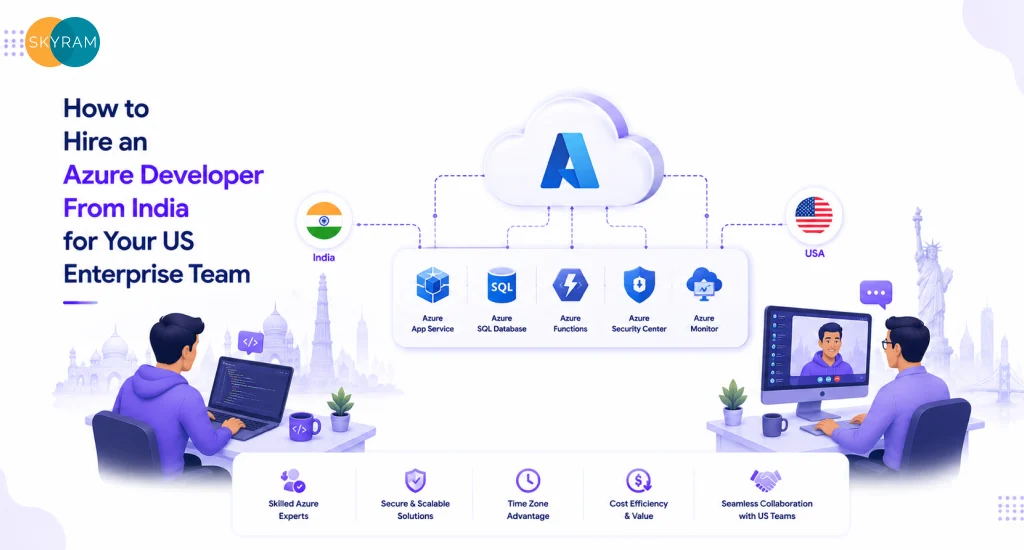
How to Hire an Azure Developer From India for Your US Enterprise Team

US enterprise IT director reviewing code with a remote Azure developer in India during a live architecture session

Your Azure backlog is growing faster than your team can absorb it. Maybe you’re mid-migration from on-premises infrastructure to Azure, or you’re scaling a multi-tenant SaaS product and realizing your current engineers are three certifications and two years of experience behind where the architecture needs to go. Hiring domestically takes four to six months and costs $130,000 to $160,000 annually before benefits. So the decision to hire an Azure developer in India starts making serious business sense, but then you hit the vendor noise. Agencies with polished websites, generic capability decks, and no production portfolio in sight. This post gives you the framework to cut through that and make a hire that actually holds up under enterprise workloads.

Why US Enterprises Are Expanding Their Azure Talent India Pipeline

The cost argument is real, but it’s not the only argument. A senior Azure developer in the US commands $130,000 to $160,000 per year in total compensation. An equally experienced Azure developer, India-based, on a dedicated-resource engagement, typically runs 40 to 55 percent less, with no compromise on output quality when the engagement is structured correctly.

The stronger argument is availability. Azure’s service catalog now exceeds 200 products. Specialists in Azure API Management, Azure Kubernetes Service, Azure Data Factory, Azure OpenAI Service, and Cosmos DB multi-region architecture are scarce in any single domestic market. India’s enterprise tech talent pool, shaped by two decades of delivery for Fortune 500 clients, has high concentrations of engineers who have worked specifically on Microsoft-stack enterprise environments, Active Directory, SharePoint, Dynamics 365, and Azure, often across regulated industries like financial services, healthcare, and manufacturing.

There’s a timing advantage too. A well-onboarded offshore Azure developer extends your delivery window. Design feedback arrives before your team starts their day. Terraform modules get written and reviewed overnight. Sprint velocity increases without your domestic team burning out on crunch cycles. For engineering orgs under pressure to ship, that extension matters.

Key Takeaway: India’s Azure talent pipeline combines genuine cost efficiency with deep Microsoft-stack experience built on enterprise delivery for global clients. The productivity advantage is real, but only when the engagement structure supports it from day one.

What an Offshore Azure Engineer Actually Needs to Demonstrate

The Azure certification ecosystem is large and widely accessible. More than 300,000 people held an AZ-104 or AZ-204 credential as of the most recent Microsoft reporting. Certifications test service knowledge well. They do not test production judgment, architecture trade-off thinking, or incident recovery under pressure. When you hire a Microsoft Azure developer from India, the certification is the minimum screen. The production portfolio is the actual evaluation.

Certifications Worth Requiring

For developer-level work on Azure services, APIs, and application infrastructure, AZ-204 (Azure Developer Associate) is the baseline. For engineers you expect to own architecture decisions, multi-region designs, hub-and-spoke networking, identity federation, landing zone governance, require AZ-305 (Azure Solutions Architect Expert). Both certifications expire after one year without renewal, so check the date. A 2021 cert with no renewal tells you the candidate has not stayed current with Azure’s rapid service evolution.

Production Portfolio Signals

  • Multi-tier application deployments: Not a demo app. An actual enterprise workload on Azure App Service, AKS, or Azure Functions, with documented load characteristics and deployment history.
  • IaC ownership: Bicep or Terraform managing Azure resources in a versioned repository. Engineers who provision everything through the portal are not operating at production scale.
  • Azure DevOps or GitHub Actions pipelines: Real pipeline configs, not screenshots. Ask for the YAML. Ask what the deployment frequency was and what the rollback procedure looked like.
  • Entra ID and RBAC design: Microsoft Entra ID (formerly Azure Active Directory) integration, conditional access policies, managed identities instead of service principal passwords. If they haven’t touched identity in production, they haven’t touched the hard part of Azure enterprise work.
  • Cost governance examples: Specific rightsizing interventions, Reserved Instance purchases they modeled, Azure Advisor recommendations they acted on. Ask for the before-and-after spend numbers.

Ask for a sanitized architecture diagram from a completed engagement. Ask what the hardest debugging session they’ve had on Azure was and how they resolved it. Real production experience produces specific, unprompted answers. Candidates without it give you textbook definitions of services. 

Key Takeaway: Certifications are the entry screen, not the hiring criterion. The production portfolio, IaC-managed infrastructure, real pipeline configs, identity design, and documented cost work, is where you separate engineers who can perform from those who can describe performance.

The Baseline Requirements for Any Remote Azure Developer USA Engagement

Remote engagements at the developer or architect level have a different accountability structure than simple offshore execution. Define these terms before you sign anything, not after onboarding surfaces the gaps.

Overlap Hours, Non-Negotiable

Three to four hours of daily overlap with your core engineering team is the functional minimum for a developer working on architecture-adjacent tasks. For pure execution work, writing Terraform modules, building out CI pipelines, implementing service integrations, two to three hours is manageable with strong async practices. Less than two hours of overlap creates a communication lag that kills sprint velocity and forces your domestic engineers to make architectural decisions they should be consulting on.

Define the overlap window explicitly in the contract. If your team runs 9 AM to 6 PM EST, agree on whether overlap runs 8 to 11 AM or 9 AM to noon. Put it in writing. Verbal agreements on time zones evaporate in the second month.

Documentation Standards

Every architecture decision should produce an Architecture Decision Record stored in your version control system. Every PR should include enough context that a teammate can understand the intent without asking. Diagrams should live in your team’s shared tooling, not in the developer’s personal Miro board or local machine.

Azure development at enterprise scale pairs tightly with DevOps practice. If your organization runs structured DevOps pipelines, your Azure developer needs to operate inside that framework, not alongside it. Clarify this expectation during interviews.

IP and Data Handling

All work product, code, architecture diagrams, ADRs, pipeline configs, must transfer to your organization’s ownership in the contract. Non-disclosure agreements should be signed before technical discussions begin. If your workloads touch regulated data, HIPAA, SOC 2, PCI DSS, your contract needs explicit data residency language and confirmation that your offshore developer will only work with anonymized or synthetic data in non-production environments.

Key Takeaway: Overlap hours, documentation standards, and IP ownership are not negotiation items, they’re baseline requirements. Any vendor who treats these as flexible is signaling they’ve had problems with them before.

How to Run a Technical Interview for Azure Talent India Candidates

Most technical interviews for cloud developers fail because they test recall, not judgment. Azure is a judgment-heavy platform. The right evaluation surfaces how a candidate thinks through trade-offs, not whether they can recite service limits.

The Architecture Scenario

Give a realistic enterprise scenario. Something like: ‘We’re running a .NET application on-premises, processing 80,000 daily transactions, with a SQL Server backend and Active Directory for authentication. We need to migrate to Azure in 90 days with zero downtime. Walk me through your approach.’ A strong candidate asks clarifying questions first: What’s the RTO and RPO requirement? Are there compliance constraints? Is there a hard cutover date or a phased migration? Someone who starts drawing the target architecture before asking these questions is not thinking like a senior engineer.

The Cost Scenario

Present a realistic cost problem. ‘Our Azure spend is $35,000 per month. Our engineering team tells me we’re well-provisioned, but our CFO is asking questions. What do you look at first?’ The answer should follow a specific sequence: check Azure Cost Management for anomalies, review Compute Optimizer recommendations, check Reserved Instance coverage vs on-demand usage, look for orphaned resources, unattached managed disks, idle App Service plans, unused static IPs. An answer of ‘I’d look for ways to optimize resources’ tells you nothing about whether they can actually do it.

The Security and Identity Scenario

Ask: ‘We have 60 engineers across two product teams sharing an Azure subscription. We’re preparing for a SOC 2 Type II audit. How do you restructure access?’ The answer should include Microsoft Entra ID governance, role-based access control with least-privilege roles, Privileged Identity Management for just-in-time access, Azure Policy for guardrails, and a separate subscription or management group structure for production vs non-production. Anyone who doesn’t mention PIM and Azure Policy in this context has not operated in an enterprise-compliance environment.

Key Takeaway: Test judgment, not recall. Candidates who ask clarifying questions before answering an architecture scenario are demonstrating senior-level thinking. Those who jump straight to solutions without understanding constraints are showing you how they’ll behave when real problems arise.

Quick Reference: Evaluating Azure Developer India Candidates

Evaluation Axis Strong Signal Walk Away
Azure Certifications AZ-305 (Architect Expert) or AZ-204 (Developer Associate), renewed within 24 months Lapsed or entry-level only (AZ-900 as the highest cert)
Production Portfolio Live multi-tier Azure deployments with documented architecture decisions Portfolio limited to sandbox or personal projects
IaC Proficiency Bicep or Terraform on Azure; ARM templates acceptable with CDK migration experience No IaC experience; provisions resources manually via portal
DevOps Integration Azure DevOps pipelines or GitHub Actions with real deployment histories Limited to writing code; no pipeline ownership
Security Design Entra ID, RBAC, Azure Policy, Key Vault usage baked into every design Treats security as a post-build task or a separate team’s problem
Cost Governance Azure Cost Management, Reserved Instances, right-sizing history with documented savings No cost-optimization examples or awareness of Azure pricing models
Communication / Overlap 3-4 hours daily overlap with your team; ADR and design-doc practice documented Vague availability, no async documentation discipline

Engagement Models for Hiring Azure Developers Offshore

Not every team needs the same kind of Azure developer engagement. Match the model to your actual workload type and knowledge-transfer goals before committing.

Project-Based Engagement

Best for a defined scope with clear deliverables: an Azure migration, a landing zone build, a specific application modernization. You get senior expertise for a fixed timeline. The risk is that after delivery, your team inherits infrastructure they didn’t build. Mitigate this by requiring documentation deliverables, architecture diagrams, runbooks, IaC repositories, as part of the acceptance criteria, not as afterthoughts.

Dedicated Resource Model

Best for ongoing Azure development: greenfield SaaS builds, continuous infrastructure governance, or teams that need an embedded senior engineer without a full-time domestic hire. The developer attends standups, participates in sprint planning, and builds institutional knowledge over time. This model produces significantly better knowledge transfer because the developer’s context accumulates across the engagement. For teams planning to scale Azure infrastructure over 12 to 24 months, this is the right starting point.

Staff Augmentation for Specific Skill Gaps

Best for teams that have existing Azure engineers but need a specific specialization, Azure Data Factory pipeline architecture, Azure OpenAI Service integration, or AKS networking configuration, for a defined period. This model works when your internal team can absorb and maintain the work after the engagement closes. If they can’t, you’re creating dependency risk.

Before finalizing any engagement model, review what a full-service Azure practice delivers end-to-end. Understanding the full scope helps you identify exactly which piece of that you need to bring in versus what your team already covers.

Key Takeaway: The engagement model is a strategic decision, not a procurement checkbox. Dedicated resource models almost always outperform project-based engagements for teams planning to own and operate the infrastructure long-term. Choose the model that matches your knowledge-transfer intent, not just your budget.

Red Flags That Should End the Evaluation Immediately

Bad offshore Azure engagements are predictable. The warning signs appear in the first conversation. Here is what to walk away from, specifically:

  • No production portfolio with live Azure workloads: Agencies that respond to ‘show me an architecture diagram from a completed engagement’ with ‘we can’t share client work due to NDA’ have a legitimate partial answer, but should still be able to show sanitized diagrams, anonymized case studies, or public GitHub repositories. Nothing is a red flag.
  • Overpromised timelines: An engineer who commits to delivering a multi-region AKS cluster with Azure Front Door, WAF, and private endpoint networking in two weeks, before seeing your current environment, is estimating without information.
  • Portal-only provisioning: Any Azure developer at senior level should be uncomfortable managing production resources manually. If IaC is not part of their standard practice, they’re creating technical debt with every resource they touch.
  • No documentation discipline: Ask directly: ‘Walk me through how you document an architecture decision.’ Vague answers about updating a Confluence page are not documentation discipline. ADRs, versioned diagrams, and PR context notes are.
  • Single-person coverage: If the agency cannot tell you who covers when your primary developer is out sick or on leave, you’re one absence away from a blocked sprint. This question should have an immediate, specific answer.
  • Resistance to a paid trial engagement: A two-to-three-week paid trial on a scoped, real piece of work is a reasonable request. Resistance to this, from any senior-level vendor, is a signal they can’t perform under scrutiny.
Key Takeaway: Every red flag on this list is recoverable before you sign. None of them are recoverable after three months of a failing engagement. Run the evaluation rigorously and walk away early when the signals are clear.

Frequently Asked Questions

  1. What qualifications should I require when I hire an Azure developer in India?

Require a current AZ-204 (Azure Developer Associate) or AZ-305 (Azure Solutions Architect Expert) certification, renewed within the past 24 months, combined with a documented portfolio of production Azure deployments. Certifications confirm baseline service knowledge; the portfolio confirms that the engineer can apply that knowledge to real enterprise workloads. Ask specifically for IaC-managed infrastructure, live deployment pipelines, and at least one identity and access management implementation in a production environment.

  1. How many overlap hours should a remote Azure developer in the USA engagement include?

Three to four hours of daily overlap with your core engineering team is the functional minimum for developer-level work that involves architecture decisions, code reviews, and sprint participation. For pure execution work on well-defined tasks, two to three hours can work with strong async practices. Document the specific overlap window in the contract, ambiguous time zone agreements break down within the first two months of any engagement.

  1. What is the difference between an Azure developer and an Azure solutions architect?

An Azure developer builds and maintains applications and services that run on Azure, APIs, microservices, Azure Functions, AKS workloads, data pipelines. An Azure solutions architect designs the underlying infrastructure topology, account structure, networking, identity, and governance that the developer’s applications run on. For most enterprise teams, you need both functions covered. On smaller teams, a senior developer with strong IaC and architecture skills can cover both roles, but the two functions will eventually need to separate as scale and compliance requirements increase.

  1. Is it safe to hire an offshore Azure engineer for workloads that handle regulated data?

Yes, with proper contractual and technical controls. Your engagement contract should include explicit IP ownership clauses, data residency requirements, and non-disclosure terms signed before technical discussions begin. Your offshore developer should only access production data under defined conditions, and should work exclusively with anonymized or synthetic data in development and testing environments. For HIPAA, SOC 2, or PCI DSS workloads, confirm that your vendor has prior experience working within those compliance frameworks, not just awareness of them.

  1. How long does it take to onboard a remote Azure developer from India?

A structured onboarding for a dedicated resource engagement takes two to three weeks. The first week covers environment access, existing architecture review, codebase orientation, and tooling setup. The second week focuses on gap analysis and first deliverable planning. By the end of week three, a well-prepared Azure developer should be producing independent, reviewable output. Engagements that skip structured onboarding and drop the developer into active sprints from day one consistently underperform for the first two months.

  1. What should the engagement contract cover beyond the developer’s rate?

The contract should define: daily overlap hours and communication SLAs for blocking versus non-blocking requests, documentation deliverables including ADRs and architecture diagrams, IP ownership of all code and design work, data handling and confidentiality obligations, coverage protocols when the primary developer is unavailable, and a defined offboarding and knowledge transfer process. Finalizing the rate before all of these terms are settled is how you end up with a good-looking engagement that performs poorly.

  1. What Azure certifications should I prioritize for a developer handling enterprise workloads?

For developers working on Azure application services, App Service, Azure Functions, AKS, Service Bus, API Management, Cosmos DB, AZ-204 is the most relevant baseline. For engineers expected to own infrastructure design decisions, landing zone governance, and cross-service architecture, require AZ-305. Both certifications require annual renewal to remain valid. A certification earned before Microsoft’s major Azure governance updates in 2022 and 2023 reflects a different platform than what enterprise workloads run on today, recency matters.

Ready to Find the Right Azure Developer for Your Team?

Teams that get offshore Azure development right share a consistent approach: they defined their requirements in detail before starting the search, they tested for production judgment rather than certification count, and they built accountability into the engagement structure from the first conversation. If you’re at the point where you need senior Azure capability and want to see how a structured engagement works in practice, Skyram Technologies partners with US enterprise teams on Azure development, infrastructure, and cloud strategy with the technical depth and accountability structures that complex workloads require. Reach out, describe your environment, and find out whether the fit makes sense.