Your on-premises infrastructure is costing you more than money. It’s costing you speed. While your team patches servers and fights with capacity limits, competitors running on Azure cloud services are deploying updates in minutes, absorbing traffic spikes without a second thought, and paying only for what they actually use. That gap compounds every quarter.
Azure sits at the center of most serious cloud conversations in 2026, and for good reason. Microsoft’s global network spans 60+ cloud regions, more than any other provider, and its enterprise integrations run deeper than almost anyone else in the market. But “Azure is big” is not a useful starting point for a decision-maker trying to figure out what it actually solves, what it costs to get wrong, and whether it fits how their organization operates.
This guide gives you the unfiltered picture: what Azure cloud services deliver, where they outperform alternatives, where they introduce complexity, and how US businesses are using them to solve real infrastructure, security, and scalability problems in 2026.
What Azure Cloud Services Actually Cover
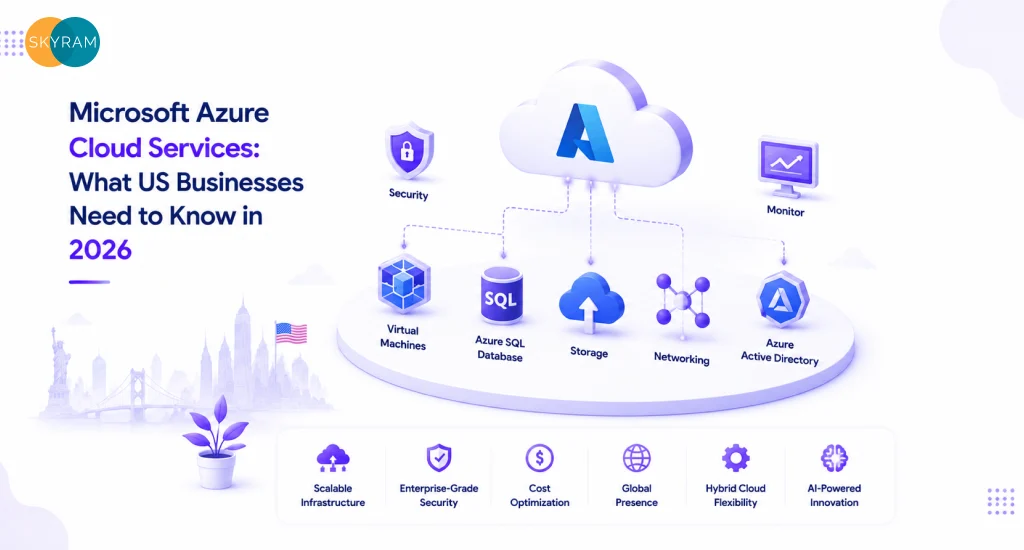
Azure is not a single product. It’s a platform of over 200 services organized into categories, and most businesses only need a fraction of them. Getting clear on the categories first prevents the common mistake of buying into Azure’s breadth without a plan for depth.
Compute: The Core of Any Migration
Azure Virtual Machines (VMs) give you infrastructure-as-a-service, meaning you control the OS, the runtime, and the configuration. Azure Kubernetes Service (AKS) handles container orchestration so your teams skip the overhead of managing Kubernetes clusters from scratch. Azure App Service sits above both, letting developers deploy web apps and APIs without touching the underlying infrastructure at all.
For businesses migrating from on-prem Windows Server environments, the path to Azure is often straightforward. Microsoft’s licensing portability and Azure Hybrid Benefit mean companies running active Software Assurance agreements can significantly reduce VM costs, sometimes by 40% or more compared to standard pay-as-you-go rates.
Storage, Databases, and Data Services
Azure Blob Storage handles unstructured data at scale: backups, media files, log archives, data lake feeds. Azure SQL Database and Azure Cosmos DB cover relational and multi-model NoSQL workloads, respectively, both with built-in high availability and geo-redundancy options.
Azure Synapse Analytics matters for companies treating data as a competitive asset. It unifies data warehousing, big data processing, and analytics pipelines in one service, which cuts down on the sprawl that typically comes from stitching together separate ETL tools, data warehouses, and BI connectors.
Networking: What Makes Multi-Region Work
Azure Virtual Network (VNet) is the foundation. Everything else, load balancers, VPNs, application gateways, sits on top of it. Azure ExpressRoute connects your data centers directly to Microsoft’s network without traversing the public internet, which matters for latency-sensitive workloads and compliance requirements that prohibit data traveling over shared infrastructure.
Azure CDN and Azure Front Door handle global traffic routing. For US businesses with distributed user bases or international customers, Front Door’s intelligent routing and anycast routing capabilities translate directly to faster page loads and lower bounce rates.
| Key Takeaway
Azure’s 200+ services span compute, storage, databases, networking, AI, and security. Most businesses start with a focused set of five to ten services and expand based on workload needs. Building a clear service map before migration prevents scope creep and cost overruns. |
Azure Cloud Services in the USA: The Infrastructure Advantage
Azure’s US footprint is substantial. Microsoft operates multiple data center regions across the continental US, including dedicated government cloud regions (Azure Government) that meet FedRAMP High, DoD IL2/IL4/IL5, and ITAR compliance requirements. That matters directly for federal contractors, defense suppliers, healthcare organizations, and any business subject to data residency requirements.
Compliance Coverage That’s Already Built In
Regulated industries spend disproportionate time building compliance infrastructure from scratch. Azure ships with pre-built compliance controls covering HIPAA, SOC 2 Type II, PCI DSS, ISO 27001, and more. Microsoft Defender for Cloud provides continuous compliance assessment and surfaces gaps against specific regulatory frameworks, so your security team isn’t manually checking controls.
HIPAA Business Associate Agreements (BAAs) are available directly from Microsoft, which matters for any healthcare organization or business that processes protected health information. Azure’s compliance documentation is also directly usable in audit submissions, which cuts down the time your team spends compiling evidence for annual audits.
Latency and Performance for US Workloads
Proximity to compute infrastructure matters when milliseconds affect conversion rates or application responsiveness. Azure’s US regions, combined with Azure Availability Zones within those regions, allow architects to design for sub-10ms latency for most US-based users while maintaining geographic redundancy.
Azure’s peering relationships with major US ISPs also reduce the number of network hops between end users and Azure-hosted applications. For SaaS businesses, this translates to measurable performance improvements over hosting in a single on-premises data center or a colocation facility without comparable peering.
Hybrid Cloud for Businesses Not Ready to Go All-In
Not every workload belongs in the cloud, and Azure Arc acknowledges that reality. Arc extends Azure management plane capabilities to on-premises servers, VMware environments, and other cloud providers, so organizations running mixed infrastructure can apply consistent governance, security policy, and monitoring from a single control plane.
This is particularly relevant for mid-market manufacturers, financial services firms, and healthcare systems with legacy systems that can’t migrate cleanly. Azure Arc lets those organizations modernize incrementally without forcing a big-bang migration that carries significant operational risk.
| Key Takeaway
Azure’s US infrastructure advantage goes beyond raw availability. Purpose-built compliance regions, ISP peering for low latency, and hybrid management via Azure Arc make it a viable platform for regulated industries and organizations with mixed on-prem and cloud environments. |
Azure Deployment Models and Cost Structures at a Glance
Azure pricing is consumption-based by default, but the right model depends heavily on workload predictability. Here’s a direct comparison of the deployment options US businesses most commonly evaluate:
| Azure Tier / Model | Best Fit | Cost Model | Key Benefit for US Teams |
| Azure IaaS | Companies migrating on-prem workloads | Pay-as-you-go VMs | Full infrastructure control without data center costs |
| Azure PaaS (App Service / AKS) | Dev teams building and deploying apps | Per-instance or cluster pricing | Zero OS patching, built-in scaling |
| Azure SaaS (M365, Dynamics) | Business units needing ready-made tools | Per-user monthly licensing | Immediate productivity; no infrastructure burden |
| Azure Hybrid (Arc) | Regulated industries with on-prem requirements | Arc management + cloud services | Unified governance across on-prem and cloud |
| Azure Reserved Instances | Predictable, always-on workloads | 1 or 3-year commitment | Up to 72% cost savings vs. on-demand pricing |
One structural point worth understanding: Azure Reserved Instances require upfront commitment but generate significant savings for stable workloads. Spot VMs take this further, offering up to 90% cost reduction for fault-tolerant, interruptible workloads like batch processing, rendering, and non-time-sensitive data pipelines.
| Key Takeaway
Matching Azure’s pricing model to your workload profile is more impactful than any feature selection. Reserved Instances and Spot VMs can cut compute costs by 40-90% compared to on-demand pricing. Most organizations benefit from a hybrid of on-demand for variable workloads and reserved capacity for predictable production systems. |
Security Architecture on Azure: What’s Native vs. What You Still Own
Microsoft invests roughly $1 billion annually in cybersecurity research and engineering. That number gets cited often, but what it means operationally is that Azure ships with security capabilities that would cost millions to build and maintain independently. The shared responsibility model, though, means understanding exactly where Microsoft’s responsibility ends and yours begins.
Microsoft Entra ID: Identity at Scale
Microsoft Entra ID (formerly Azure Active Directory) handles authentication and authorization for most Azure workloads. Its Conditional Access policies let security teams enforce MFA, device compliance, and location-based access rules without building custom identity infrastructure. For organizations already using Microsoft 365, Entra ID integration is already in place.
Privileged Identity Management (PIM) solves a specific problem that causes a disproportionate number of cloud security incidents: standing privileged access. PIM enforces just-in-time elevation, meaning users request elevated permissions when needed and those permissions expire automatically. This eliminates the class of attack that exploits permanently privileged accounts.
Microsoft Defender for Cloud and Sentinel
Defender for Cloud provides cloud security posture management (CSPM) and cloud workload protection (CWPP) in one service. It continuously assesses your Azure environment against security benchmarks and highlights misconfigurations before they become incidents. The Secure Score metric gives security teams a quantified baseline and tracks improvement over time.
Microsoft Sentinel is Azure’s cloud-native SIEM and SOAR platform. It ingests signals from Azure services, Microsoft 365, on-premises systems, and third-party tools into a unified detection and response workflow. For organizations replacing legacy SIEM products, Sentinel’s pricing model, based on data ingestion volume, typically comes in significantly lower than established competitors for equivalent data volumes.
The Shared Responsibility Model in Practice
Microsoft secures the physical infrastructure, the hypervisor, and the managed service layers. Your team owns identity configuration, data classification, network security group rules, encryption key management, and application-layer security. A misconfigured storage blob with public access enabled is not Azure’s failure. It’s a configuration error on the customer side, and it happens regularly.
The practical implication: buying Azure does not mean buying security. It means buying a platform with strong security tools that require correct configuration and ongoing governance to deliver their value. Organizations that skip the security architecture work during onboarding consistently experience the kind of incidents that Azure’s tools were designed to prevent.
| Key Takeaway
Azure’s native security toolchain, Entra ID, Defender for Cloud, and Sentinel, covers most enterprise security requirements without third-party products. However, the shared responsibility model places identity, data, and application security configuration squarely in the customer’s domain. Security outcomes on Azure depend on how well those controls are implemented and maintained. |
Azure AI and Machine Learning Services for Business Applications
Azure OpenAI Service is the high-profile entry point, but it’s one component of a broader AI stack. Azure’s AI services span document intelligence, speech recognition, computer vision, and full custom model training, all accessible via API without requiring in-house ML expertise for most use cases.
Azure OpenAI Service: What Enterprise Access Actually Means
Unlike the public OpenAI API, Azure OpenAI Service runs within Microsoft’s infrastructure with private endpoints, regional data residency, and content filtering controls that enterprise procurement and compliance teams require. Your prompts and completions don’t train the base models. Data governance stays within your Azure tenant.
The practical use cases generating ROI in 2026 include document summarization for legal and financial services, customer support automation, internal knowledge base search using retrieval-augmented generation (RAG), and code generation integrated into development workflows. Each of these has measurable productivity impact without requiring a dedicated AI engineering team to build from scratch.
Azure Machine Learning for Custom Models
Azure ML provides a managed environment for training, versioning, and deploying custom models. For businesses with proprietary data and specific prediction problems, such as demand forecasting, churn prediction, or anomaly detection in time-series data, Azure ML offers the infrastructure without the DevOps overhead of managing GPU clusters independently.
MLflow integration and the Model Registry support proper ML lifecycle management, which matters when models move from experimentation to production and need reproducibility, version control, and monitoring baked in from the start.
| Key Takeaway
Azure’s AI services provide enterprise-grade access to large language models, vision APIs, and custom ML infrastructure with compliance controls that generic API access lacks. Organizations getting the most value in 2026 are applying AI to specific, high-volume workflows rather than broad AI experimentation programs without clear business objectives. |
Azure DevOps and Engineering Velocity
Azure DevOps is a full development lifecycle platform covering source control, CI/CD pipelines, work tracking, artifact management, and test planning. Azure Pipelines integrates natively with GitHub Actions, and both connect directly to AKS, Azure App Service, and Azure Container Registry for deployment targets.
CI/CD Pipeline Architecture on Azure
A production-grade CI/CD pipeline on Azure typically chains GitHub or Azure Repos for source control, Azure Pipelines for build and test automation, Azure Container Registry for image storage, and AKS or App Service for deployment. Infrastructure-as-code using Bicep or Terraform handles environment provisioning, so development, staging, and production environments are consistent and reproducible.
For teams scaling DevOps practices, the DevOps engineering services at Skyram Technologies page outlines how structured pipeline architecture reduces deployment risk and accelerates release cycles for businesses at different maturity levels.
Developer Productivity and Inner Loop Tooling
GitHub Copilot integrates directly into the development environment and reduces time spent on boilerplate code, test generation, and documentation. Microsoft’s 2023 developer productivity research found Copilot users completed tasks 55% faster in controlled studies. Real-world gains vary, but the directional impact on developer throughput is consistent across reported enterprise deployments.
Azure Load Testing lets engineering teams simulate real traffic loads against applications before production releases. This catches performance regressions before they affect users and removes the guesswork from capacity planning for anticipated traffic spikes.
| Key Takeaway
Azure DevOps and GitHub Actions form a mature CI/CD ecosystem that supports the full development lifecycle without requiring third-party tooling for most enterprise use cases. The combination of pipeline automation, infrastructure-as-code, and developer productivity tools directly shortens release cycles and reduces deployment-related incidents. |
Where Azure Migrations Go Wrong and How to Avoid It
Azure migrations fail more often from planning gaps than from technical limitations. The same patterns appear across industries and organization sizes.
Lift-and-Shift Without Architecture Review
Moving workloads to Azure without re-architecting for cloud-native patterns often produces results worse than the on-prem baseline: higher costs, similar or worse performance, and new operational complexity. Applications designed for fixed-capacity hardware don’t automatically benefit from cloud elasticity. They require rearchitecting to take advantage of autoscaling, managed services, and event-driven patterns.
Uncontrolled Cloud Spending
Azure’s default is consumption-based pricing with no spending limits. Without tagging policies, budget alerts, and cost center governance in place from day one, cloud bills grow faster than expected. Azure Cost Management provides the tools, but it requires active configuration and ownership. Organizations that treat cost governance as a post-migration concern rather than a launch criterion consistently overspend during the critical first six months.
Identity and Access Misconfiguration
Overly permissive role assignments, missing Conditional Access policies, and inconsistent MFA enforcement account for a significant percentage of Azure security incidents. The principle of least privilege requires deliberate implementation, not just a stated intention. Role assignments should follow a documented access matrix, and privileged roles should use PIM-enforced just-in-time elevation without exception.
| Key Takeaway
The most common Azure migration failures trace back to three root causes: lifting workloads without re-architecting them, skipping cost governance until after launch, and under-investing in identity and access configuration. Addressing all three before migration begins, not after incidents surface, is the difference between a successful cloud transition and a costly rollback. |
How to Evaluate Whether Azure Is the Right Fit for Your Business
Azure is not the default right answer for every organization. The evaluation should run against your specific workload mix, your team’s existing toolchain, your compliance requirements, and your three-to-five-year infrastructure trajectory.
Where Azure Has a Clear Advantage
- Organizations running Microsoft 365 and needing deep identity integration
- Regulated industries requiring documented compliance controls for HIPAA, FedRAMP, or PCI DSS
- Development teams using GitHub who want tighter CI/CD pipeline integration
- Enterprises with hybrid infrastructure that need unified governance across on-prem and cloud
- AI workloads requiring data residency, private endpoints, and content filtering on top of LLM access
Where to Look Carefully Before Committing
- Pure Linux workloads with no Microsoft software dependency may find AWS or GCP pricing more competitive in some configurations
- Very small teams without in-house cloud expertise will need a managed service partner to operate Azure effectively at scale
- Organizations with existing Google Workspace and Google Cloud investments face real integration friction when splitting between platforms
The evaluation framework that consistently produces better decisions: start with a workload inventory, classify each workload by migration complexity (rehost, re-platform, refactor), map compliance requirements to available Azure controls, model cost at 80% of projected peak usage using the Azure Pricing Calculator, and run a 30-day proof of concept on a non-critical workload before committing to a full migration plan.
| Key Takeaway
Azure’s strongest advantages cluster around Microsoft ecosystem integration, compliance coverage for regulated industries, and hybrid infrastructure governance. The evaluation should be workload-specific, not platform-generic. A 30-day proof of concept on a representative workload gives decision-makers concrete data before committing migration budget. |
Frequently Asked Questions
- What are Azure cloud services?
Azure cloud services is Microsoft’s public cloud platform, offering over 200 services including virtual machines, managed databases, Kubernetes orchestration, AI and machine learning tools, DevOps pipelines, and identity management. Organizations access these services on a pay-as-you-go or reserved-capacity basis through Microsoft’s global network of data centers, without owning or managing physical infrastructure.
- How do Azure cloud services differ from AWS or Google Cloud?
Azure’s primary differentiators are its Microsoft ecosystem integration, its compliance portfolio for regulated industries, and its hybrid cloud capabilities via Azure Arc. AWS has a larger service catalog and longer market history. Google Cloud has performance advantages in certain AI and analytics workloads. The right choice depends on your existing toolchain, compliance requirements, and workload profile, not vendor preference.
- What does Azure cloud services cost for a US business?
Azure pricing is consumption-based and varies by service, region, and commitment level. A small-to-mid-size business running web applications and databases might pay between $500 and $5,000 per month depending on scale, storage, and traffic. Enterprises with complex multi-service architectures typically spend significantly more. Azure Reserved Instances can reduce compute costs by up to 72% compared to on-demand rates for predictable workloads. The Azure Pricing Calculator provides workload-specific estimates.
- Is Azure compliant with HIPAA, SOC 2, and PCI DSS?
Yes. Azure provides built-in compliance controls, documentation, and audit reports for HIPAA, SOC 2 Type II, PCI DSS Level 1, ISO 27001, FedRAMP High, and dozens of other frameworks. Microsoft will sign a HIPAA Business Associate Agreement (BAA) directly. Azure Defender for Cloud continuously monitors your environment against these frameworks and surfaces gaps. Compliance in the cloud requires proper configuration; Azure provides the tools but customer configuration determines the actual compliance posture.
- What is Azure Arc and why does it matter for hybrid environments?
Azure Arc extends Azure’s management capabilities, including policy enforcement, monitoring, role-based access control, and security assessments, to infrastructure running outside Azure. This includes on-premises servers, VMware virtual machines, and workloads on other cloud providers. For organizations that cannot move all workloads to the cloud due to latency, data residency, or legacy system constraints, Arc provides unified governance without forcing full cloud migration.
- How long does it take to migrate to Azure?
Migration timelines vary significantly by scope and complexity. A single application rehost can complete in days. A full data center migration for a mid-market company typically takes three to twelve months, including assessment, planning, migration, testing, and cutover phases. Re-platform and refactor projects take longer because they involve rearchitecting applications, not just moving them. Starting with a workload inventory and complexity assessment produces a realistic timeline before committing resources.
- Do I need a managed service partner to run Azure effectively?
Small teams or organizations without dedicated cloud operations expertise benefit significantly from a managed service partner, at least during migration and initial stabilization. Azure’s service breadth and configuration depth require ongoing governance across security, cost management, identity, and network architecture. As internal teams build Azure expertise, the dependency on external partners typically decreases. For large-scale migrations or complex multi-region architectures, a partner with deep Azure specialization reduces risk and accelerates time-to-value.
Ready to Build a Smarter Azure Strategy?
Azure cloud services deliver real results for US businesses that approach them with a clear architecture plan, defined compliance requirements, and cost governance built in from the start. Getting those fundamentals right from day one separates migrations that generate returns quickly from projects that drag on, overspend, and underdeliver.
If your team is evaluating Azure for the first time or optimizing an existing cloud environment, Skyram Technologies works with US IT decision-makers to design, implement, and manage Azure environments built around your specific workload and compliance requirements. Whether you’re planning a migration, modernizing a legacy application, or building out a DevOps pipeline on Azure, connect with the Azure engineering team to get a structured assessment of your current infrastructure and a clear path forward.

