
Chrome, Edge, Firefox, Opera or Safari: Evaluating the best browser for you

With multiple web browsers available at present, sometimes it becomes tough to decide on which browser to use. You have the option to choose any browser as your default browser. Google Chrome and Mozilla Firefox have been the preferred browsers for the majority of the people at present.

It all started with Internet Explorer vs. Netscape Navigator. 20 years later, there are multiple web browser options that offer good surfing experience, starting with Chrome. Now, Google Chrome might be a preferred web browser, but it is not ahead of all the existing web browsers in all aspects.

In this blog today, we are going to evaluate the major existing browsers used. The two primary factors that all the web browsers try to ensure is speed and compatibility. Let us start an in-depth comparison of different web browsers available at present.

Google Chrome – Starting with the most preferred one
Source

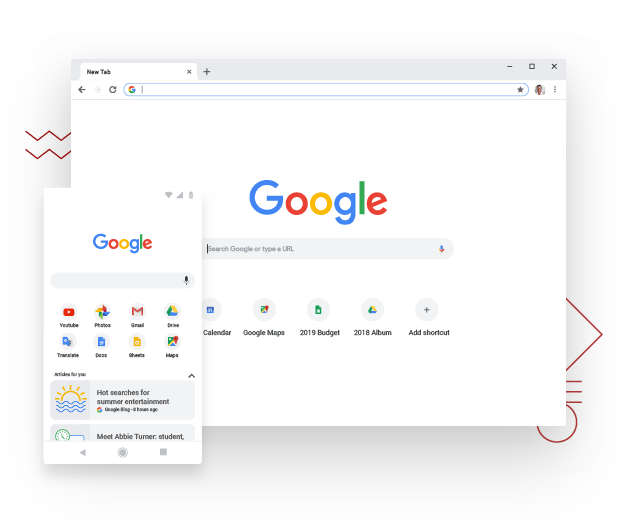
Undoubtedly Google Chrome is the most used web browser at present. Along with complete Google Account integration, a reliable suite of mobile applications, Chrome extension ecosystem, and Drive options, it is easy to see why it is so much preferred.

The best part is Chrome also blocs some unnecessary ads that don’t match up with the industry standards. Some of the best mobile integration features are available in Google Chrome. A mobile app is available on every platform, which makes it easy to keep your data in sync. Speaking of speed and compatibility, Google Chrome makes surfing smooth as a breeze.

Once you sign in to your Google Account in one device, all the bookmarks, saved data, and preferences come along. Even the active extensions are in sync. This is a standard feature in all other platforms, but Chrome offers the best integration of them all.

Google launched Chrome 69 in 2018 to mark its 10th birthday. It offered a visual redesign and added some nice new features. The user-interface became smoother, tabs are easy to find. With Chrome 71 available, you cannot go back to the old interface.

Chrome’s password manager automatically offers recommendations through strong passwords, the favorites as easily manageable. You get a dark mode for windows and MacOS. The bottom line is, Chrome is fast, lightweight, free, and better looking than ever.

Mozilla Firefox – A very very close competitor of Chrome

Source

Well, apart from being a close competitor, it is also considered as the best alternative to Chrome. With Firefox Quantum and Firefox Reality, Mozilla recreated the familiar old design and experience of the browser interface. It offers a cleaner and more modern look compared to its previous versions.

Mozilla introduced a password-free browsing experience. Firefox Quantum is designed in such a way that it can leverage the emerging multi-core processors. This may not make a huge difference in your day to day life but it will offer an edge in the future. The reason is, Firefox Quantum can take advantage of the quicker processors as they emerge.

The recent updates in Firefox include privacy protections along with anti-tracker support. Enhanced password syncing is available across multiple devices, better readability, and integrated breach alerts. The new Firefox is quicker and is much more streamlined than before. With the mobile Firefox app, you can share bookmarks.

Unfortunately, managing the setting through multiple platforms is not as seamless as Chrome. Firefox is comfortable and a familiar standby and it has been around longer than Chrome. Thus, it never hurts to keep it around. Also, with the release of Firefox 76, you can stay safe from the websites that want to track your activities.

Opera – an innovative web browser
Source

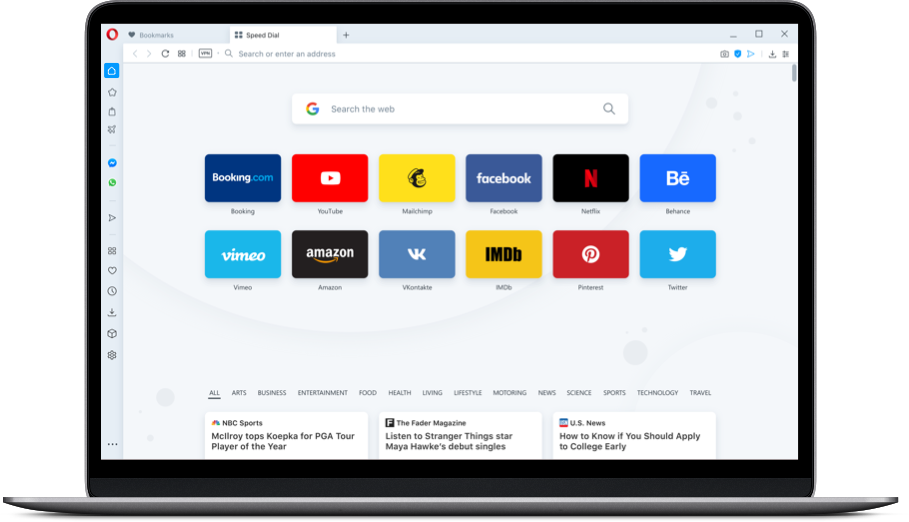
Opera shares a lot of common features with Chrome since both of them are built on Google’s open-source Chromium engine. Thus, they have a similar user experience. The difference arises in the built-in feature of Opera. It comes with a few more features enabled within the browser itself.

Opera also introduced a predictive website preload ability along with an Instant Search feature. This feature isolates the search in a separate window and the current page fades in the background. Thus, you can focus more on the task at hand.

From Opera 55, you will be able to install add-ons from the Opera Addons store. Similar to Chrome, you shall also find useful tools like Giphy, Avast Online Security, Amazon Assistant, Facebook Messenger, and more. With Opera 68 available, it could give major competition to the above-mentioned web browsers in seamless navigation and speed.

Another important feature of Opera is the “stash” that helps you to save pages to read later. The latest changes come with a borderless design, a Crypto wallet for blockchain-based sites, and a Web 3 support. If you are in search of a feature-packed browser with privacy and security, this is a great choice.

Microsoft Edge – the web browser with a lot of potential
Source

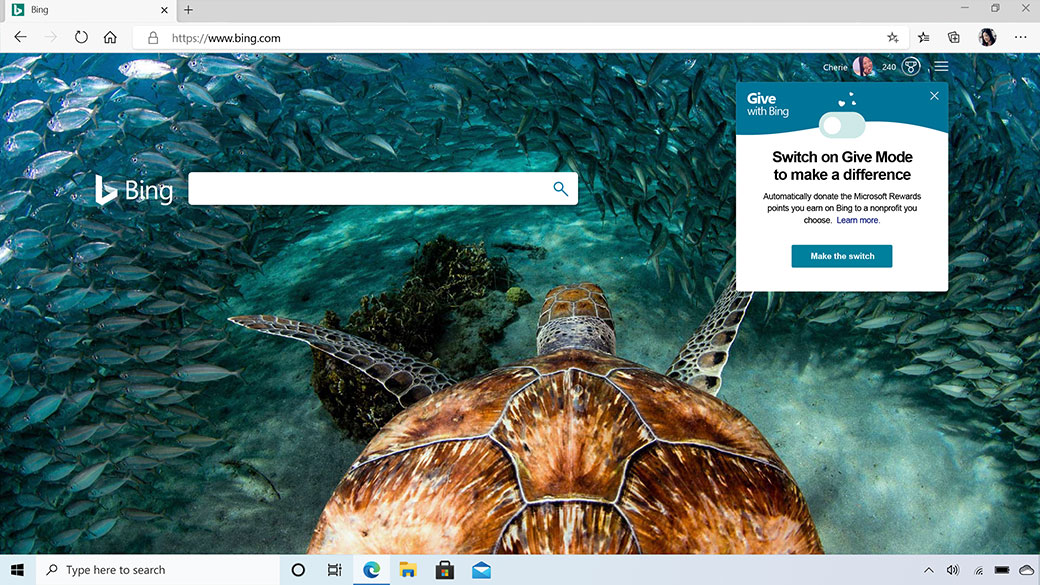
This one is an integrated browser with Windows 10. It uses an in-house browsing engine and updates along with the operating system. The project was not successful because Edge was not able to gain substantial market share despite being a Windows 10 default web browser.

Thus, Microsoft recreated Edge with open-source Chromium this time and launched it on 5th February 2020. It replaces the previous version of pre-installed Windows 10. Apparently, Microsoft Edge will look like Google Chrome. You can import all the bookmarks and toolbars. It also supports Chrome extensions and leads you to Microsoft Store for add-ons.

The best improvement is the performance here. Microsoft optimized Edge for Windows 10 which loads extremely fast and consumes a lot less memory. Also, it offers simpler privacy settings and offers a much more graphically-friendly interface. It comes with three security levels, basic, balanced, and strict.

Apple Safari – for dedicated Apple users

Source

If you are a dedicated Apple user, chances are Apple Safari is already a default user. This one may not be the fastest browser available, but it is fast enough to not make your surfing experience feel lagging. It remains integrated within MacOS.

It doesn’t consume too much battery. Safari ensures privacy and security. You can experience a seamless transition between different platforms. This browser was the first one to offer a reading mode. It eradicated all the clusters and unnecessary ads from web articles to read.

At present, macOS Catalina and iOS 13 offers fingerprint protection. The new version comes with Apple pay support and a Sign in with Apple feature for replacing Facebook and Google as web account authorization. With Apple’s Handoff feature, you can continue the browsing session between devices.

Final thoughts

In the end it can be said that Google Chrome surpasses the other web-browsers in multiple aspects including speed, navigation, add-ons, and ease of integration features. If you are looking for a web browser that doesn’t consume too much memory, then Microsoft Edge can be a good option. Mozilla still remains as a strong alternative to Chrome. If you love Chrome but you want a little more novelty, then Opera is for you.

Have you used all the above-mentioned web browsers? Share your thoughts with Skyram Technologies here.

For more informative blogs, check out our blogs section here.

Everything you need to know on the work-functions of search engines

Considering a user’s standpoint, search engines are nothing less than a miracle. All you have to do is input a query into the address bar and the results from the World Wide Web are ranked and sorted within seconds.

Popular search engines like Google and Bing have already started to offer answers directly within the search results. It saves both time and clicks. How do search engines work? Before we get to that let us share what exactly is a search engine.

What is a search engine?

In layman’s terms, a search engine is a combination of two things. One is a database of information and the second is a myriad of algorithms that determine which results should be ranked and returned.

Search engines like Google and Bing comprise of trillions of web pages. The algorithms evaluate multiple factors for delivering a relevant result.

Now the question that comes up here is how the search engines work.

How do search engines work?

To perform effectively, it is imperative for the search engines to know and understand exactly what sort of information is available and present it to users. The aim is to offer the most relevant result for the user. There are three fundamental processes involved, crawling, indexing, and ranking.

Crawling: This is the initial step for a search engine to work. The search engines send out web-crawlers. The web-crawlers are also known as bots or spiders. These web–crawlers review all the existing content of a website.

On reviewing the new and existing websites the bots look at data. The data includes sitemaps, keywords, page speed, URLs, and codes to discover the content types being displayed.

Indexing: Once the website is reviewed, the search engines now decide to organize and segregate the information. The indexing process involves reviewing website data for positive or negative ranking signals and save it in the right location of the servers.

Ranking: While indexing, the search engines start making decisions on where a particular content needs to be displayed on the search engine results page (SERP). The ranking is done by evaluating the different factors depending on the quality and relevancy of the end user’s query.

During this process, the search engines determine how valuable a website is for an end-user. The decisions are again based on algorithms. Once you understand how the algorithms work, it will help in creating better content to improve search engine ranking.

Search Engine process flow

Source

Every platform uses unique ranking factors for determining where the websites fall within the search engine results page. Keeping those ranking factors in mind helps in creating tailored content for specific pages to rank well.

How does Google Search Algorithm work?

Google is the most popular search engine present in the World Wide Web at present. It owns 90% of the market resulting in 3.5 billion individual searches daily. New websites are created regularly. Google finds the webpages by following the links from the existing content that it crawled previously.

Google’s website index comprises of billions of webpages and thousands of gigabytes of data. For organizing such massive information, Google makes use of a machine-learning algorithm called RankBrain and a knowledge base called Knowledge Graph. All these work together to offer the most relevant content to the end-user.

Google checks out five major factors when someone performs a search. These are as follows;

Query meaning: It determines the exact meaning/intent behind the end user’s query.

Web page relevance: So, the intent of the search query is determined. Then they review the content present in the ranking web pages to sort out which one will be the most relevant. Keywords play a vital role here. The keywords present on a website should match Google’s understanding of the query presented by the user.

Content quality: Once the keywords are matched, Google takes it one step further and reviews the quality of the content present on the ranked web pages. This is how it prioritizes the results, looking at the authority of the given websites, page rank, and freshness.

Web page usability: Google offers ranking priority to websites that are easy to navigate, loads quickly, and is responsive.

Additional context setting: This step seeks the previous user engagements and specific settings within Google.

When all these information is processed, Google offers the results in the search engine results page.

How does the Bing Search algorithm work?

Bing is a proprietary search algorithm of Microsoft. It uses an open-source vector-search algorithm known as the Space Partition Tree and Graph (SPTAG) for bringing the results. Since it uses an open-source algorithm, anyone can check out the nuts and bolts code of how Bing search engine works.

As much as Google is hush-hush about it crawls the websites and uses its algorithm, Bing makes things easy. The Bing search algorithm is divided into two separate modules. The Index builder and the Searcher.

The Index Builder works in categorizing the website information into vectors. While the Searcher enables Bing to connect with search queries and vectors in the index. Instead of being a keyword-first model like Google, Bing breaks up information into different data points known as vectors.

The Bing search queries are based on the algorithmic principle known as Approximate Nearest Neighbour. It uses a deep learning and natural-language model for offering search results.

Another major difference between Bing and Google is, Bing doesn’t include pages without ranking authority. Thus, the new pages have difficulty in ranking if they don’t have backlinks of an existing webpage with more domain authority.

To create tailored content for Bing, observe the differences between featured snippets and the top-ranking sites. It prioritizes content differently from Google.

How does the DuckDuckGo search algorithm work?

It comprises of a proprietary web-crawler known as DuckDuckBot to scour through the web pages and its content. Most of the information showed by DuckDuckGo on the results page is compiled from 400+ additional third-party sources. These sources include Yahoo, Bing, and Wikipedia.

Unlike Google or Bing, DuckDuckGo doesn’t capture personal information of their users, including the past searches or IP address. Due to this dedication towards privacy, the algorithm finds it hard to offer personalized results. Again, due to such a focus on privacy,

DuckDuckGo has got the most streamlined results page by far.

Another interesting aspect of this platform is, it allows the users to use customized parameters called Bangs. It enables them to bypass the search results page.

How does YouTube Search Algorithm work?

By far the most popular video-hosting platform is YouTube. The search engine is almost similar to Google that owns the platform. It is primarily focused on keywords and relevancy. The algorithm is broken down into two separate functions. They are, ranking videos in search and surfacing the relevant recommendations.

Few specific reasons why certain videos rank higher than others include, not outwardly defined, like all Google properties. The freshness of the video and frequency of the YouTube channel in uploading the video also works as an important factor.

At present, there are 1.3 billion users on YouTube with 300 hours of video being uploaded every minute. Thus, it becomes difficult for the algorithm to focus on finding ways to sift such a huge amount of data.

YouTube balances on recommending videos based on how recently a video was uploaded and also the individual’s past search behaviour.

In the end, it all comes down to comprehending the end-user requirement. You will not be able to create customized and high-ranking content if you are not aware of what your target audience is looking for.

Get in touch with Skyram Technologies here. Our experienced professionals ensure that your website gets ranked on the first page of Google Search Engine.

For more such fresh content, have a look at our blogs section here.

Why Should You Move Your Website From Http To Https?

When you have a website, maintaining the security of the site as well as your users is one of the most crucial aspects.

A study shows that a lot of cyber attacks happen to small business organizations.

And due to this & many other reasons, most websites are moving towards HTTPS from HTTP.

But before starting about the advantages of the HTTPS-based website, lets clear our concepts.

What is HTTP?

HTTP or Hypertext Transfer Protocol is an application layer protocol that governs any information that can be transmitted on the World Wide Web. HTTP provides standard rules for web browsers & servers to communicate.

It uses structured text which establishes the logical link between nodes containing text. It is also known as “stateless protocol” as each command is executed separately, without using a reference of the previous run command.

What is HTTPS?

HTTPS stands for HyperText Transfer Protocol Secure.

It allows secure transactions by encrypting the entire communication with SSL. It is a combination of SSL/TLS protocol and HTTP. It provides encrypted and secure identification of a network server.

Earlier, HTTPS used to be associated with sites that had sensitive information, but now more sites are making the switch rapidly!

What is an SSL Certificate?

It is a set of data that is to be added to your server to achieve an encrypted connection between a browser & a server.

When the site is SSL certified, it displays a green padlock indicating the site is secured.

What are the major differences between HTTP & HTTPS sites?

HTTP HTTPS
The address browser is http:// The address browser is https://
It is unsecured It is secured
Sends data over port 80 Uses port 443
operates at application layer operates at transport layer
No SSL certificates are required for HTTP HTTPS it is required that you have an SSL certificate
No encryption in HTTP HTTPS the data is encrypted before sending

What are the advantages of HTTPS?

Improved Google Ranking

If you look at the first page of Google, almost 40% of the sites are HTTPS.

This is not a surprise since Google has confirmed that they favor HTTPS sites.

Google wants to ensure the best user experience for their customers, so understandably they don’t want to send searchers to insecure sites

Security & Privacy

HTTPS sites are encrypted. Keeping everything safer and more secure is simply a better option for everyone.

Google adds criteria to the rankings algorithm when it has proven to provide a better user experience. HTTPS protects your users’ information and your information from hackers.

Keeping everything safer is obviously a better experience for everyone!

For HTTP, every request can potentially reveal a lot of information & behavior of any user.

Although a single visit may seem pretty harmless, some intruders look at the aggregate browsing activities of your users to make inferences about their behaviors and intentions.

Also, some Wifi operators use MitM techniques to inject ads or various other messages into the user’s unencrypted web traffic. HTTPS has the capacity to prevent this.

Your website will look for authoritative

Earlier, in one of our blogs, we had discussed how Google prefers sites that have more authoritative tones to it.

Well, most company has an HTTPS website. This is mostly because of the practical implications surrounding encrypting user data. It’s also because HTTPS comes off as more professional.

If you are still using a non-HTTPS website recently, you may have noticed next to the website’s address a note saying “not secure”.

Seeing something like “not secured” in your browser shatters consumer’s confidence.

Better SEO

Google deals with over 3 billion searches per day.

SEO is incredibly important for your online visibility. Google and other search engines put additional weight on HTTPS sites which is one of the largest advantages of HTTPS.

Updated browser labels

As a part of their push for a more secure web, Google updates its labeling for HTTP sites in Chrome’s URL bar.

HTTP sites are marked grey information symbol that tells the user the site is not secure if they click on it.

Google is marking Http sites with a red triangle with a “Not Secure” label written in red.

How to change your site from HTTP to HTTPS?

The steps are pretty simple & straightforward:

Step 1

Purchase an SSL certificate

Step 2

Install your SSL certificate on your website’s hosting account.

Step 3

Now, change all website links to HTTPS, so that they are not broker after you make the flip

Step 4

Set up 301 redirects from HTTP to HTTPS

However, due to the overwhelming responses offered by SSL certificate vendors and packages offered by hosting companies, this process can become very puzzling.

One thing is for sure if you want to change your site from HTTP to HTTPS, at some point you are bound to get confused. It is better to take professional help.

Want some help? Connect with us at Skyram Technologies. Our expert team of professionals will surely help you manage your page better so that it gets the maximum visibility online! Contact us here!

Also, for more such blogs click here!

THE RACE TO CREATE BEST VIRTUAL ASSISTANT

A 2019, Comparison Between Alexa, Siri, And Google Assistant

Ever since Apple launched Siri around 2011, the digital world has never been the same. Today we have so many virtual assistants in the market that it is really difficult to point out which one is the best!

However, Alexa, Siri & Google Assistant is the three most popular ones, used vastly across the world. While each of them has their own sets of features, all of them has their quirks as well. Let’s have a comparison!

Everyday Jobs:

Let’s start with the basics. All of them are pretty efficient when it comes to doing day to day tasks. Math Problems, Weather Forecasts, Setting Reminders & Alarms, Call & Text Messages, all of them have a stronghold on these.

But Siri & Goggle Assistant can send texts via Whatsapp, whereas, Alexa cannot integrate Whatsapp in any way.

As a conversationalist, Alexa is quite decent but you need to repeat the word “Alexa” with every command or conversation. For example, if you say, “Alexa, what’s the current temperature at the thermostat?”

For the next command, you have to say, “Alexa” again before requesting that the voice assistant “set the hallway thermostat to 68 degrees.”

Although, it would be much more convenient to just say, “Alexa, what’s the current temperature at the hallway thermostat?” and then say, “Set my hallway thermostat to 68 degrees,” without having to utter “Alexa” again.

Google Assistant is also fairly strong in terms of natural-language conversations. you can ask Google Assistant about the weather, the traffic, to adjust a smart LED for you — and much more. What’s more, in 2019, Google informed that now, with its new feature one doesn’t have to repeat “Hey Google” again & again.

apple siri

Complicated Tasks

All of them have their own way to address complex tasks.

For instance, if you are searching for a nearby Chinese restaurant, all of them will find you restaurants based on the asked cuisine. However, Google often suggests food places related to the cuisine you ordered, like Lasagna. Google Assistant also offers to book a table at a nearby restaurant when you tell it that you’re’ hungry & also gives options to order via Swiggy along with directions.

Now, comes the hard part, i.e, giving directions, suggesting recipes, etc.

For these tasks, the assistants need to guide someone to do a job constantly. It is like supporting a friend!

When it comes to offering directions, Google Assistant gives solid time estimates and will direct you towards every major landmark. While for Siri & Alexa, it is often reported that both have failed to recognize places in India.

Context Related Tasks

Alexa and Google Assistant already have multi-user voice recognition, meaning they can distinguish between my voice and my co-workers. While, Siri should be able to give you reminders, music recommendations and other things that are customized just for you.

Also, one of the biggest strengths of Google is that it can understand other languages like Hindi or even Bengali for that matter. Siri lacks behind this one.

Google is far more context-aware than the other two. For example, if you are searching for English Premier League champions & it gave the answer to Manchester City. The next time you ask “How many goals?”, it will answer the right number. You can also experiment with it by asking “Coach’s name?” & it will provide you with subsequent answers.

The other two, however, failed to answer after one question as it can easily lose the context.

NEW FEATURES:

All of them have been updated quite a notch in the recent few years.

Some of the latest additions you may ask?

Here is a list:

Google Assistant-

  • Booking A Ride:

One of its newest addition, currently it can find a ride within Grab, Uber, Lyft, Ola, and GO-JEK.

Since there are multiple ride-sharing apps available in numerous locations, Google Assistant will be able to compare the prices for each, allowing you to pick the most cost-efficient option.

  • More Tool Access for Brands:

Some brands are now given the tools to be able to enhance the viewing experience and provide more effective search results. This means that some of the brands will be able to present thumbnails, provide larger images for better user experience.

  • Personalized Interface for Andriod Users:

This one is an added benefit for the Android users.

Google has been focusing on personalized search results that cater to user preference, which means one can easily find blogs they may be interested to read, find news updates, weather reports of the area & so on.

Siri-

  • Improved Siri Voice:

With a less artificial, stitched-together sound, and a more natural, life-like voice, Siri has been updating themselves a lot. Siri has a new Indian English voice to add to its existing five options.

  • Shortcuts:

Siri shortcuts will now be available in the shortcut apps. Now both custom and suggested shortcuts are under one roof.

  • Adding Multiple Reminders:

Earlier, if you wanted to add multiple reminders, you needed to dedicate one item per inquiry. Recently, Siri has been updated to be able to add multiple items to a list without any hassles. It knows, when two items should be separate & two should not.

  • Enhanced Maps:

You’ll find Siri to be even more descriptive with directions in Maps. For example, instead of “In 1,000 feet, turn right,” you’ll hear, “Turn left at the next traffic light.”

alexa

Alexa:

  • Updating your routine:

This has been made quite easier for Alexa users. Alexa will now recommend routines when you connect a smart device, which makes setting up routines even easier.

  • Stay Updated:

Alexa can now provide longer, better flash briefings. You can also ask Alexa to “play news from CNN,” and you’ll get a lengthy summary of what’s happening in the news.

  • Better Entertainment Experience:

Earlier, it was difficult for Alexa to go beyond its own music service. Now, you can access the Apple Music playlist with Alexa, provided you have your account linked with it. You can even use Spotify, Vevo, Pandora & other services as well.
